


Answer

"Create Loop From Text" of a CSV file Shifts "Cell" data up if first row has empty cell

  • September 21, 2023
  • 4 replies
  • 190 views

Forum|alt.badge.img

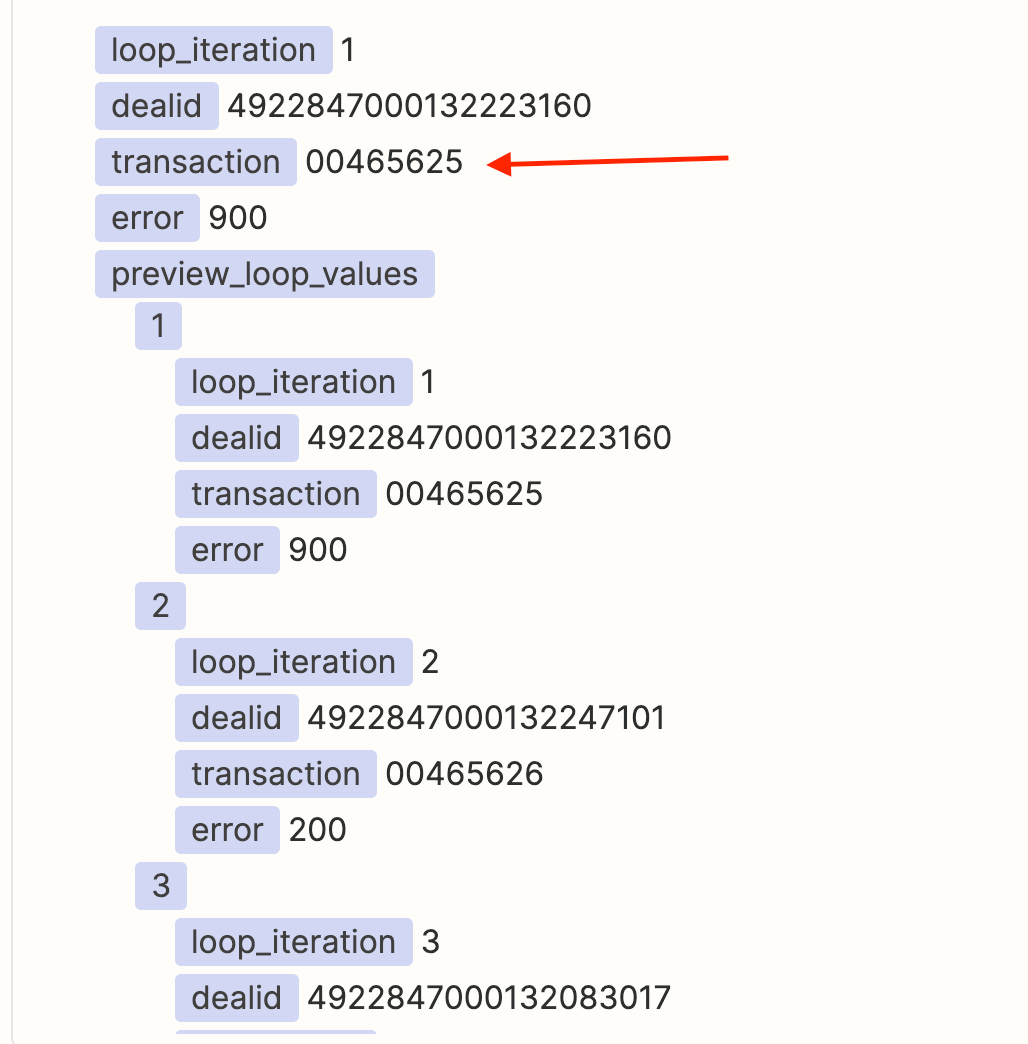
When using "Create Loop From Text" after a “Utilities in Formatter by Zapier - Import CSV”, if my first data row has an empty value between the commas, it is shifting the values of that column "UP" to fill the first row with the second rows data. Subsequent empty values do not exhibit this problem; however all data in that column shifts up. IF the first row data doesn't have any empty values, then the following data remains correct, regardless of empty data on the perceived column. 

How to fix it, please? Any ideas?

Thanks!

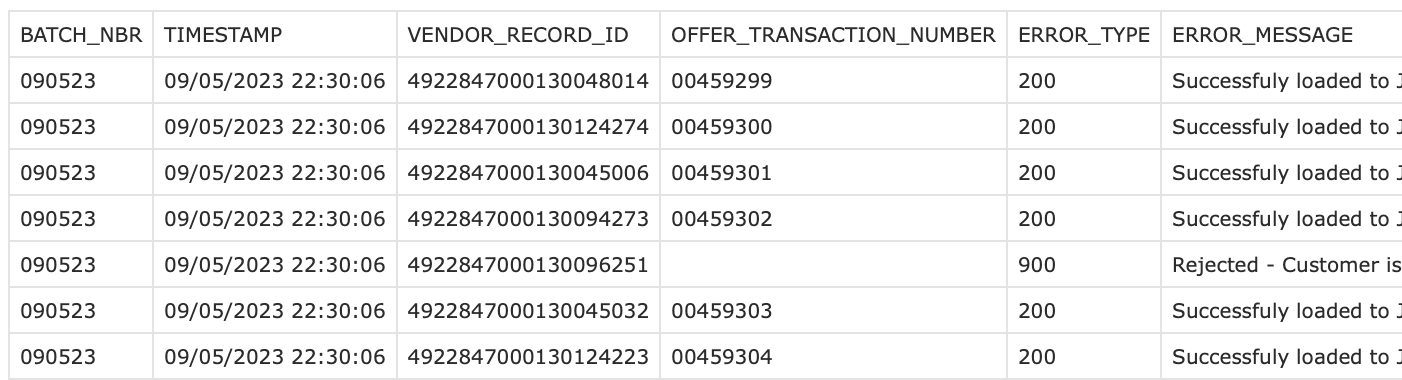
Example 1: This file iterates just fine in the loop - The first row is recognized as the header. The main offending column is the “OFFER_TRANSACTION_NUMBER” . In this case, the file is processed correctly even after the column data is empty in one cell.
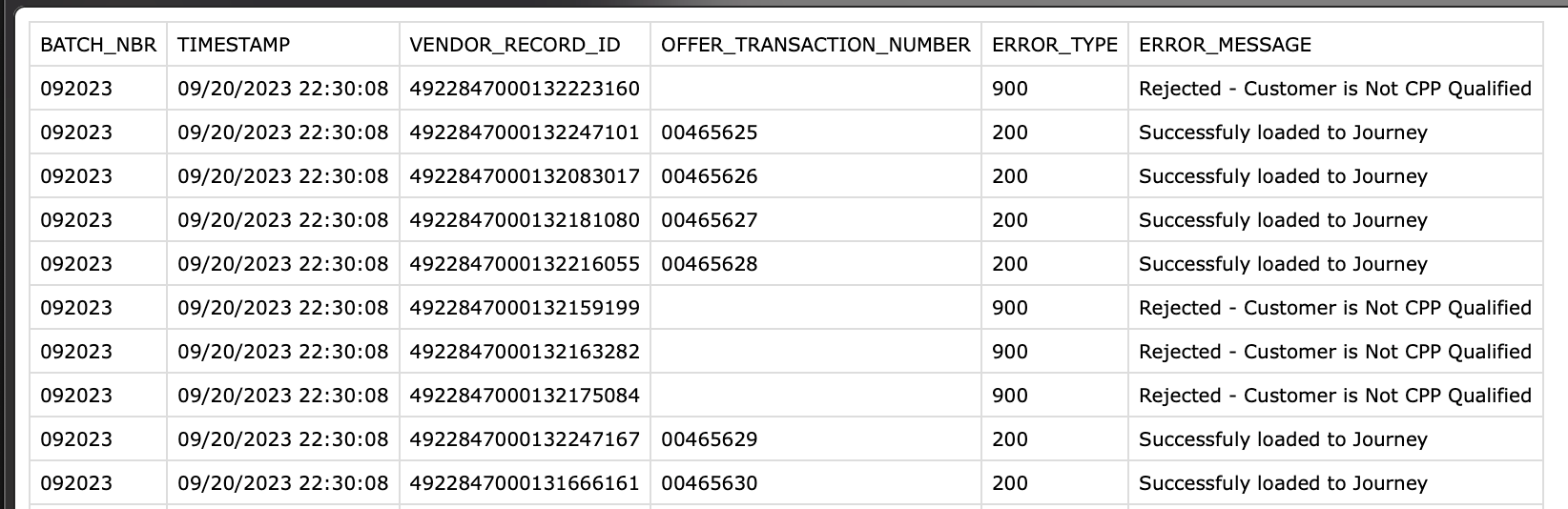
Example 2: This file does not iterate properly since the first row has empty “cell” data. Even tho this is CSV file, just assume we are talking columns, rows, and cells. It actually shifts the data in that column up and iterates the rest with the column data shifted.
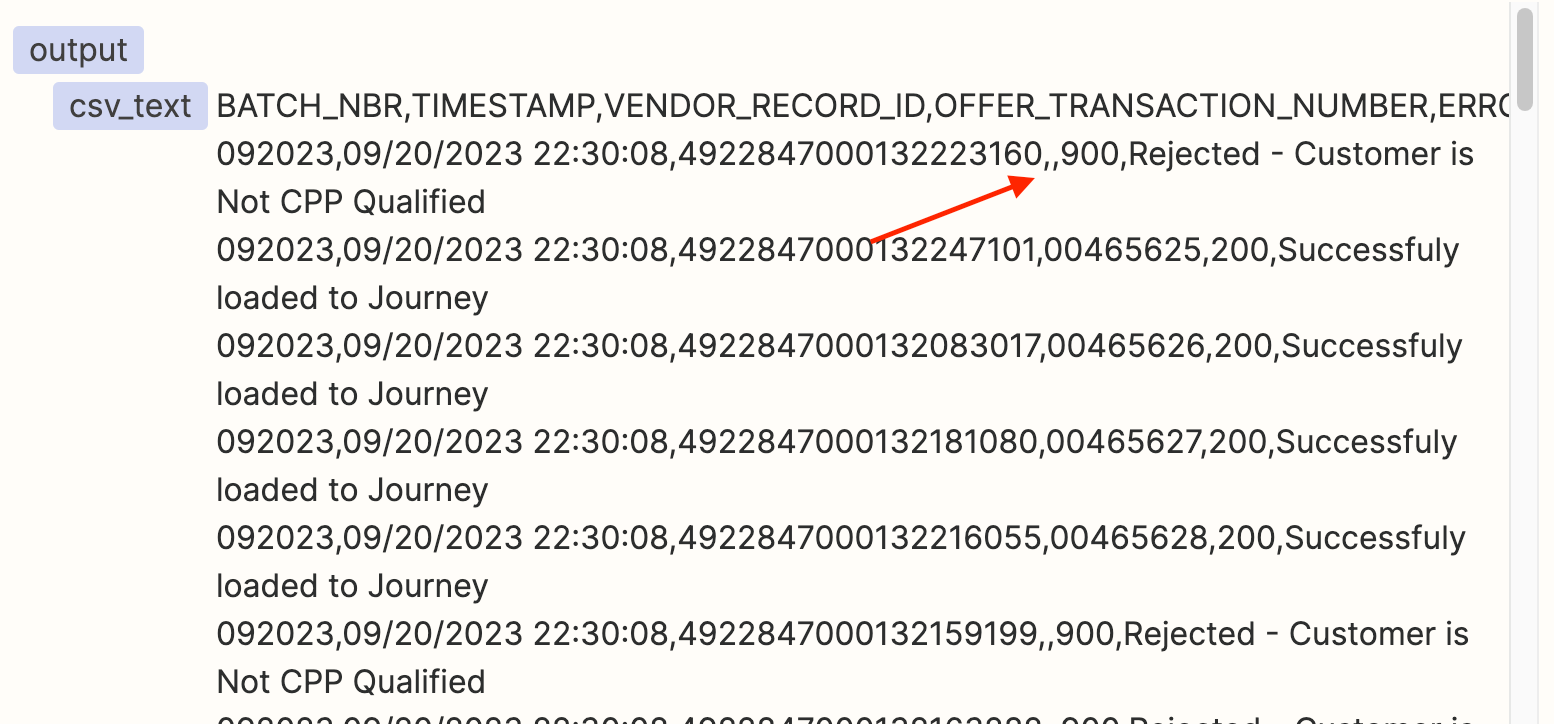
Here is the data during the Import CSV action - Looks fine.
Here it is in the Test of the Loop. You can see that it has shifted the data to fill in the empty value with the one belonging to the next row.
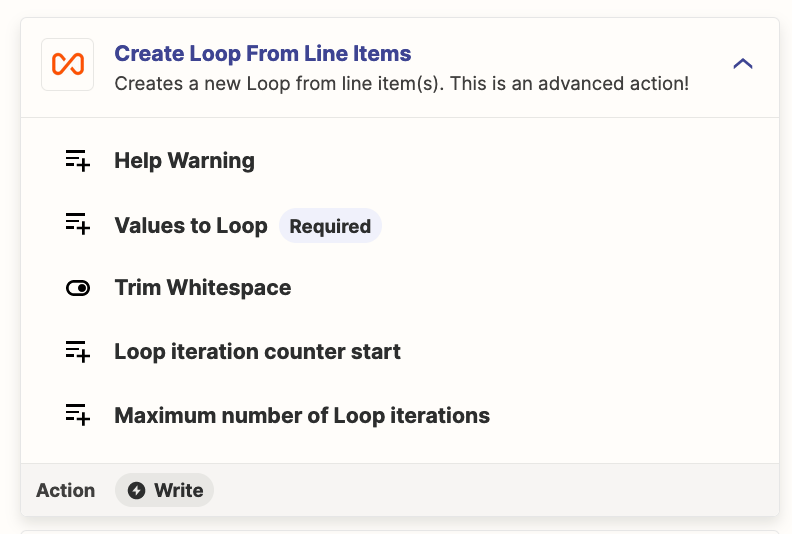
 

Best answer by Troy Tessalone

Hi @Kliqks 

Good question.

Try using this Zap action: Looping - Create Loop from Line Items


This post has been closed for comments. Please create a new post if you need help or have a question about this topic.

4 replies

Troy Tessalone
Zapier Orchestrator & Solution Partner
Forum|alt.badge.img+14
  • Zapier Orchestrator & Solution Partner
  • Answer
  • September 21, 2023

Hi @Kliqks 

Good question.

Try using this Zap action: Looping - Create Loop from Line Items


Forum|alt.badge.img
  • Author
  • Beginner
  • September 21, 2023

I did have it working by adding 2 more steps to 1) “Replace” the ,, with ,Rejected, with text formatter and then 2) re-import the result as csv and parsing it again; However, YES, by changing it to “loop the line items” instead of looping the Text, it now appears to be supplying the correct data and not using more credits as in my work-around.

Thanks so much @Troy Tessalone 


Forum|alt.badge.img
  • Author
  • Beginner
  • September 21, 2023

I messed up and clicked the wrong POST as the best answer and now I can’t undo it.

Sorry @Troy Tessalone , of course your answer is best!


SamB
Community Manager
Forum|alt.badge.img+11
  • Community Manager
  • September 25, 2023

Thanks for letting us know @Kliqks. So glad you were able to get things resolved. I’ve updated Troy’s post to be the best answer.

If you run into further issues or questions please do reach out to the Community again, we’re always here and happy to assist. Until then, happy Zapping! ⚡




