
Best answer

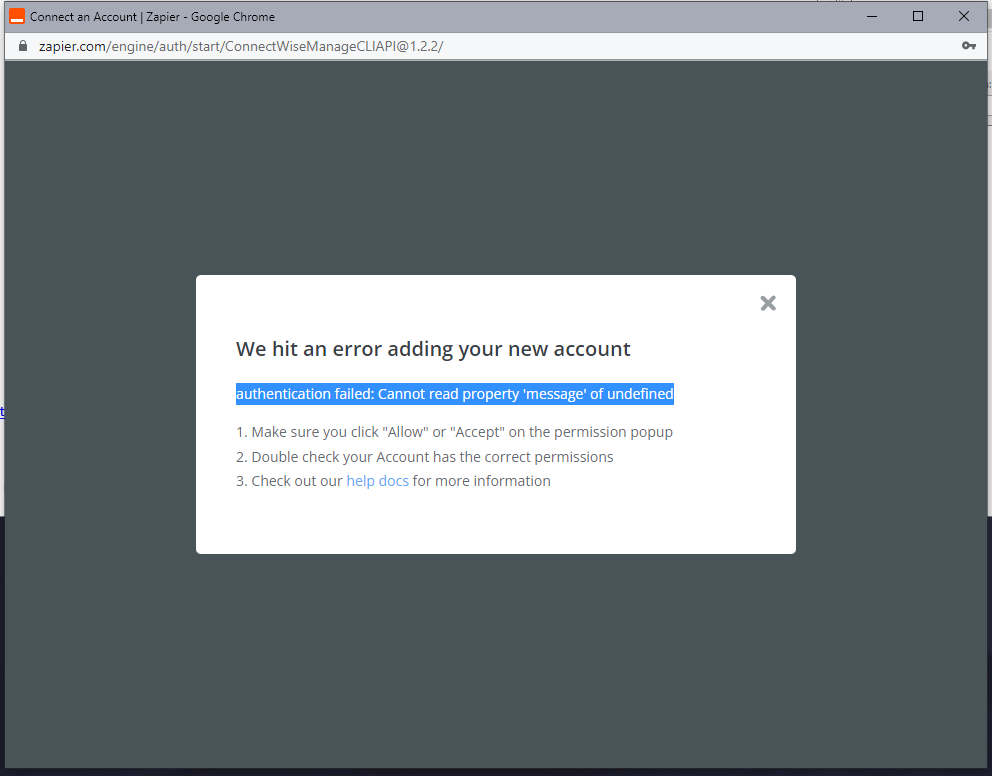
ConnectWise error: Authentication failed, cannot read property message of undefined.

  • July 25, 2022
  • 5 replies
  • 475 views

I am trying to allow Zapier to access my ConnectWise Manage Account and I'm getting the attached error. Please can someone help me?



Best answer by christina.d

Ah, sorry to hear that! Looks like I may have read through the ticket a bit too quickly. 😔Here’s the last bit we have from the ticket:

Once you have set up ConnectWise with our quick start instructions at https://zapier.com/help/doc/how-get-started-connectwise-manage-zapier, you would want to check that the account that created the API Keys has the permissions for the actions required in the Zap.
 
While we don't have any specific permission guidelines, usually, admin-level permissions will allow your Zap to take any necessary actions. 

They also shared this resource and mentioned p.8 might be the most useful in determining the proper permissions:

If you have any additional questions, please feel free to respond in the open ticket! You’re truly in the best of hands with our support team!

This post has been closed for comments. Please create a new post if you need help or have a question about this topic.

5 replies

Troy Tessalone
Zapier Orchestrator & Solution Partner
Forum|alt.badge.img+14
  • Zapier Orchestrator & Solution Partner
  • July 25, 2022

Hi @Vigo Software 

Good question.

Might be best to open a ticket with Zapier Support: https://zapier.com/app/get-help


  • July 28, 2022

Thank you for replying. I have contacted them but it’s been a few days and no reply 


christina.d
Forum|alt.badge.img+9
  • Zapier Staff
  • August 2, 2022

Hey there, @Vigo Software! I took a quick peek and it looks like you were able to get your connection sorted - which is awesome!🎉

Would you be open to sharing your solution? We’d love to know. 🤗


  • August 5, 2022

Hi, unfortunately the issue isn’t solved. I’ll share the solution when it is


christina.d
Forum|alt.badge.img+9
  • Zapier Staff
  • Answer
  • August 8, 2022

Ah, sorry to hear that! Looks like I may have read through the ticket a bit too quickly. 😔Here’s the last bit we have from the ticket:

Once you have set up ConnectWise with our quick start instructions at https://zapier.com/help/doc/how-get-started-connectwise-manage-zapier, you would want to check that the account that created the API Keys has the permissions for the actions required in the Zap.
 
While we don't have any specific permission guidelines, usually, admin-level permissions will allow your Zap to take any necessary actions. 

They also shared this resource and mentioned p.8 might be the most useful in determining the proper permissions:

If you have any additional questions, please feel free to respond in the open ticket! You’re truly in the best of hands with our support team!




