
Question

Connecting Airtable and Teams using Zapier for sales funnel alerts

  • January 22, 2025
  • 2 replies
  • 8 views

Hello All, 

I have linked Air table & Teams to create an alert when a client moves along our sales funnel. 

I created Zapier it’s own last modified and set that to update when stage 2 check box is ticked for example.

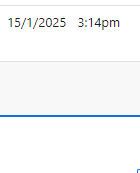
This now fires off without that field being filled in for reference the image below is the Zapier time field i created, for 3 clients, top was the test, 2nd row sent an alert on the 21/1/25 19:13. but no time is in this field.


Any advice or workaround would be greatly appreciated.
 

Thanks

This post has been closed for comments. Please create a new post if you need help or have a question about this topic.

2 replies

JammerS
Forum|alt.badge.img+6
  • Zapier Staff
  • January 24, 2025

Hi ​@BritishLGBTAwards,


Welcome to the Community.


To create an alert in Teams when a client moves along your Airtable sales funnel, ensure the Zap triggers correctly. If using Airtable's "New Record" or "New Record in View" trigger, the Zap may activate even if the "Zapier time" field isn't updated. To fix this, create a new Airtable view that includes only records with a non-empty "Zapier time" field, then use the "New Record in View" trigger. Alternatively, add a Filter step to ensure the Zap continues only if the "Zapier time" field is populated.


I hope this helps. Let me know if you have any other questions.


SamB
Community Manager
Forum|alt.badge.img+11
  • Community Manager
  • February 20, 2025

Hey there, ​@BritishLGBTAwards—just checking in! 🙂

Did Jammer’s suggestion of adding a filter to the Zap do the trick? Want to make sure this got sorted, so let us know if you’re still stuck at all!


