Question

ClickUp Start date not populating

  • November 27, 2023
  • 3 replies
  • 158 views

Forum|alt.badge.img

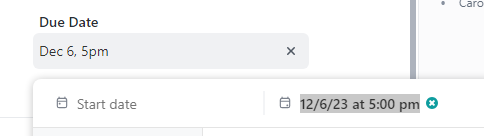
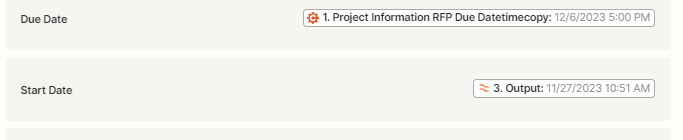
I have a zap setting up a new task when a cognito form entry is created.  I have all the date formats set up for Task due date and custom date and time fields. Those fields are working.  I’ve set the date the entry is submitted to be the Start date/time for the task but each task created has a blank start date.  Anyone have a fix for this?
 

This post has been closed for comments. Please create a new post if you need help or have a question about this topic.

3 replies

Troy Tessalone
Zapier Orchestrator & Solution Partner
Forum|alt.badge.img+14
  • Zapier Orchestrator & Solution Partner
  • November 27, 2023

Hi @Kim_M 

Good question.

Can you post screenshots with how your Zap step is configured in the Zap EDIT mode?

Check the field description for possible guidance about the expected value format.

Help: https://help.clickup.com/hc/en-us/articles/6310888587415-Date-formats-used-during-imports-and-exports


Forum|alt.badge.img
  • Author
  • Beginner
  • November 28, 2023

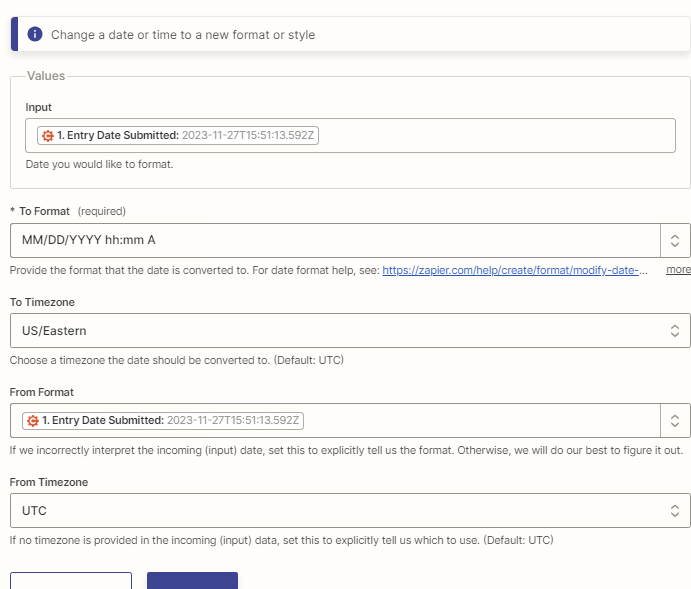
Here is the screenshot of the zap to format submitted date/time format.  


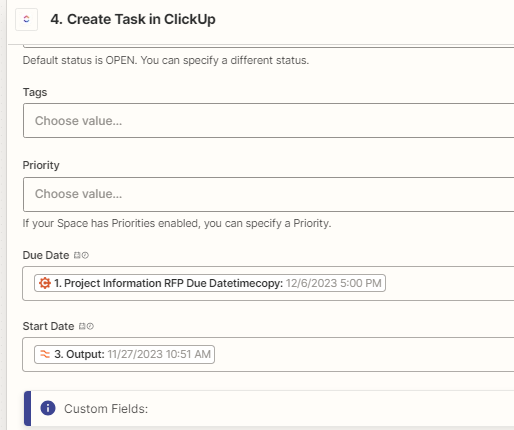
Here is the zap to create the task with the due date and start date.  Due date is working.


Thanks for looking into.


Troy Tessalone
Zapier Orchestrator & Solution Partner
Forum|alt.badge.img+14
  • Zapier Orchestrator & Solution Partner
  • November 28, 2023

@Kim_M 

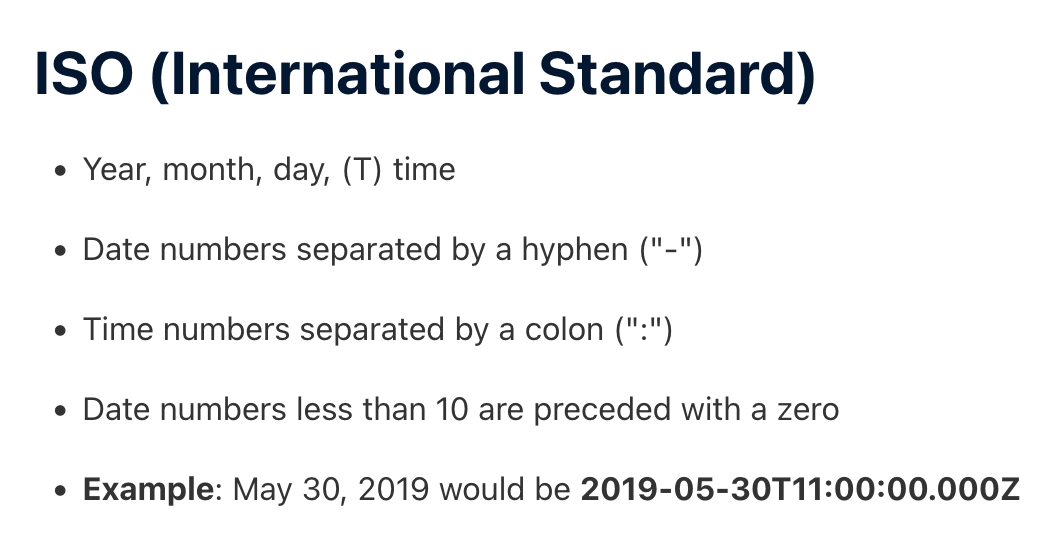
Try changing to the ISO timestamp format as indicated in the help article.

Help: https://help.clickup.com/hc/en-us/articles/6310888587415-Date-formats-used-during-imports-and-exports