Question

Can anyone help me understand this error message?

  • March 18, 2026
  • 2 replies
  • 9 views

Hi, 

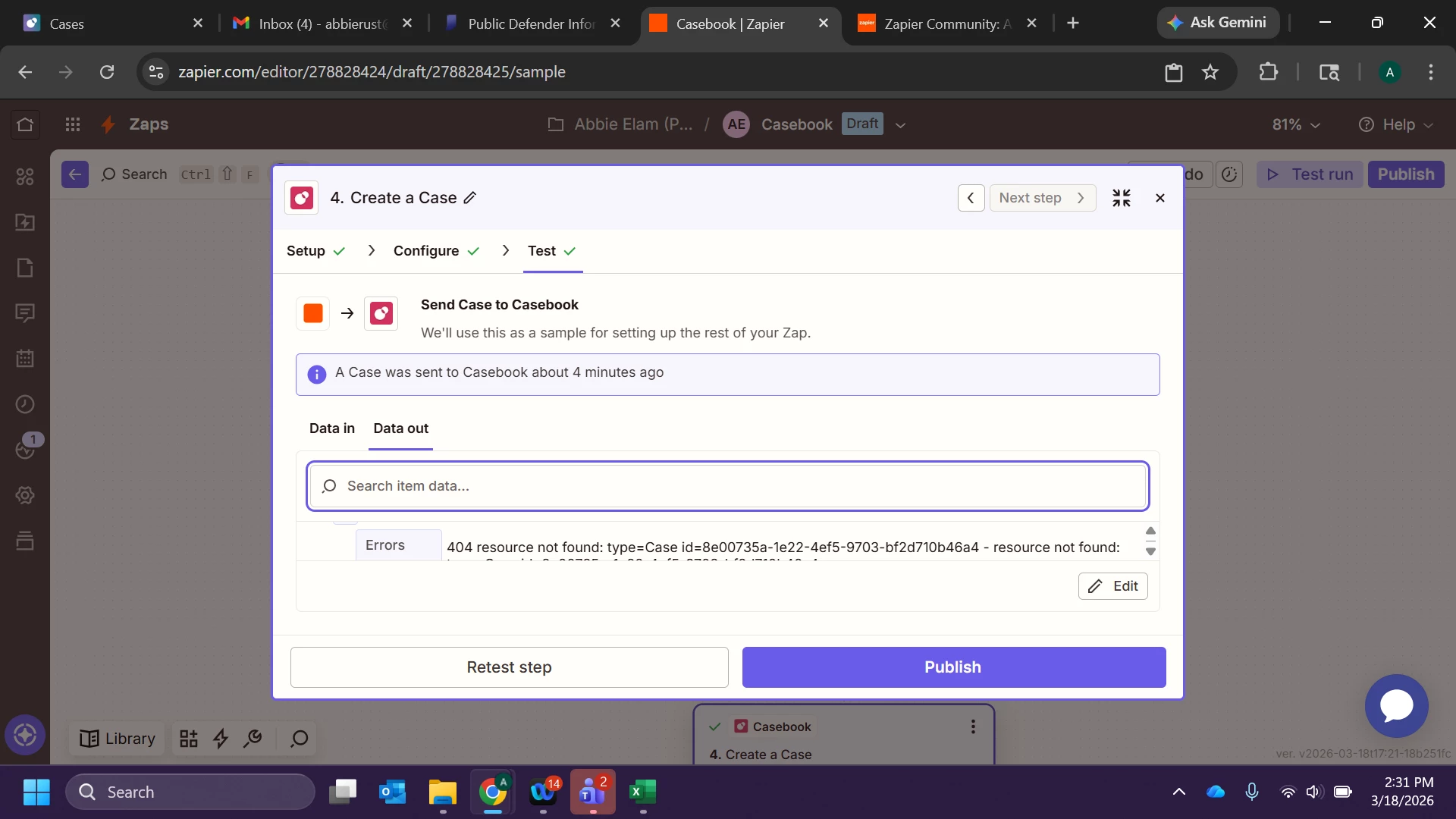
Is anyone able to help me troubleshoot this error message I keep getting? I’ve used the same zap for over a year, and suddenly last week I started getting error messages. The zap is formatted to create a new case in Casebook whenever a new row is added to an Excel spreadsheet. I’ve been emailing with support, but it’s been slow-moving, and this has been an issue for over a week now, significantly impacting my productivity. Open to any suggestions. I’m sharing a screen shot, the window to too small to show the whole error message, so I’ve also copied and pasted it below. 

errors

1

Errors Message

404 resource not found: type=Case id=8e00735a-1e22-4ef5-9703-bf2d710b46a4 - resource not found: type=Case id=8e00735a-1e22-4ef5-9703-bf2d710b46a4

Errors Path

1

createCase

extensions

cbpApiErrors

1

Errors Extensions Cbp Api Errors Status

404

Errors Extensions Cbp Api Errors Title

resource not found: type=Case id=8e00735a-1e22-4ef5-9703-bf2d710b46a4

Errors Extensions Cbp Api Errors Detail

resource not found: type=Case id=8e00735a-1e22-4ef5-9703-bf2d710b46a4

Errors Extensions Code

INTERNAL_SERVER_ERROR

Errors Extensions Service Name

cases

Data


2 replies

drtanvisachar
Forum|alt.badge.img+5
  • Zapier Solution Partner
  • March 18, 2026

Hey ​@Aelam3 !
 

That error is telling you that your Zap is attempting to reference a Case ID that is invalid (doesn't exist). That should not be happening on a create step.

Go into your "Create a Case" step and delete anything that looks like a Case ID or another Case field. One of those is probably mapped to old data which is causing the error.

Then do the following steps EXACTLY:

Import another sample from Excel pulling from a new row.

Go into the Casebook step

Delete all the fields and remap

Try again

If this does not work. Delete ALL optional fields in that step so only required fields remain. Try it. If this works, slowly add fields until it doesn't. The field you add will be your culprit.

This is not a Zapier problem. Either you have a bad mapped ID somewhere or there is a field in Casebook that now requires a valid lookup.


Dr. Tanvi Sachar
Monday Certified Partner, Tuesday Wizard


Troy Tessalone
Zapier Orchestrator & Solution Partner
Forum|alt.badge.img+14
  • Zapier Orchestrator & Solution Partner
  • March 18, 2026

Hi ​@Aelam3 

A 404 resource not found for type=Case id=... means the Zap is referencing a Case ID that no longer exists or is no longer accessible.


If it is a one-off error in a Zap Run, then that is usually due to invalid data.
If it is happening for many Zap Runs, then that is usually due to a Zap step config issue or Zap app API change.


If you are still having issues, then post screenshots showing how Zap step 4 is configured in the CONFIGURE tab.