Question

Calendly Triggering a Notion Database Item

  • November 5, 2025
  • 3 replies
  • 23 views

I have a notion database called “Website Form Submissions”

I have a Tally form on our website connected to Notion already. So every time there is a submission, it appears on my Notion database (creates a new row)


I integrated Calendly into this form where when they pass certain key qualifying questions, it goes to Calendly booking page.


My goal is to update a specific COLUMN in a Notion database ("Website Form Submissions") when a Calendly invitee is created, matching by email and setting the "Meeting Booked" column to true(yes). 


In other words, using Zapier to find/match the email that was used to submit the form with the email that was used to book a meeting in Calendly, and Zapier to mark the Notion database column “Meeting booked” as YES.


In my Zap, I am using the "Find Data Source Items" action to locate the appropriate Notion row based on the email address provided by Calendly. 


However, as a final action to add the mark in Notion column, I do not see an option for “Update Database Item”. 

If I try doing it by "Update Database" action, Zapier does not present any field to specify the Item ID, Page ID, or similar property that identifies which database item to update. 


As a result, I am only shown generic fields (like Title, Move To, Display Inline, etc.) with no way to target a specific record, which prevents me from updating just the "Meeting Booked" column for the correct row. 


The only action options I am seeing are add block to page, add comment, add content to page, archive data source item, create data source item, retrieve a page, retrieve database, update data SOURCE item, update data source schema, update database.


I have tried reconnecting Notion, recreating the step, and ensuring permissions are set correctly, but the required field to specify the database item is missing. 


I need guidance or a fix to enable mapping the unique item ID from the "Find Data Source Items" action in order to update a single column for a matching row, as described in Zapier’s documentation and typical update workflows. 


Please provide me some guidance. :(

3 replies

Troy Tessalone
Zapier Orchestrator & Solution Partner
Forum|alt.badge.img+14
  • Zapier Orchestrator & Solution Partner
  • November 5, 2025

Hi ​@stella130 

Help links for using Notion in Zaps: https://zapier.com/apps/notion/integrations#help

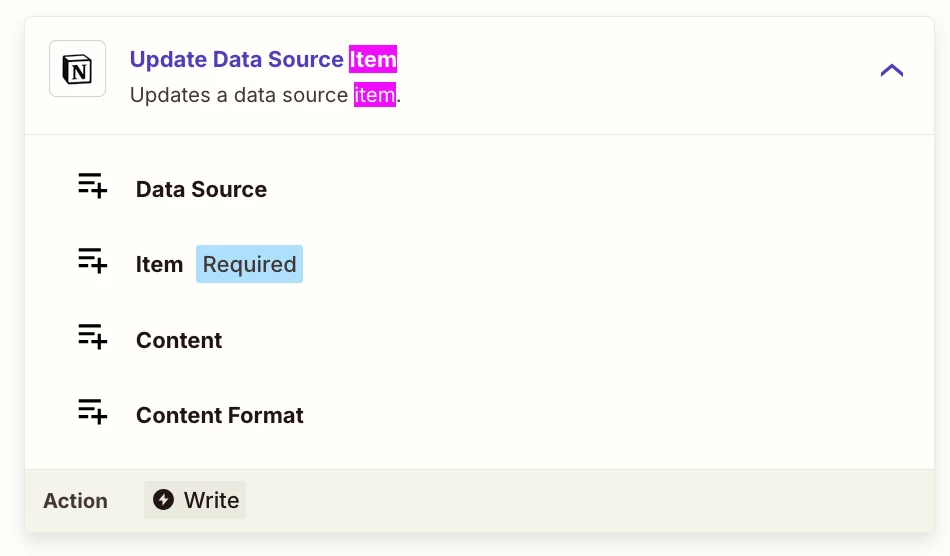
Try this Zap action: Notion - Update Data Source Item

  • Select a Data Source
    • This should then show the other fields to configure
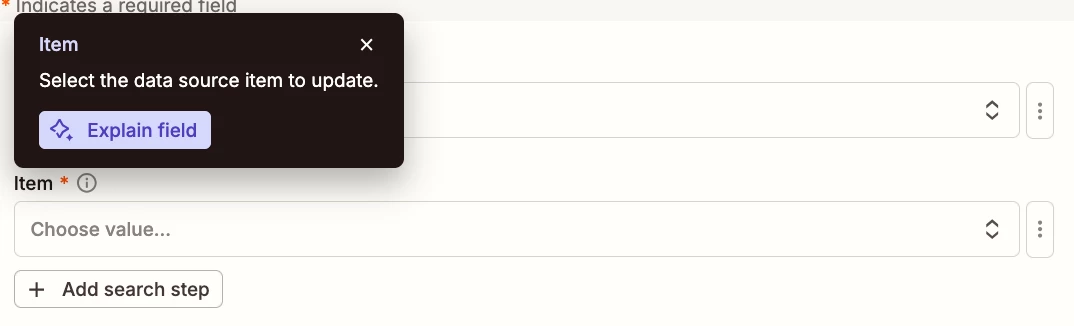
  • Map the Item ID to the Item field


SamB
Community Manager
Forum|alt.badge.img+11
  • Community Manager
  • November 11, 2025

Hey there ​@stella130 👋

Have you had a chance to try that Update Data Source Item action that Troy suggested? If so, did it allow the Zap to update the Meeting Booked column correctly?

Let us know how it goes, want to make sure you’re all set 🙂


DennisWF
Forum|alt.badge.img+5
  • Zapier Solution Partner
  • November 12, 2025

@stella130 if the action you’re seeing is called “Update Database Item” rather than “Update Data Source Item”, that’s a sign that that action is using an outdated version of the Notion integration.

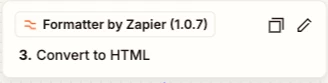
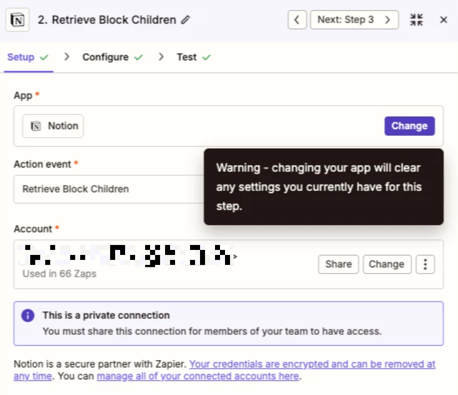
Back in August, Notion made a change to their API - you can read more about it here, but the TL;DR is that databases are now essentially just “containers” for one or more data sources, and so integrations like Zapier’s had to be updated to work with the new version of the API. If your action is still using the old terminology of databases, then it’s on an older version (you can also tell by seeing if there’s a version number following the app name in the Editor view, which only appears when it’s not on the latest version):

The good news is that all you have to do to get onto the latest version is go to the Setup tab, hit “Change,” and then just select Notion as the app again, and that’ll bump you up to the current version.

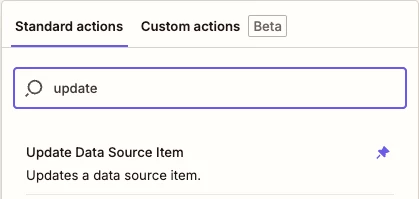
Once you’ve done that, you should see Update Data Source Item as an option:

This post has been edited by a moderator to remove personally identifiable information (PII). Please remember that this is a public forum and avoid sharing personal or potentially sensitive details.