Best answer

Bigin CRM additional pipeline fields not showing up in Zapier fields

  • May 17, 2025
  • 5 replies
  • 89 views

Forum|alt.badge.img

Hello, 

I am creating a Zap to update a pipeline deal when a new appointment is created on our online scheduling service, however when I go to configure the update pipeline record action, it only shows our first pipeline’s fields, even though the deal that is found in the search step prior and entered in the Deal ID field is in our 4th pipeline and has completely different fields. Is there a way to update this? When I test the search pipeline record step, it shows all the correct fields and data in the output. It just seems to be the input when updating or creating records that shows the incorrect fields. Any help would be greatly appreciated, as we use multiple pipelines to keep different services separated and I would love to be able to use Zapier for all of them! 



Best answer by SamB

Hey ​@Jordan Butler 👋

Just came across this and saw that you also reached out to our Support team about it. The Bigin by Zoho CRM app currently defaults to the first pipeline and doesn’t load fields from other available pipelines. Because of that, the Support team submitted a feature request on your behalf to make fields from all pipelines accessible and they added your vote to it.

As they mentioned, we can’t provide a timeline for when the Bigin app developers might add this functionality, but you’ll receive an email notification from us if and when it becomes available.

In the meantime, if the Bigin API allows access to all the necessary fields (you can check their API documentation here), you might be able to use API Request actions to pull and update in the fields from other pipelines. It’s a bit more advanced, but I’m happy to help if you run into any issues setting it up! 🙂

This post has been closed for comments. Please create a new post if you need help or have a question about this topic.

5 replies

Troy Tessalone
Zapier Orchestrator & Solution Partner
Forum|alt.badge.img+14
  • Zapier Orchestrator & Solution Partner
  • May 18, 2025

Hi ​@Jordan Butler 

For us to have more context about what you are referring to, post these screenshots:

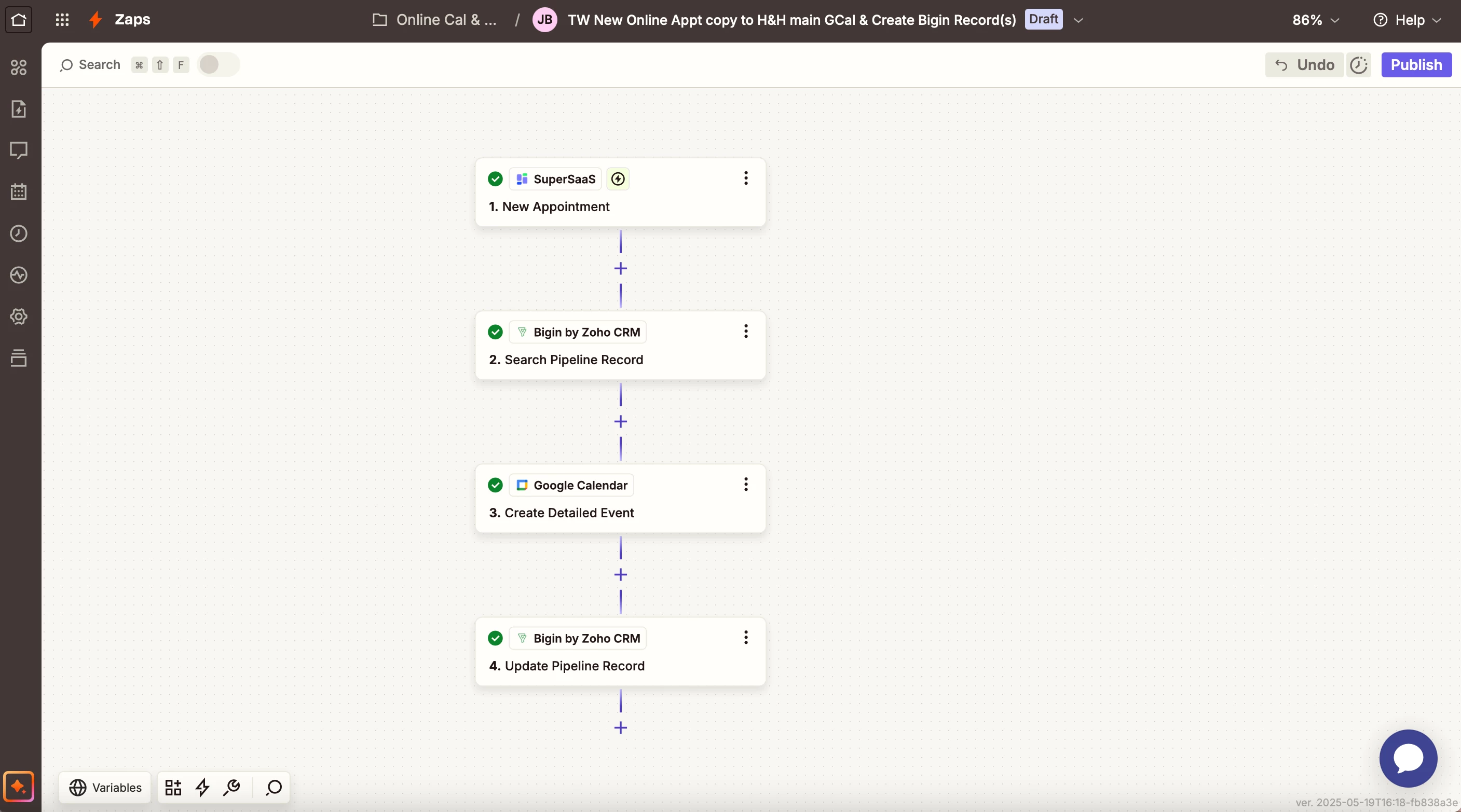
  • how your Zap steps are outlined
  • how your Zap steps are configured in EDIT mode with the field mappings visible

Forum|alt.badge.img
  • Author
  • Beginner
  • May 19, 2025

Sorry about the double post, I wasn’t sure I posted in the right place the first time. Thanks for your help!


Here is a screenshot of my zap steps:

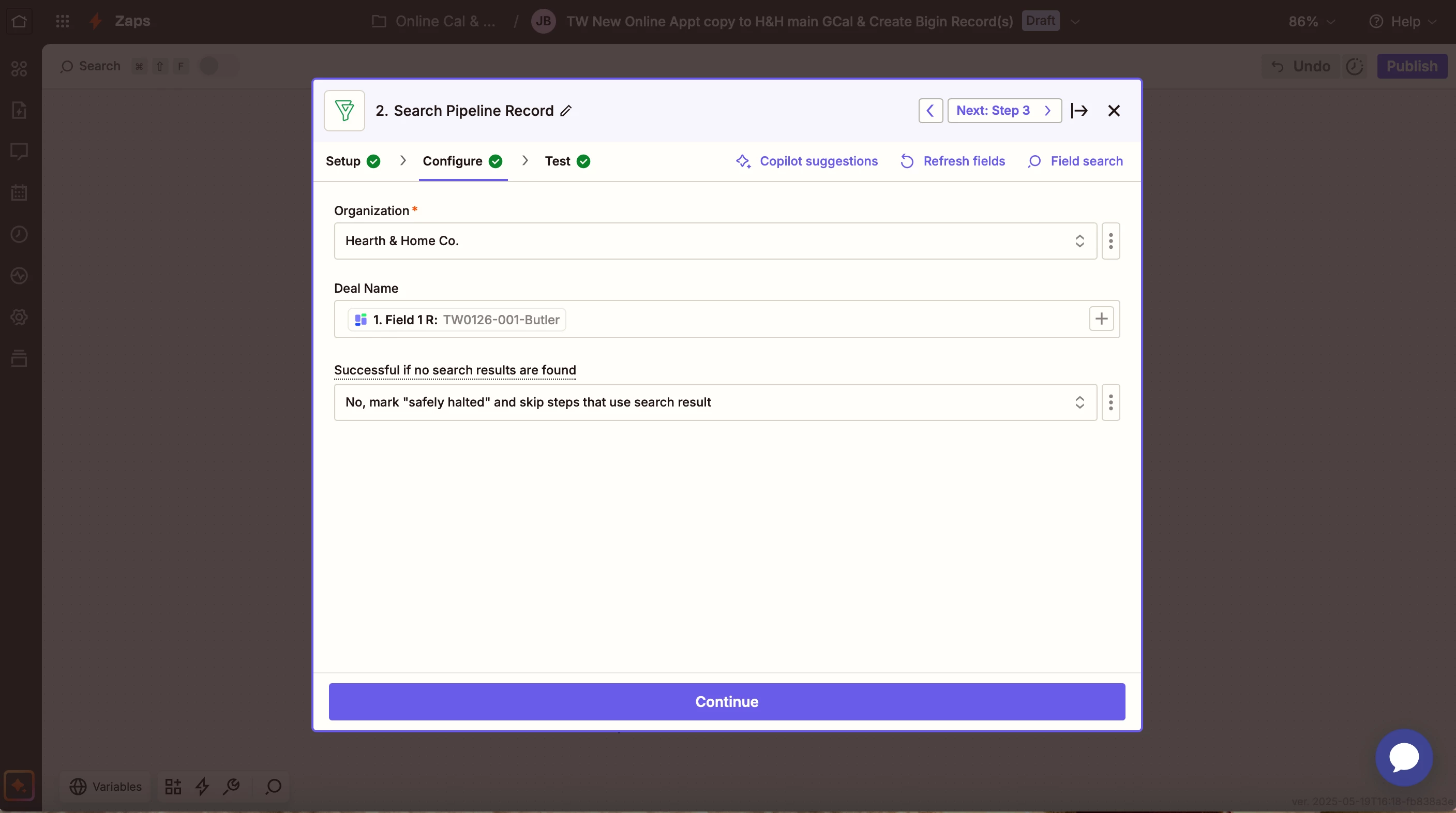
So when I search for the pipeline record, it find the correct record in the correct pipeline, as you’ll see below:

Search configuration:

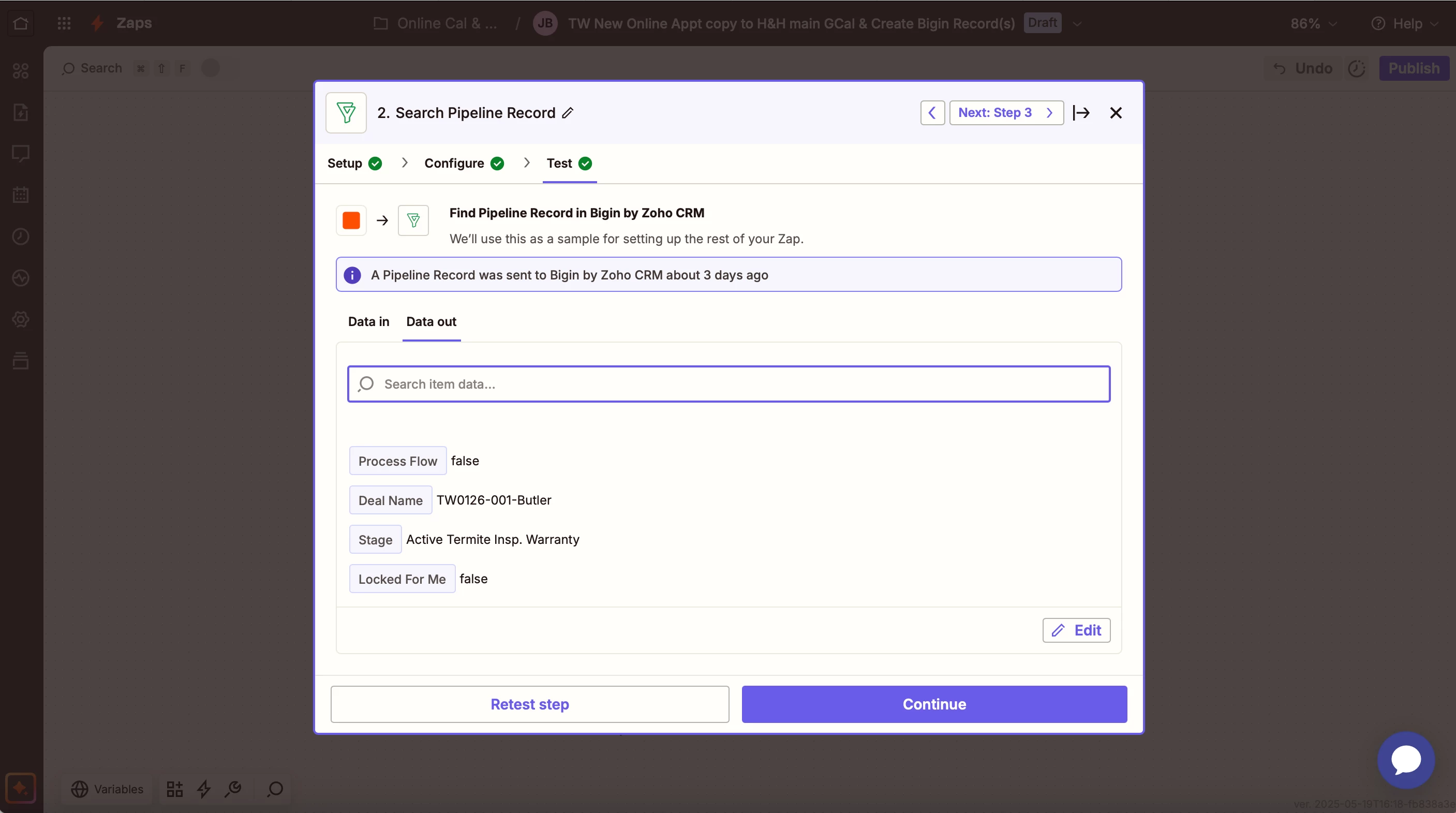
Search test data out:

Shows that the stage the record is in is “Active Termite Insp. Warranty” which is only an available stage in the Termite Warranties pipeline.

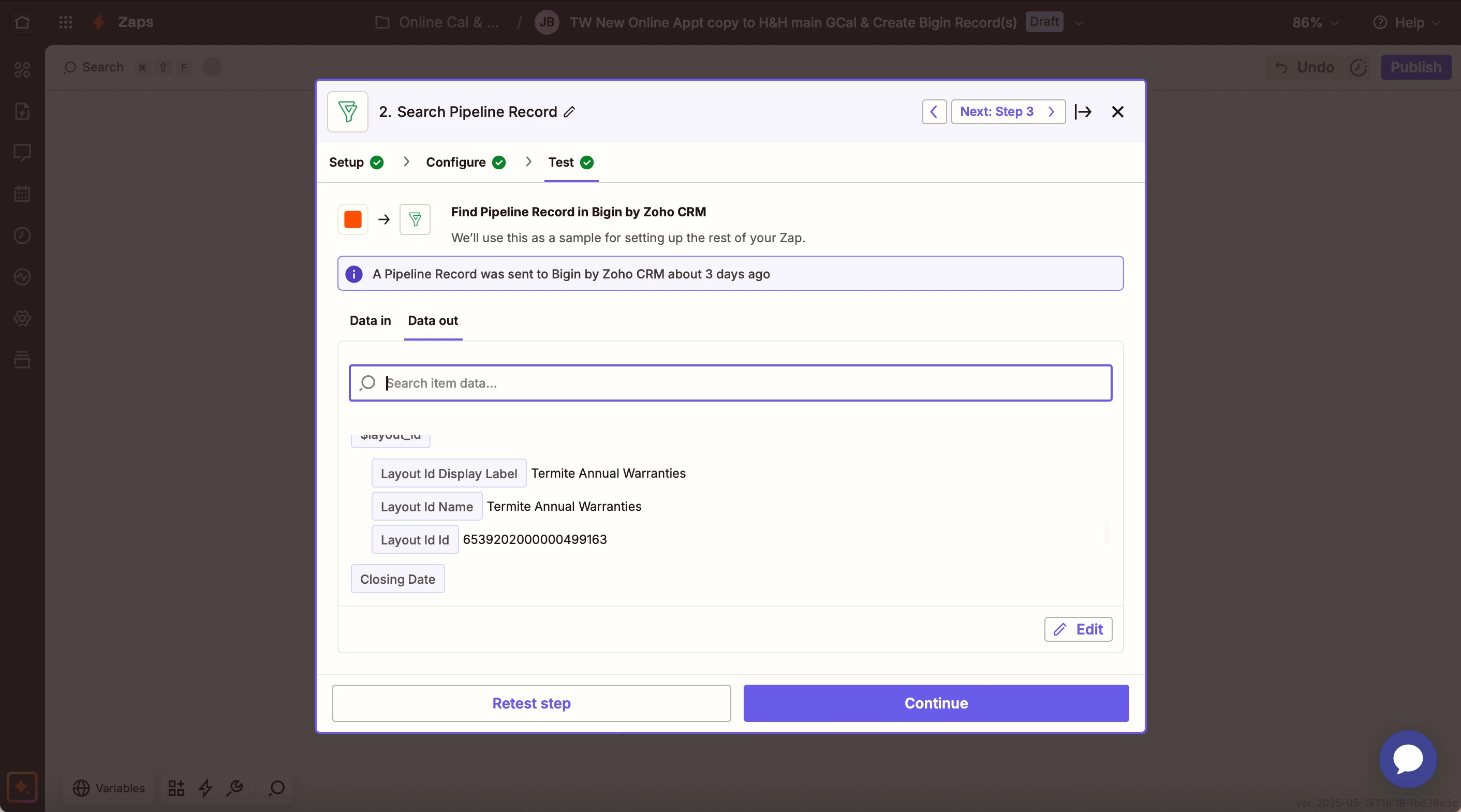
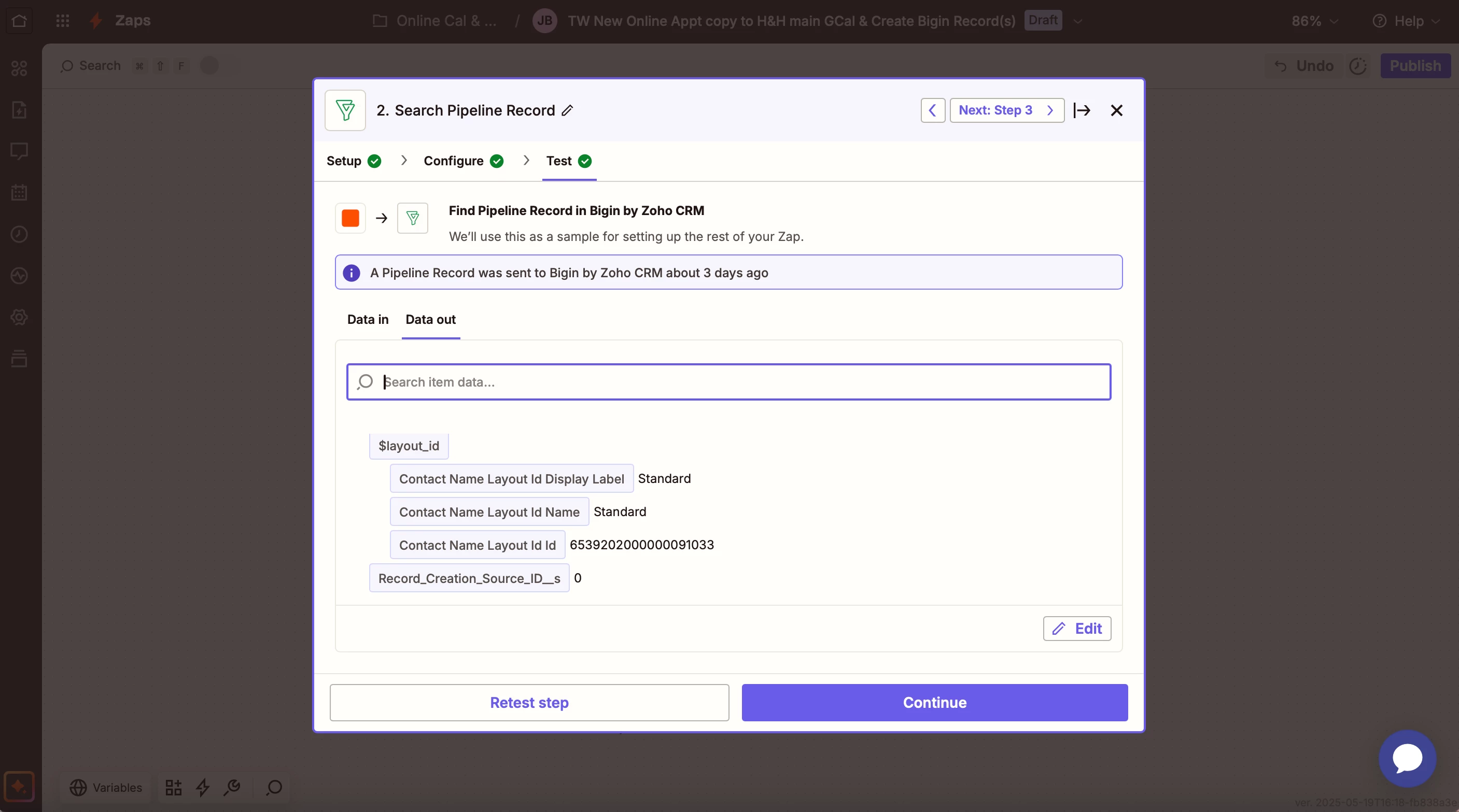
The first layout ID field in the search pipeline record test data out shows the correct pipeline information:

But then farther down in the scroll, it has another layout info field and it says standard, which is not correct. It also shows all the available fields for the Home Inspections pipeline in the test data out, even though they are blank because they aren’t actually available to fill in for this deal:

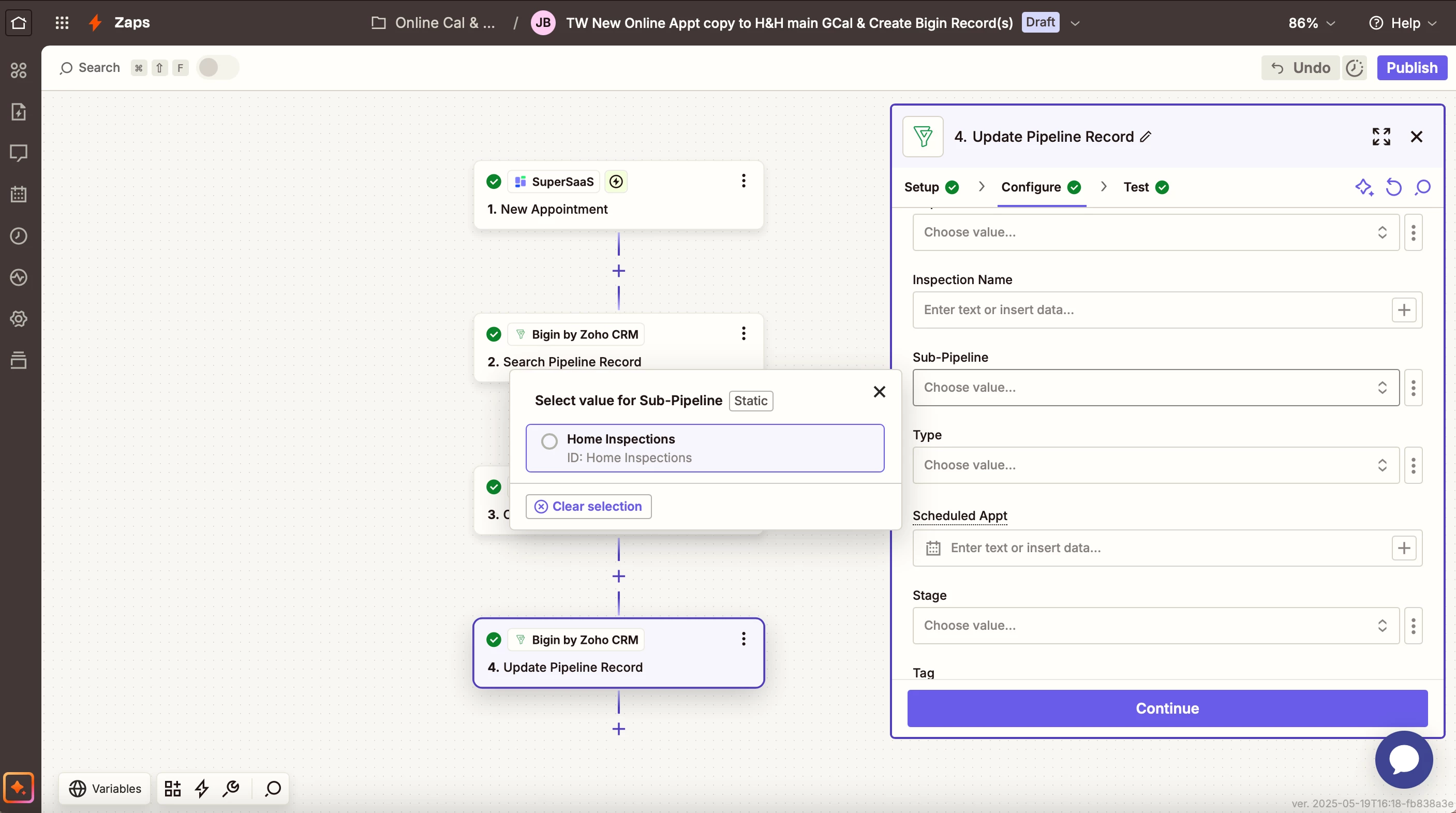
But the main problem is that when I get to the update pipeline stage, I am needing to update the next renewal appt scheduled field, which is only available in the termite warranties pipeline, and it does not show up. Only the Home Inspection pipeline fields show up to edit, which this deal does not even have.

This one shows the incorrect sub pipeline coming up as the only option:

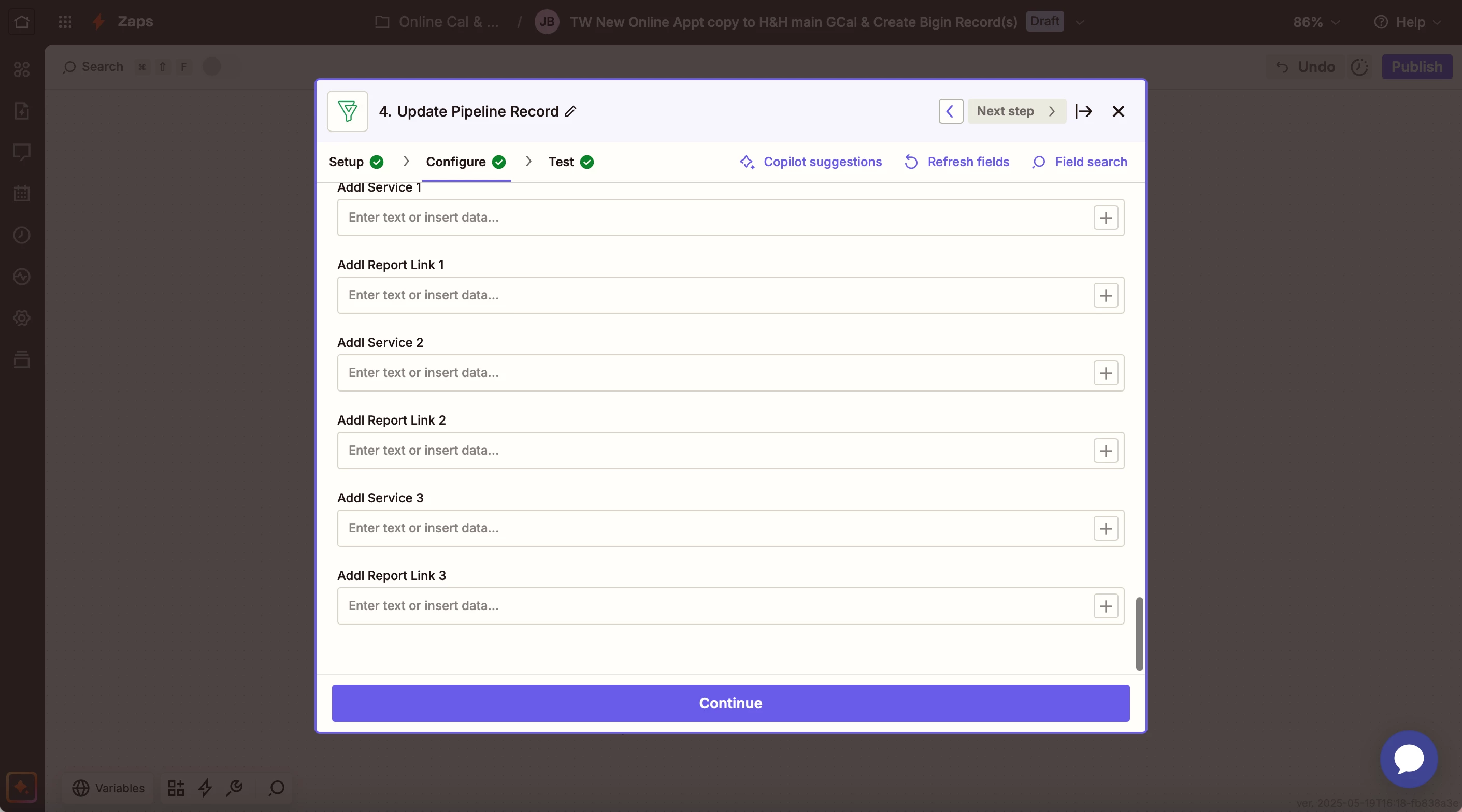
And here you will see the incorrect fields available to edit (these fields are only available in the home inspections pipeline):


I’ve tried the update fields button and everything I could find and I cannot make it update to show the correct fields. Any help would be greatly appreciated! Thank you!


Forum|alt.badge.img
  • Author
  • Beginner
  • May 21, 2025

I’m kind of at a standstill in building my system until I can figure out how to access those pipelines, so just checking in. Any updates on this?


Forum|alt.badge.img
  • Author
  • Beginner
  • May 23, 2025

@Troy Tessalone just checking in if you had been able to figure out any help for this issue? Thanks for your assistance.


SamB
Community Manager
Forum|alt.badge.img+11
  • Community Manager
  • Answer
  • June 19, 2025

Hey ​@Jordan Butler 👋

Just came across this and saw that you also reached out to our Support team about it. The Bigin by Zoho CRM app currently defaults to the first pipeline and doesn’t load fields from other available pipelines. Because of that, the Support team submitted a feature request on your behalf to make fields from all pipelines accessible and they added your vote to it.

As they mentioned, we can’t provide a timeline for when the Bigin app developers might add this functionality, but you’ll receive an email notification from us if and when it becomes available.

In the meantime, if the Bigin API allows access to all the necessary fields (you can check their API documentation here), you might be able to use API Request actions to pull and update in the fields from other pipelines. It’s a bit more advanced, but I’m happy to help if you run into any issues setting it up! 🙂