
Question

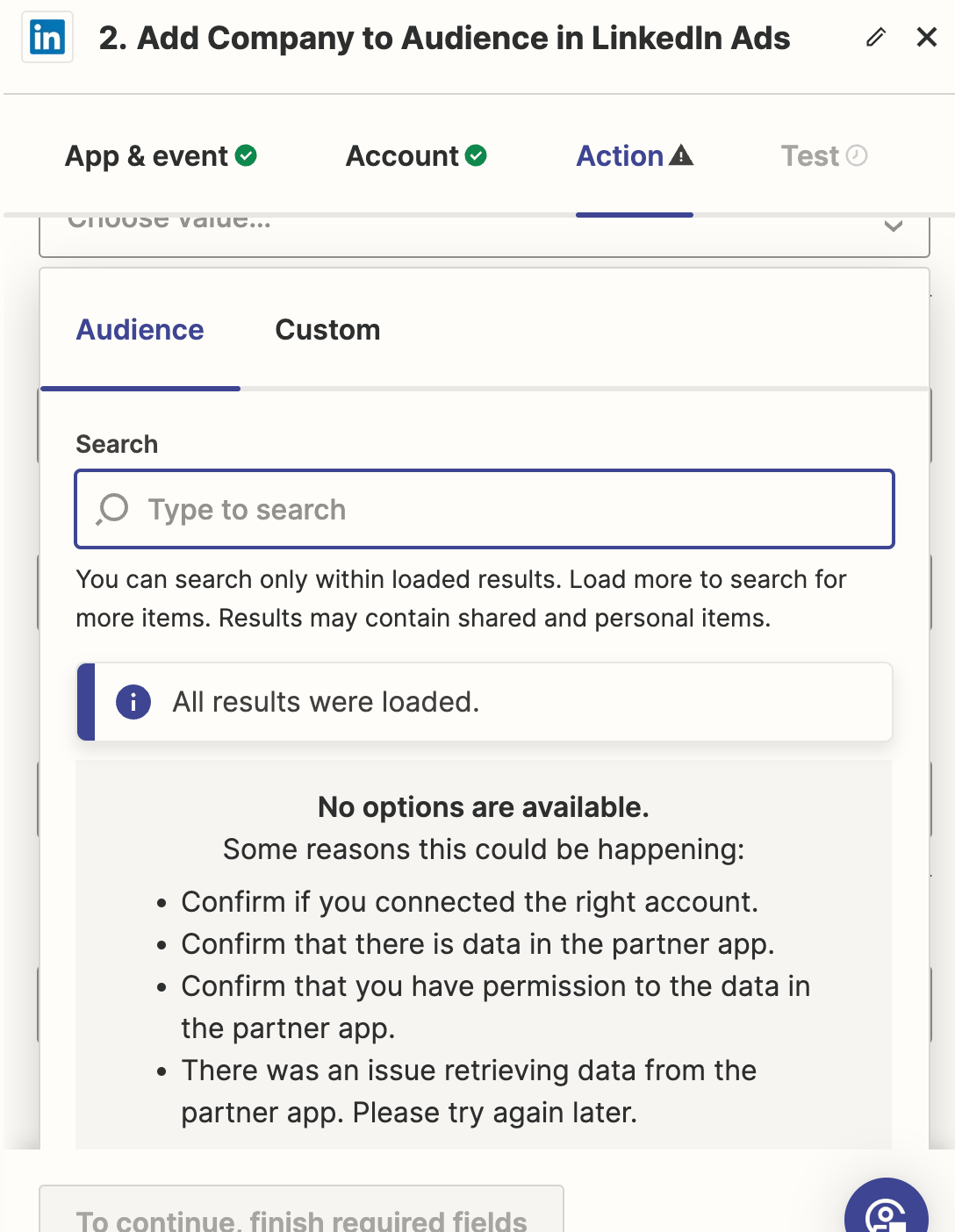
Audience list isn't populating when adding Companies in LinkedIn Ads.

  • May 29, 2024
  • 7 replies
  • 181 views

I have created an audience via Zapier and am trying to select an audience to add companies. However, the list is not populating. Have tried refreshing the fields and also creating new zaps but it does not show up.


Any help will be appreciated.


This post has been closed for comments. Please create a new post if you need help or have a question about this topic.

7 replies

Troy Tessalone
Zapier Orchestrator & Solution Partner
Forum|alt.badge.img+14
  • Zapier Orchestrator & Solution Partner
  • May 29, 2024

Hi @RDF_21 

Help articles to reference to make sure you have the correct permissions/settings: https://zapier.com/apps/linkedin-ads/help


  • Author
  • Beginner
  • May 29, 2024

Thanks Troy, I appreciate the quick response.

I have the ‘Account Manager’ access for this and it appears that should be enough to get the audience to populate. I was also able to create an audience via Zapier on LinkedIn.


  • Author
  • Beginner
  • May 29, 2024

I will go through the permissions once again and get back here, but this helps!


  • Author
  • Beginner
  • May 30, 2024

Hi Troy, I can confirm that we have the necessary permissions but are not able to get the audience list into the the Zapier drop-down.


ken.a
Forum|alt.badge.img+6
  • Zapier Staff
  • June 28, 2024

Hi there @RDF_21,

I’m so sorry for the delayed response here.

Could you please try inputting the Audience ID as a custom value in the “Audience” field of your LinkedIn Ads action step? Like so:

b2b9205a43840f776f95afd37ce12fc5.png
(view larger)

Kindly give it a try and let me know how it goes? I'll keep an eye out for your response!


@ken.a I’m having the same issue as @RDF_21, and I know I have permissions on the LinkedIn audience because it’s in an ad account I created AND an audience I created. I tried your solution to put in the audience ID, but it returned this message (which appears to be a permissions issue): 


The app returned "Validation failed because [{reason=NO_PERMISSION_ON_ENTITY, field=/id, batchIndex=0, type=ACCESS_PERMISSION, message=Viewer may not have permission write on entity urn:li:dmpSegment:27511666, paramete...". Validation failed because [{reason=NO_PERMISSION_ON_ENTITY, field=/id, batchIndex=0, type=ACCESS_PERMISSION, message=Viewer may not have permission write on entity urn:li:dmpSegment:27511666, parameters={permission=write, entity=urn:li:dmpSegment:27511666}}]


Any ideas?


ken.a
Forum|alt.badge.img+6
  • Zapier Staff
  • July 3, 2024

Hi @JanetDriscollMiller,

It looks like you must be assigned as BOTH the Account Manager or Campaign Manager role on the ads account in the Campaign Manager tool, as well as the Company Page Admin or Lead Gen Forms Manager role: https://help.zapier.com/hc/en-us/articles/8496049749133-How-to-Get-Started-with-LinkedIn-Ads-on-Zapier

ea1bdc81c890f5f4ed465c3f2763e395.png
(view larger)

LinkedIn offers a guide here detailing what permissions are needed for access of this data.

Hopefully, this helps!






