Question

AI Agent fails to update ClickUp custom field without specific value

  • November 27, 2025
  • 5 replies
  • 30 views

Hi there,

I am setting up an AI agent to perform actions with a ClickUp task. I’m able to get the ClickUp task and read custom fields. However, if I ask it to update a custom field with a value, such as simply “Hello”, it errors with message Error during execution: Value is not a valid string

Here are the resolved fields (with IDs redacted). All are correct.

Task Id
...
location
[{"list_id":"...","team_id":"...","space_id":"...","folder_id":"..."}]
change value
[{"cf__...":"Helloooooo"}]
Custom field id

Short Blurb (Auto-Generated) (...)


However, in the configuration, if I set a specific value for “Value”, then it’ll actually set my custom field to that value. But it runs into the error if I instruct it to set it to the same string in my prompt.

Very confused what’s happening here but I wonder if “change value” is supposed to just be a string and not an array. However, even with creative prompting, I can’t get the AI Agent to output just a string for “change value” in resolved fields.

Any help/guidance will be much appreciated!

 

5 replies

Sparsh from Automation Jinn
Forum|alt.badge.img+6

Hey ​@ramona,

Please post screenshots of how your Zapier agent is configured for us to have more context. You have to give your agent access to Update Custom Value action rather than a generic Update task action for updating custom fields. Hope it helps!


  • Author
  • New
  • November 27, 2025

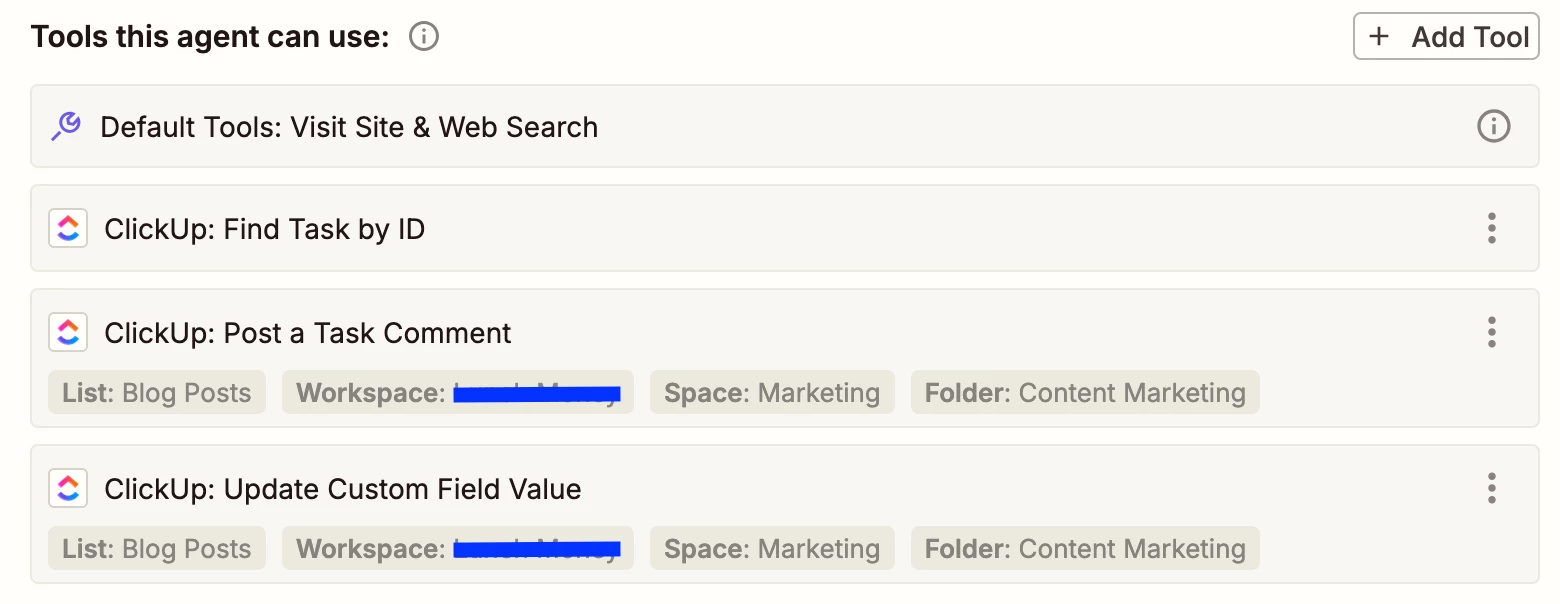
HI ​@Sparsh from Automation Jinn, yes my agent has access to Update Custom Field Value with preselected fields. “Post a Task Comment” works which has the same settings. I also tested the “Update Custom Field Value” with the custom field IDs preselected in the configuration as well.

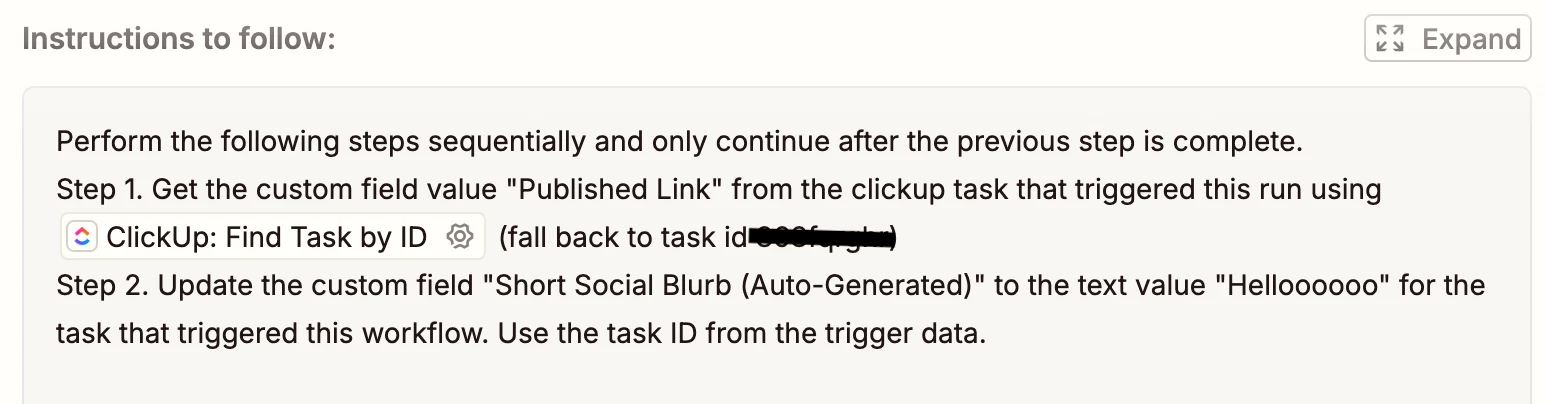
I’ve basically pared down my instructions to the below:

Note that Step 1 works but Step 2 hangs as mentioned in my original post.


Sparsh from Automation Jinn
Forum|alt.badge.img+6

Hey ​@ramona,

I think you should reference the tool in instructions to follow. Specifically Update Custom Field Value. You can use / to add tools or knowledge sources. Hope it helps!


  • Author
  • New
  • November 28, 2025

Hi ​@sp123, thank you for your suggestion. I was hopeful that would fix it, but it did not unfortunately.

I updated my prompt to reference the tool as suggested:

But I got the same error (Error during execution: Value is not a valid string) and response as before. I even updated the tool to specify the custom fields, but same error is occurring.


Sparsh from Automation Jinn
Forum|alt.badge.img+6

Hey ​@ramona,

Can you just put Helloooooo with no quotes around it and see if it fixes your issue. If it doesn’t work then I think your agent may be sending an object instead of a string. You can also try refining the prompt if it helps.

A workaround can be using Zap with agents for a more deterministic workflow. You can make a Zap that will call the agent and then you can update the custom value through a Zap action. 

Hope it helps!

PS: If you need more active help, I’m happy to connect through my Zapier Solution Partner page if you’d like to reach out here- https://zapier.com/partnerdirectory/automation-jinn