Best answer

New Slack message creates new row in google sheets - new columns from comma separated values?

  • March 2, 2021
  • 2 replies
  • 95 views

I want a zap to create a new row in a google sheet every time a new slack message is added to a channel.

Ideally, I’d like the text of the slack message to flow into different columns when separated by commas.


so for the Slack message: apples, oranges, bananas

apples would go in column one

oranges would go in column two 

bananas would go in column three

all in the same row.


i am not a coder at all, so hopefully this can be done more easily than that.

i’ve tried using formatter to get text-to-line item, and that seems to work, but then i can’t seem to get those separate line items in google sheets.


thanks!
 

Best answer by Troy Tessalone

Hi @svw 

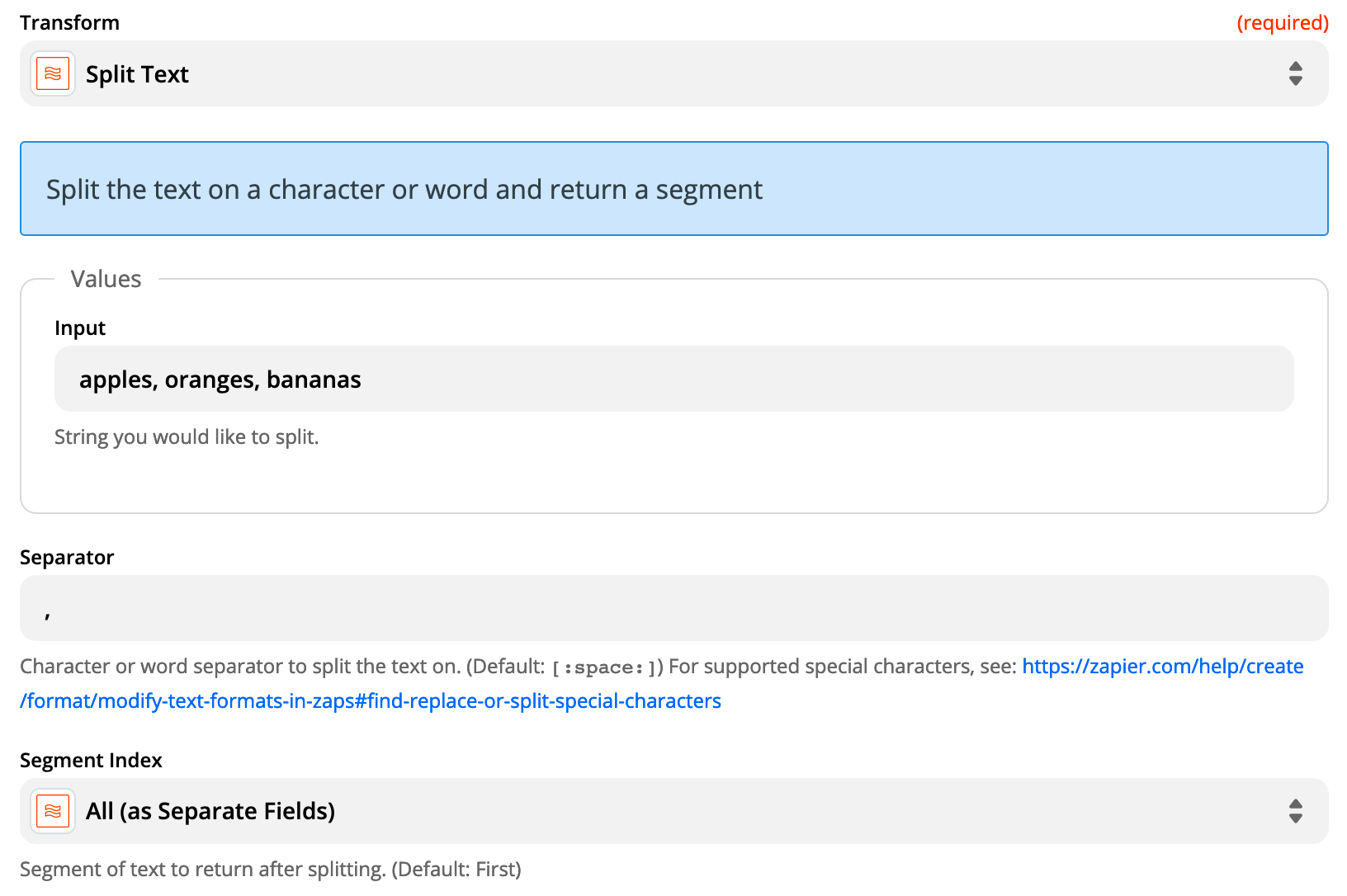
Try using Formatter > Text > Split configured as seen in the first screenshot.

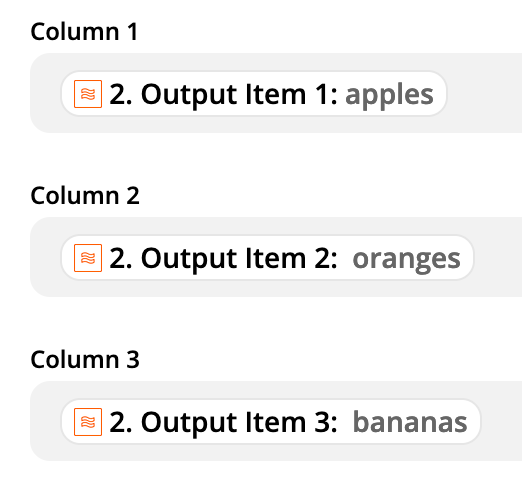
Then you can map the different outputs as seen in the bottom screenshot.


This post has been closed for comments. Please create a new post if you need help or have a question about this topic.

2 replies

Troy Tessalone
Zapier Orchestrator & Solution Partner
Forum|alt.badge.img+14
  • Zapier Orchestrator & Solution Partner
  • Answer
  • March 2, 2021

Hi @svw 

Try using Formatter > Text > Split configured as seen in the first screenshot.

Then you can map the different outputs as seen in the bottom screenshot.


  • Author
  • Beginner
  • March 2, 2021

THANK YOU! That worked!