


Hey everyone!We put together a short tutorial on generating contracts straight from a Google Sheet using Zapier and DocuGenerate, and wanted to share it here in case it's useful to others. The goal is to turn each spreadsheet row into a ready-to-send PDF contract, automatically.
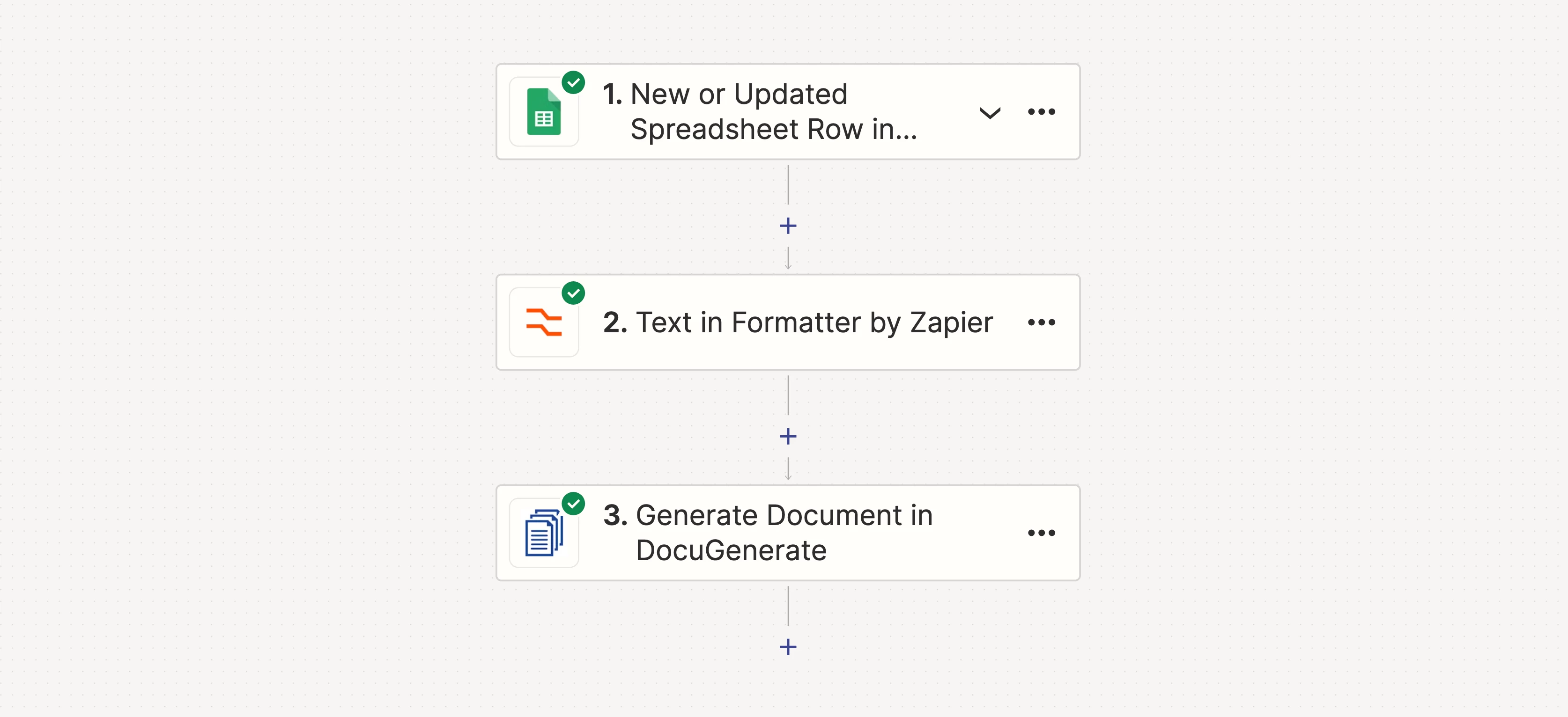
The setup
-
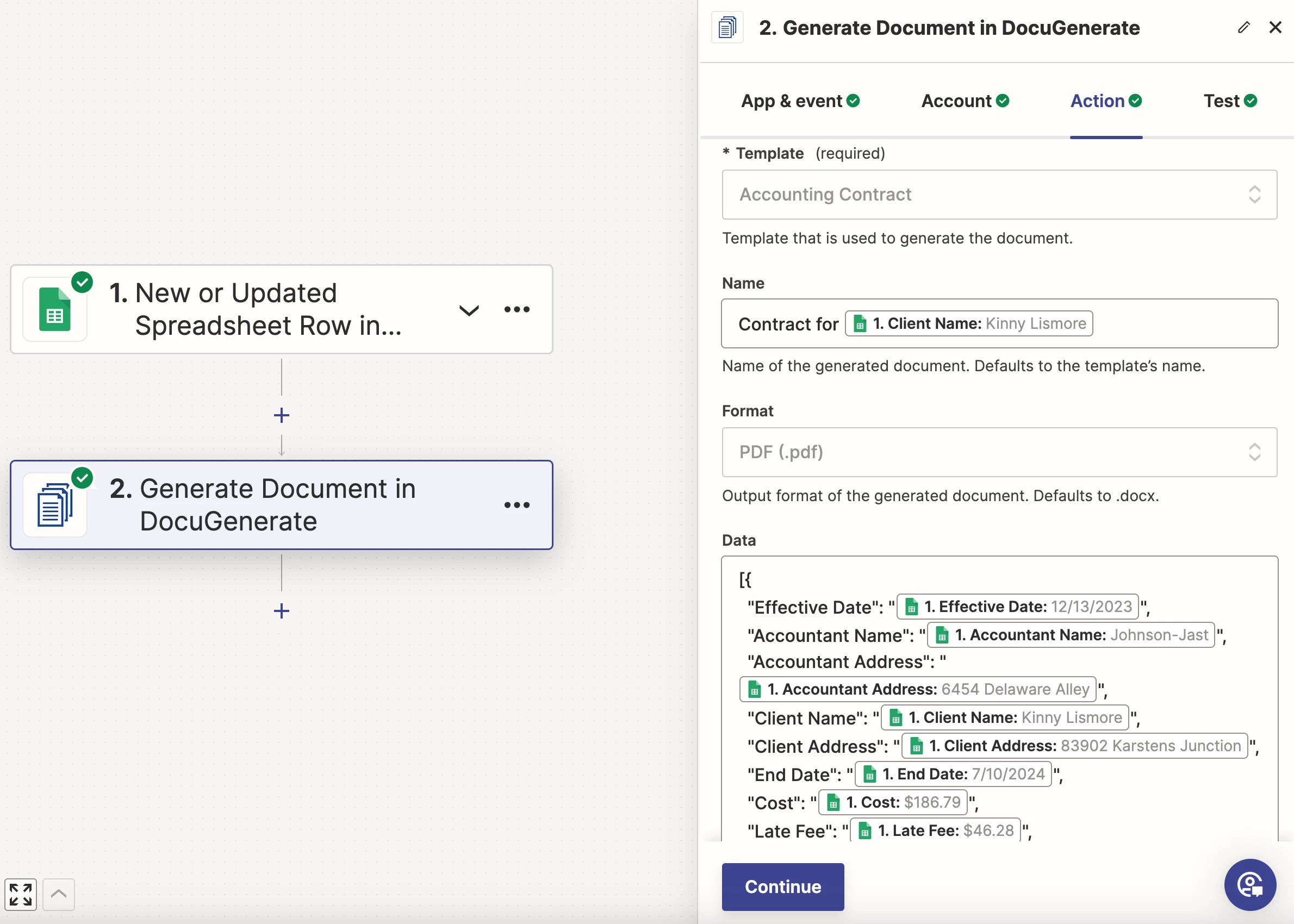
A Google Sheet holding the contract data (client name, effective date, address, etc.), one row per contract.
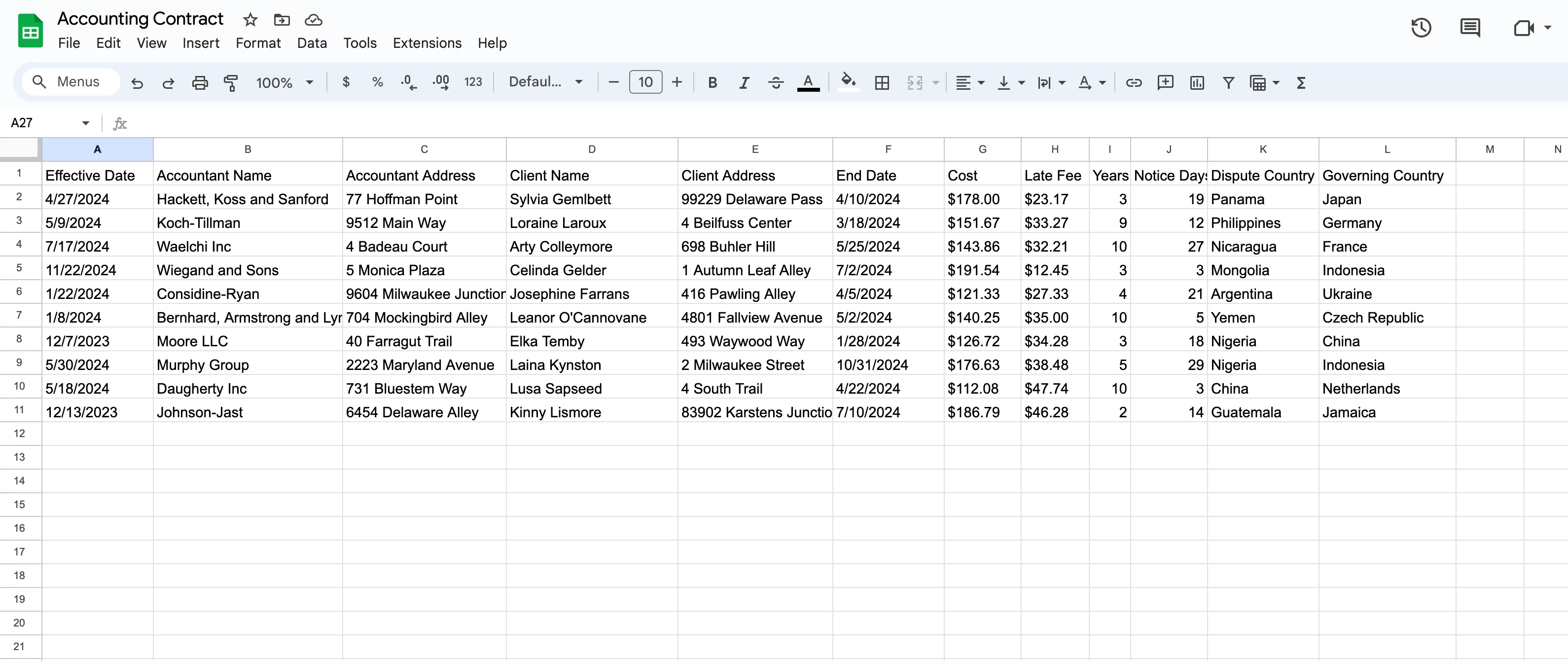
-
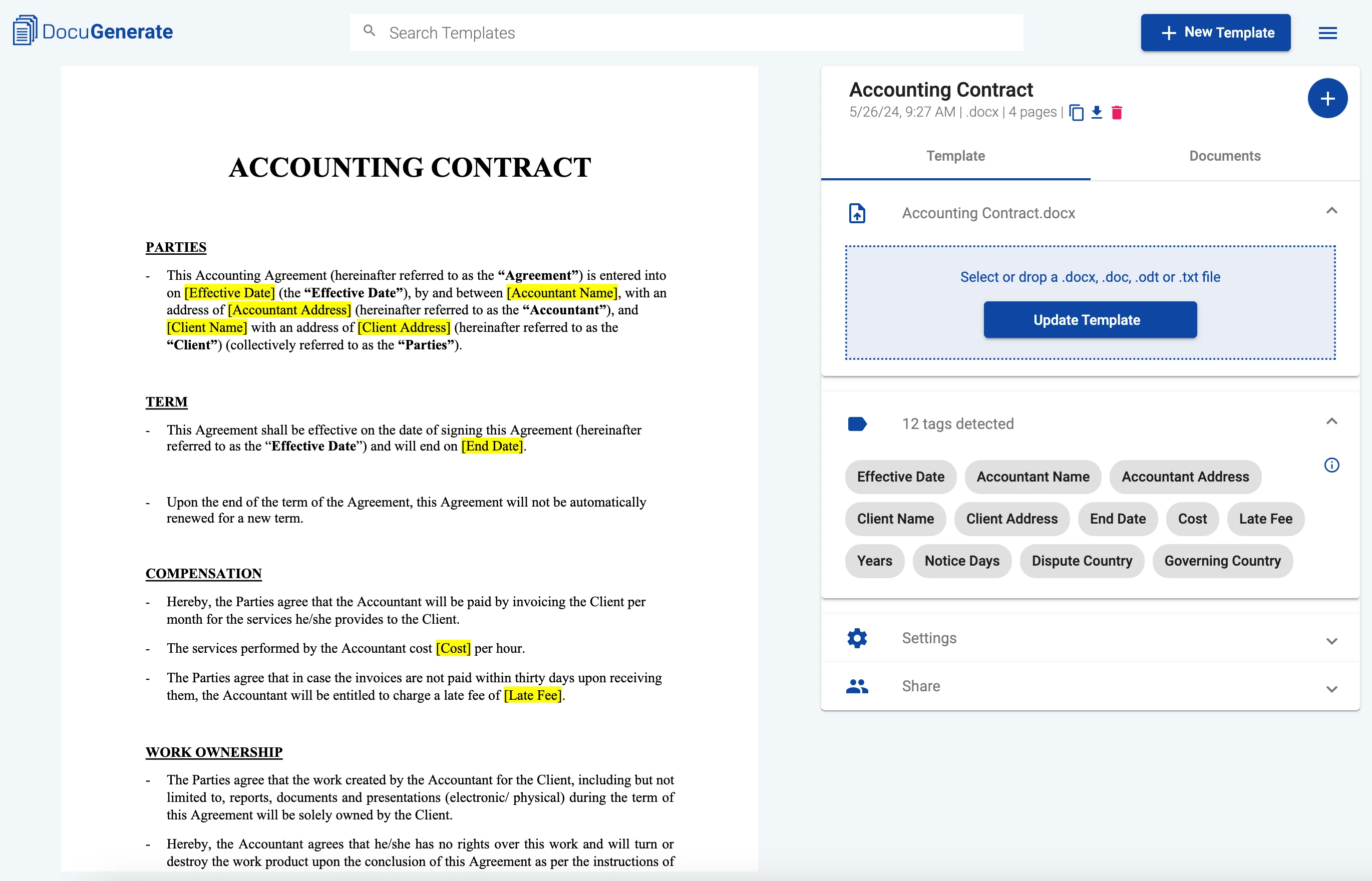
A Word template with merge tags matching the sheet's columns, uploaded to DocuGenerate.
-
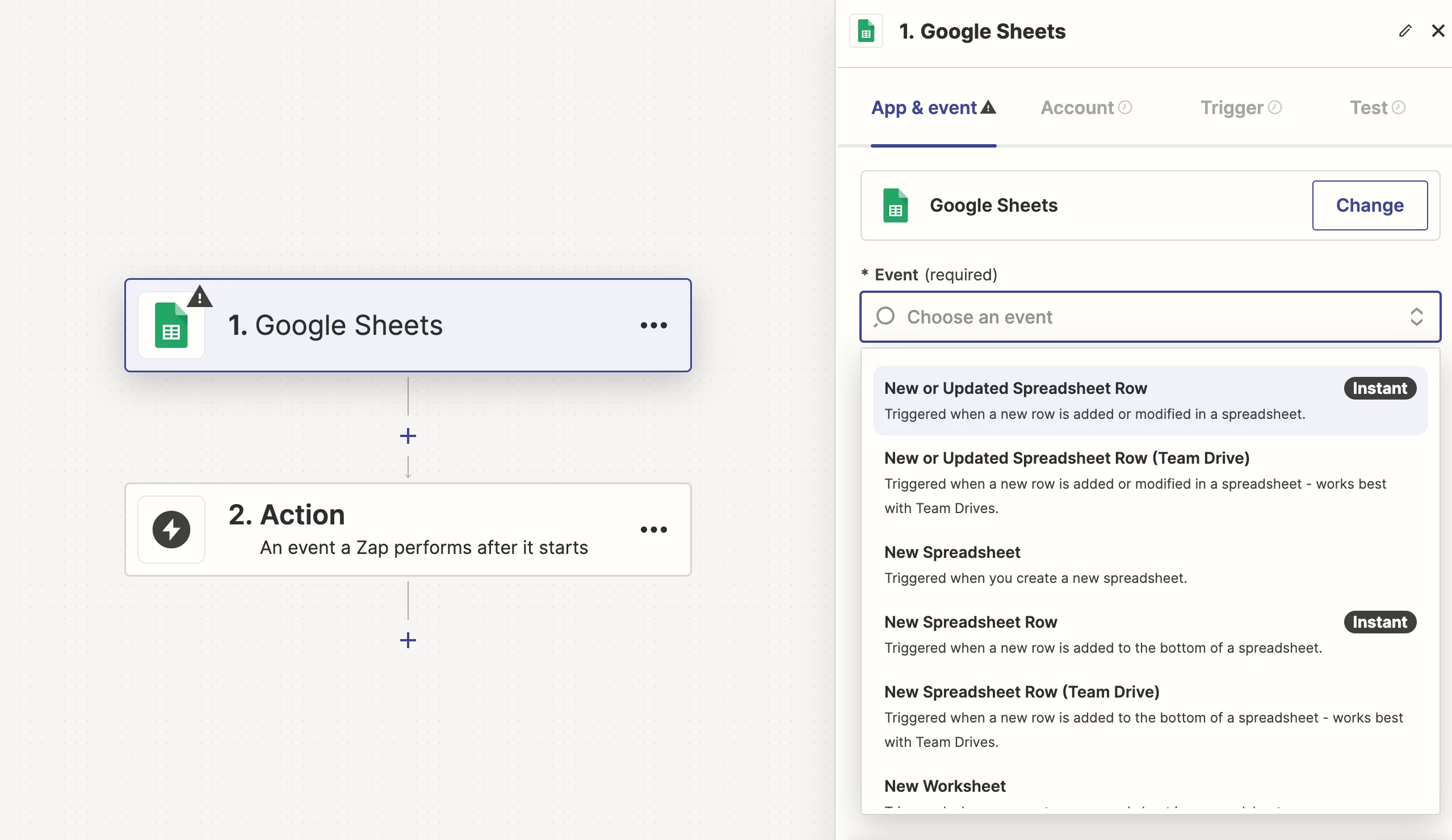
A Zap with the New or Updated Spreadsheet Row in Google Sheets trigger, so any new or edited row kicks off the automation.
-
The DocuGenerate Generate Document action, mapping each sheet column to its corresponding merge tag, producing a PDF from the row's data.
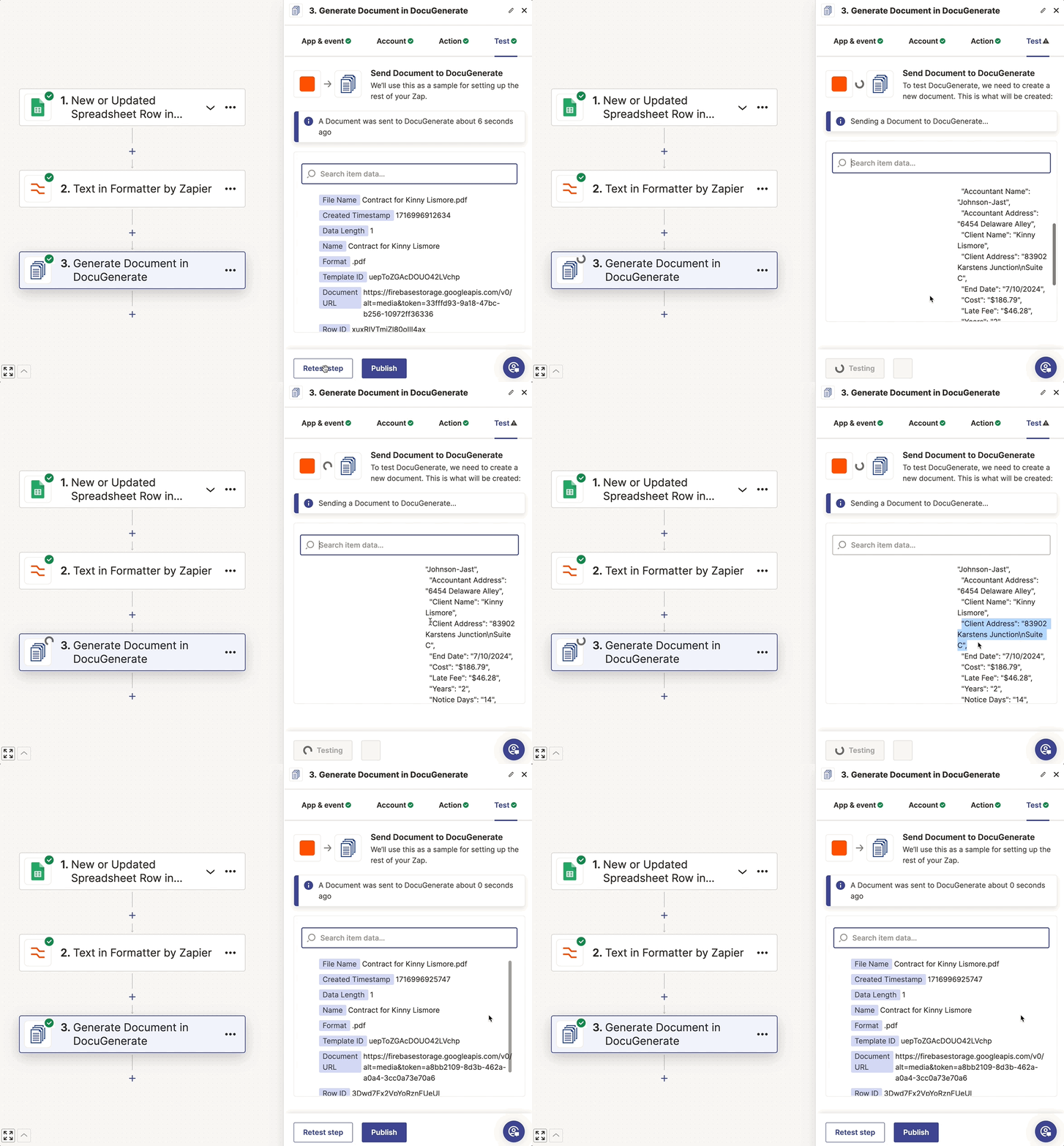
One gotcha worth calling out: if any of your columns can contain multi-line text (like a multi-line address), passing it straight into the Data field can break the JSON payload. The fix is to add a Formatter by Zapier step (Text > Replace) before the Generate Document action, replacing newline characters, then feeding that formatted value into the Data mapping instead of the raw column value.
Full write-up with the sample template, dataset, and all the screenshots is on our blog. Happy to answer questions if anyone wants to adapt it to their own use case.




