


👋Hi everyone. My name is Richard Enlow, a designer here at Zapier, with some big news!
At Zapier, we're continually looking for ways to give you a peek into how Zapier is working for you. With that in mind, we’ve launched a new Beta feature called Top Zap workflows. Top Zap workflows help give you into a window into just how many Tasks your Zap workflows are using over time. We talked to Zapier customer Andrew who says that he would use Top Zap workflows as a way to see how many new lead signup workflows Zapier is helping kick off a month. Another Zapier user, Flavio, mentioned that seeing his Top Zap workflows helps give him peace of mind that the Zap workflows he created haven’t run amok.
How to access Top Zap workflows:
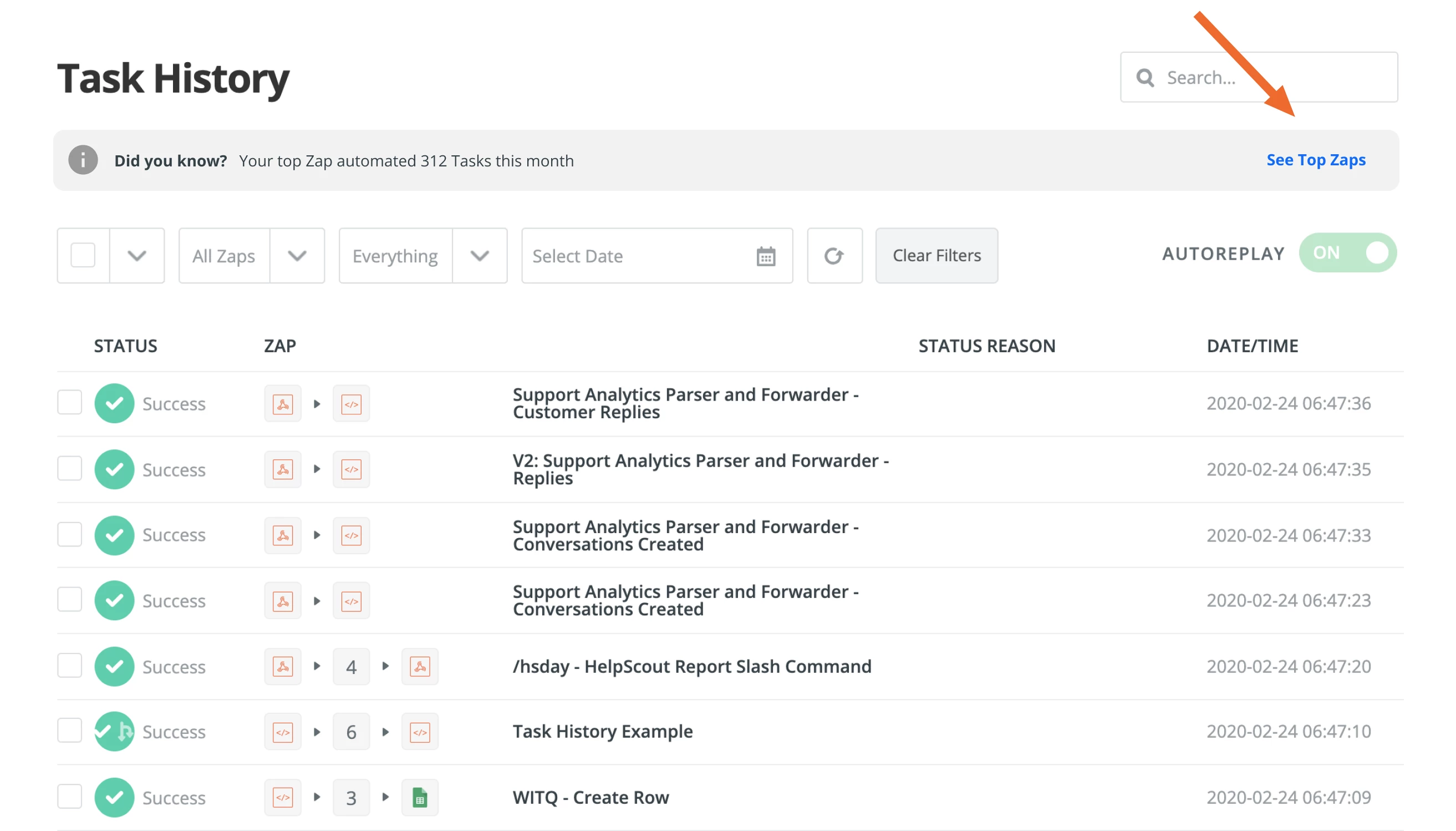
Find a link to Top Zap workflows from the Task History section of Zapier.
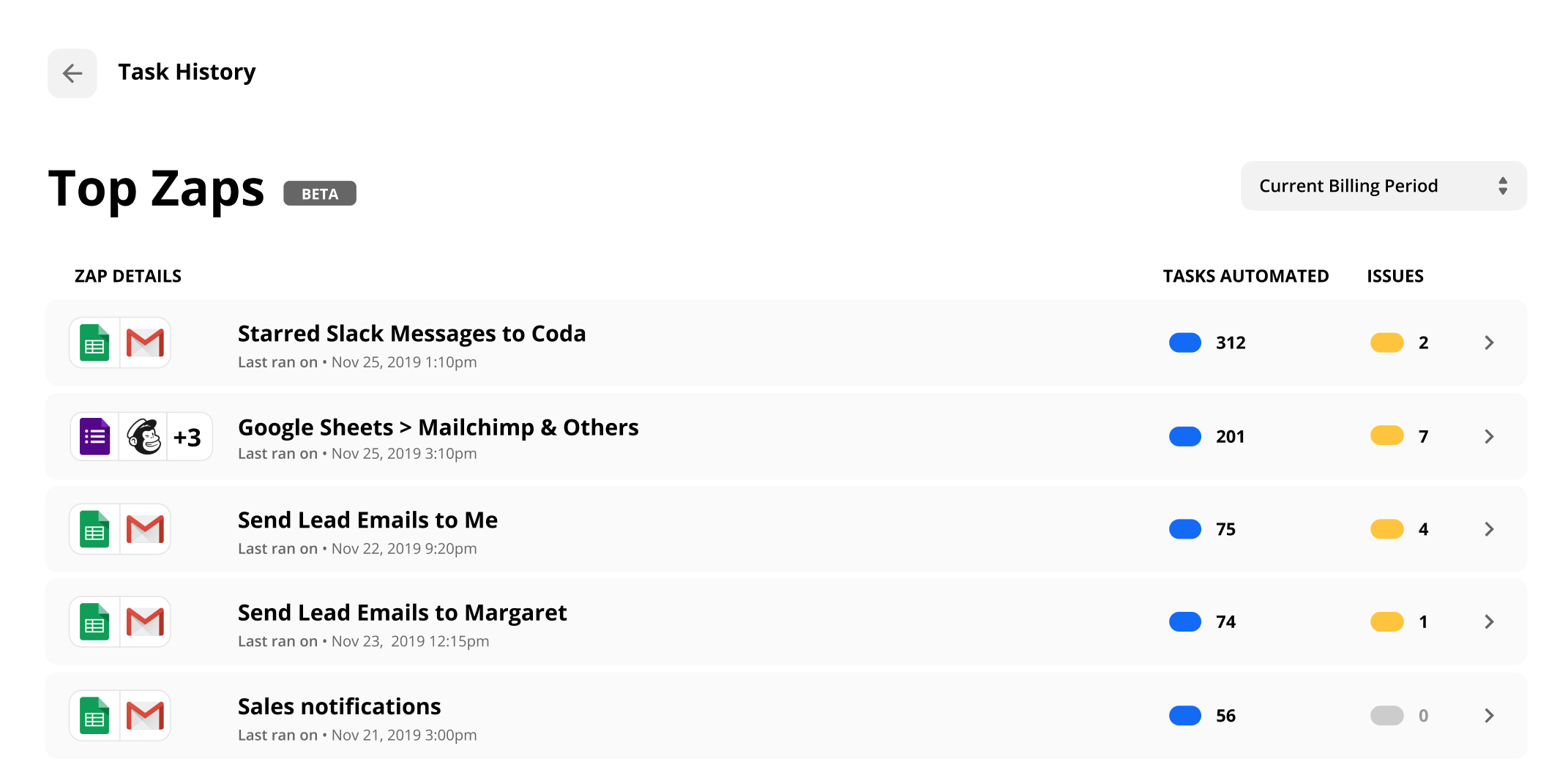
 After a click, you’ll arrive on the Top Zap workflows landing page, which will show you a list of your Top Zap workflows sorted from those automating the most Tasks to the least for the current billing period. If you have more than 100 Zap workflows, your Top Zap workflows will be limited to 100 Zap workflows.
 What’s next for Top Zap workflows?
We’re looking for ways to make Top Zap workflows better for you. Soon you’ll be able to See Top Zap workflows by a specific user, folder, and more. What more, we’re planning on helping you to focus on Zap workflows that might be problematic by helping you to filter by those with the most issues.
We’d love to hear from you. In what ways are you using Top Zap workflows?