Question

Woocommerce Order Updates in Google Sheets: How does a zap look like?

  • October 17, 2020
  • 8 replies
  • 199 views

Ok, so I created a zap that creates a new row in a Google Spreadsheet when a Woocommerce order is created in WooCommerce. 

But the order status is (obviously) not updated. So many orders that are on status “completed” in Woocommerce are still on “pending” in the Google Spreadsheet.

So my questions are:

1.) Is it possible to create a zap that updates the order status of already imported orders?

2.) How can I do that?

Thank you for any help,

Andrea

This post has been closed for comments. Please create a new post if you need help or have a question about this topic.

8 replies

Troy Tessalone
Zapier Orchestrator & Solution Partner
Forum|alt.badge.img+14
  • Zapier Orchestrator & Solution Partner
  • October 17, 2020

Zap

  1. Trigger: WooCommerce Order (make sure to adjust the settings to be for updated Orders only)
  2. Action: Filter (TBD if this step is needed but could be used to filter for only a specific Status)
  3. Action: GSheets Lookup Row
  4. Action: GSheets Update Row


  • Author
  • Beginner
  • October 17, 2020

Thank you for the super-fast help.


However, when trying to follow your steps, I am facing the following problems:


in Step 2: The filters don't seem to recognize any value such as “completed” or “pending” as transferred by the first ZAP to GSheets. See here:

https://prnt.sc/v1839d

and here:

https://prnt.sc/v183ky

What could be the issue there?

------------

In Step 3: GSheet Lockup Row does also seem to have an issue:

https://prnt.sc/v18244


What am I doing wrong?

Thank you very much for your kind support.

Andrea


Troy Tessalone
Zapier Orchestrator & Solution Partner
Forum|alt.badge.img+14
  • Zapier Orchestrator & Solution Partner
  • October 17, 2020

Have you pulled thru a sample order that matches the conditions of the Zap for which you are trying to test? (e.g. Status = Completed)


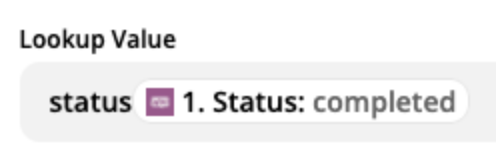
Probably need to remove the static “status” value.


  • Author
  • Beginner
  • October 17, 2020

Thank you. Yes, that was it!

However now step 4 does not seem to work.


Here’s the screenshot for the settings:

https://prnt.sc/v19mlg


And here’s the error message when testing:

https://prnt.sc/v19n9g


Thank you for your incredible patience! Really appreciated.

Andrea


Troy Tessalone
Zapier Orchestrator & Solution Partner
Forum|alt.badge.img+14
  • Zapier Orchestrator & Solution Partner
  • October 17, 2020

Try rebuilding step 4.

There can be a lot of factors that cause errors for GSheets.

Articles: https://zapier.com/apps/google-sheets/help


AndrewJDavison
Forum|alt.badge.img+11
  • Zapier Solution Partner
  • December 15, 2020

Hi @fliegenglas 

Just checking in, did you manage to get this sorted?


  • Author
  • Beginner
  • December 15, 2020

No, unfortunately I have not found a way to update orders status properly via Zapier.


AndrewJDavison
Forum|alt.badge.img+11
  • Zapier Solution Partner
  • December 15, 2020

@fliegenglas 

The error you’re seeing is because in the ‘Row’ dropdown you need to map the ‘Row ID” field from step 3, now the ‘Status’ field. 

That dropdown is where you tell Zapier which exact row to update - in this case the one you got from the lookup in the previous step.

If you still have problems with this, feel free to reach out and I can try and help.