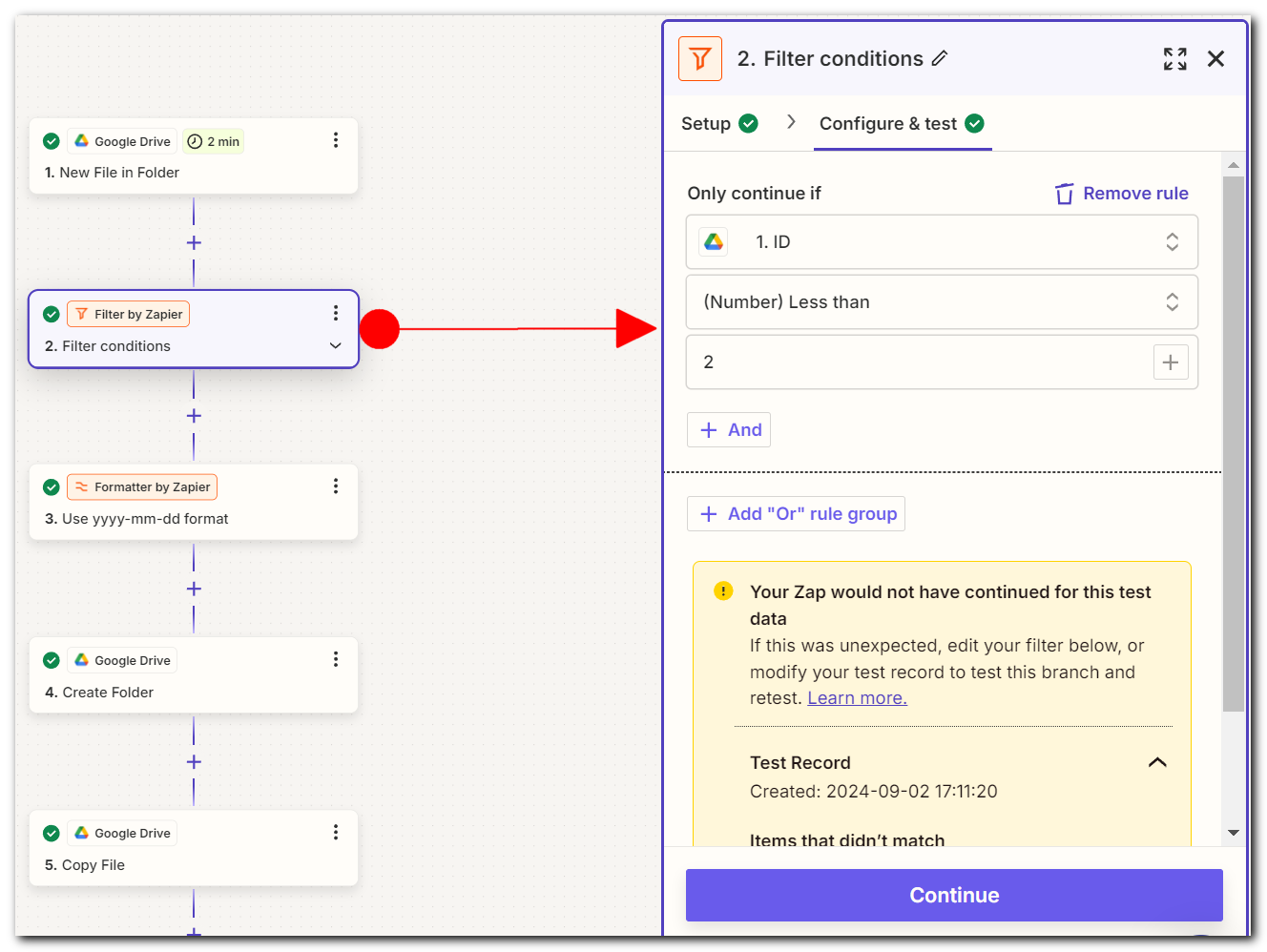
Everything is working correctly, but when there are multiple new files in the source folder, the Zap creates separate folders for each file in the destination folder, instead of putting all files in a single folder.
So I thought of adding a filter but that didn’t help too.
Any help would be much appreciated!
Best answer by jayeshkumarbhatia
Hey @Jarod B.
You should move Action 4 to Action 1 (Below Trigger). Also replace this action with Find Folder (Also select Checkbox to create a folder if it does not exists)
Currently what’s happening is when you add 5 files in a drive folder → Zap will trigger 5 times and 5 Folders will get created. If you add an action Find Folder, that will create a folder only once.
You should move Action 4 to Action 1 (Below Trigger). Also replace this action with Find Folder (Also select Checkbox to create a folder if it does not exists)
Currently what’s happening is when you add 5 files in a drive folder → Zap will trigger 5 times and 5 Folders will get created. If you add an action Find Folder, that will create a folder only once.
That’s amazing @Jarod B.! A huge thanks to @jayeshkumarbhatia for lending a hand and pointing you in the right direction!
If you have any other questions, please don’t hesitate to reach out to the Community. We’re always happy to help! 🤗
Early access
Next Gen Zaps
Build and deploy automations from AI tools you already use. With Agentic Management, if anything breaks, the agent diagnoses the issue and proposes a fix.