Question

What is the best method for Google API Authentication

  • September 30, 2024
  • 6 replies
  • 407 views

I need to to use a for loop with Google Sheets and have come to the conclusion that using Zapier Code and the Google Sheets APIs is the best method for this since Zapier Loops have a number of limitations.


There are basically two ways to authenticate Google APIs.

  • OAuth 2.0
  • Service Account JSON file

OAuth 2.0, from my understanding, is meant to be used between human-machine interactions. If I tried to use OAuth for my purpose, I would run into issues with the refresh token needing to be refreshed and user consent.


Therefore the service account JSON file seems to be the best way to set up authentication.


Question 1: Is this assumption correct? What is the best way to authenticate for Google APIs within Zapier for custom code and integrations?


After going down the service account JSON file route, I ran into issues creating the JWT token. Zapier Code  (Python) does not have the library capabilities to sign a JWT token using PyJWT, jwt or manually via base64.


Chat GPT suggested create the token in a GCP or AWS cloud function and use a webhook to grab the token to be used in Zapier. This seems overly complicated and a lot to manage just to use a Google Sheet API.


Question 2:  If using a cloud script is best, does anyone have some sample code or guides for setting this up?


This post has been closed for comments. Please create a new post if you need help or have a question about this topic.

6 replies

Troy Tessalone
Zapier Orchestrator & Solution Partner
Forum|alt.badge.img+14
  • Zapier Orchestrator & Solution Partner
  • September 30, 2024

Hi @Connor1868 

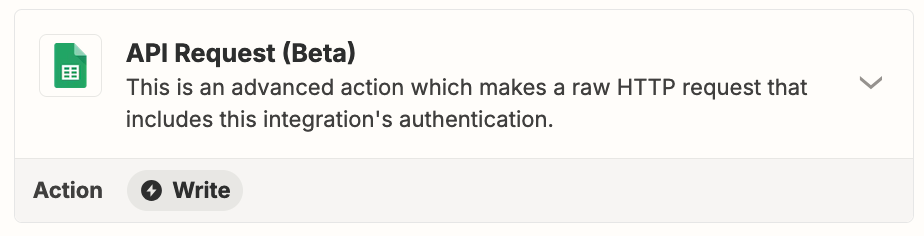
Try using this Zap action: GSheets - API Request


  • Author
  • New
  • September 30, 2024

I want to call the API request within Zapier Code so I can use it inside a for loop.


I need to iterate through this JSON object, checking if the email exists in a master sheet, if not add the contact to the sheet and add the contact to SendGrid. Then once the contact has been sent a email, delete the contact from SendGrid


Contacts JSON Objects:

[
{"first_name": "John", "last_name": "Doe", "email": "john.doe@example.com", "customField": {"reservation_date": "2024-03-28T21:30:00.000Z"}},
{"first_name": "Jane", "last_name": "Smith", "email": "jane.smith@example.com", "customField": {"reservation_date": "2024-03-28T18:30:00.000Z"}},
{"first_name": "Alice", "last_name": "Brown", "email": "alice.brown@example.com", "customField": {"reservation_date": "2024-03-28T20:30:00.000Z"}},
{"first_name": "Bob", "last_name": "Johnson", "email": "bob.johnson@example.com", "customField": {"reservation_date": "2024-03-28T20:30:00.000Z"}},
{"first_name": "Emily", "last_name": "Taylor", "email": "emily.taylor@example.com", "customField": {"reservation_date": "2024-03-28T18:30:00.000Z"}},
{"first_name": "Michael", "last_name": "Williams", "email": "michael.williams@example.com", "customField": {"reservation_date": "2024-03-28T18:00:00.000Z"}}
]

Basically I want to store contacts that I’ve sent emails to in a Sheet vs storing them in Sendgrid since I only send them one email.


Troy Tessalone
Zapier Orchestrator & Solution Partner
Forum|alt.badge.img+14
  • Zapier Orchestrator & Solution Partner
  • October 1, 2024

@Connor1868 

Why not use the Zap action GSheets - API Request, then pass the data into a Code step?


SamB
Community Manager
Forum|alt.badge.img+11
  • Community Manager
  • October 4, 2024

Hi @Connor1868! 👋

Just wanted to check in to see how you’re getting on. Did you have any luck with Troy’s suggestion of passing the output from a API Request action to a Code step?

Keen to ensure you’re all set so please let us know whether you’re still stuck at all!  


  • Author
  • New
  • October 7, 2024

Hi @SamB and @Troy Tessalone 


Thanks for the response. The Sheets API request action isn’t going to work because I need to make the API request inside of a Zapier Code block so that I can use the raw response.


How would you authenticate a Google API request within a Zapier Code block?


Thanks!


Troy Tessalone
Zapier Orchestrator & Solution Partner
Forum|alt.badge.img+14
  • Zapier Orchestrator & Solution Partner
  • October 7, 2024

@Connor1868 

Using the GSheets API Request Zap action it returns the RAW JSON as a data point that you can use in a Zap Code step.