Best answer

[Webflow + Gmail] Link in HTML doesn't take data into account

  • December 20, 2021
  • 4 replies
  • 100 views

Forum|alt.badge.img

Hi Zapier Community,


I have a question related to a some HTML code to send an automated email to Webflow form submitters. 


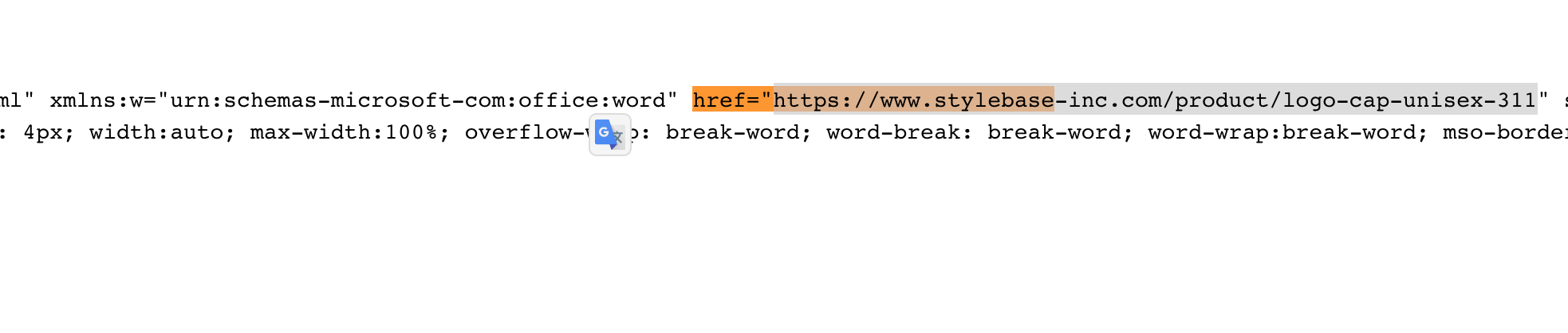
I want to include a link in the email that is mywebsite.com/data-pulled-from-answer where data-pulled-from-answer is gotten from Webflow. I can see on Zapier when setting up the action that it is pulling the right text, but when the email is sent, the link stops at “mywebsite.com/” 

in the html code, I have the following: 


Thanks a lot!!

Best answer by Troy Tessalone

Hi @stylebase 

What app is being used to send the HTML email?

Make sure to check that your HTML code is valid for sending emails, which can be different than the HTML used for websites.

You can do this by using an HTML validator app found online via a GSearch.


Check your Zap Runs history details to see the DATA IN/OUT for each Zap Run: https://zapier.com/app/history/

If you see {{placeholder}} then that means the data point was empty/blank/null or a mismapped data point.

This post has been closed for comments. Please create a new post if you need help or have a question about this topic.

4 replies

robschmidt
Forum|alt.badge.img+9
  • Zapier Solution Partner
  • 617 replies
  • December 20, 2021

Hi @stylebase 

Can you provide screenshots from history of the Gmail action? It’s probably because your Webflow variable is coming empty.


Forum|alt.badge.img
  • Author
  • Beginner
  • 8 replies
  • December 20, 2021

Hi Rob,

I can see the correct URL 

Thanks :) 


Troy Tessalone
Zapier Orchestrator & Solution Partner
Forum|alt.badge.img+14
  • Zapier Orchestrator & Solution Partner
  • 34082 replies
  • Answer
  • December 20, 2021

Hi @stylebase 

What app is being used to send the HTML email?

Make sure to check that your HTML code is valid for sending emails, which can be different than the HTML used for websites.

You can do this by using an HTML validator app found online via a GSearch.


Check your Zap Runs history details to see the DATA IN/OUT for each Zap Run: https://zapier.com/app/history/

If you see {{placeholder}} then that means the data point was empty/blank/null or a mismapped data point.


Forum|alt.badge.img
  • Author
  • Beginner
  • 8 replies
  • December 21, 2021

Hi Troy,


Thanks a lot, indeed there was a problem with my link!