Question

Using AI to Analyze & Extra Data From a PDF Email Attachment in Gmail

  • January 21, 2026
  • 3 replies
  • 12 views

Hi, 


Is it possible to use AI to analyze and extract data from a PDF email attachment in Gmail in a Zap?


Example: TRIGGER is: I receive new email with a pdf attachment, I use an AI step by Zapier to analyze and extract info in the body of the email, but also want to do the same for the contents of the PDF and output required fields to use in downstream steps. 


Kindly advise, 


Thanks!

3 replies

drtanvisachar
Forum|alt.badge.img+3
  • Zapier Solution Partner
  • January 21, 2026

Hello ​@Kev5704  

Yes, this is doable with a small extra step.

Gmail can trigger on new PDF attachments, but AI by Zapier needs text, not raw PDF files. You’ll need to convert the PDF to text first.

Typical flow:
Gmail trigger for new attachment
Convert the PDF to text using Formatter by Zapier or a document extraction app
Send the extracted text to AI by Zapier to pull the fields you need
Use the AI output in later steps

If the PDF is scanned or image based, you’ll need OCR before the AI step.

Dr. Tanvi Sachar
Monday Certified Partner, Tuesday Wizard


Sparsh from Automation Jinn
Forum|alt.badge.img+6

Hey ​@Kev5704,

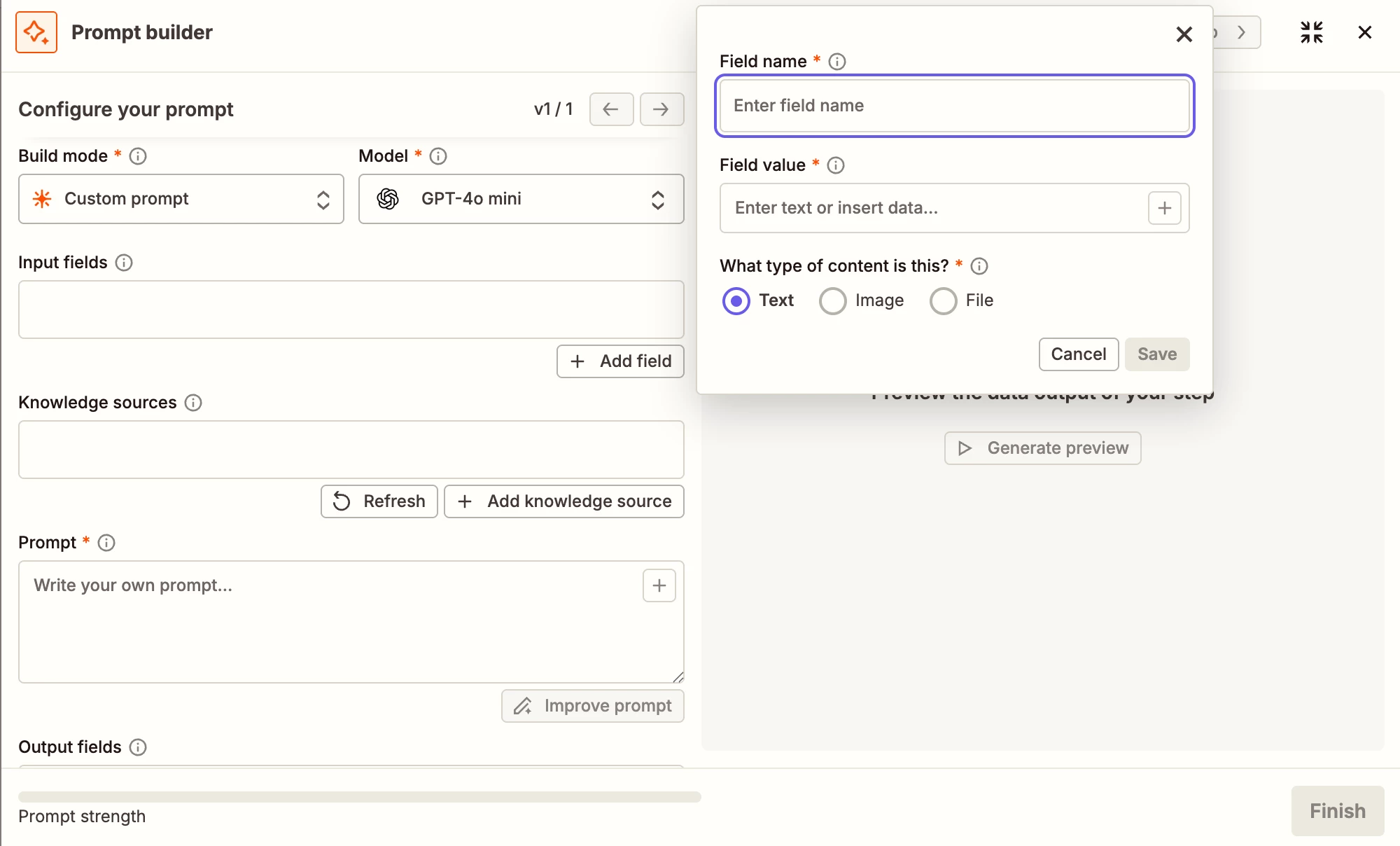
Just choose the input field type as file and pass the PDF dynamically to analyze and return the data. See the image below for more information-


After this you can dynamically pass the output of this action to the other subsequent actions. Hope it helps!


  • Author
  • New
  • January 21, 2026

Yes I tried this but I was getting an error. Should the trigger be new email based on keywords or new attachment in Gmail?


Also, what attachment variable should I then be using from Gmail?