
Best answer

Upload attachment from email to specific box.com folder

  • October 6, 2021
  • 2 replies
  • 86 views

Hi, 

I am trying to setup a zap that will automatically upload a document to Box.com and a specific folder when an email with attachments are forwarded to the unique zap email.


I get the error: “The app returned "Not Found". “ when I test this zap.


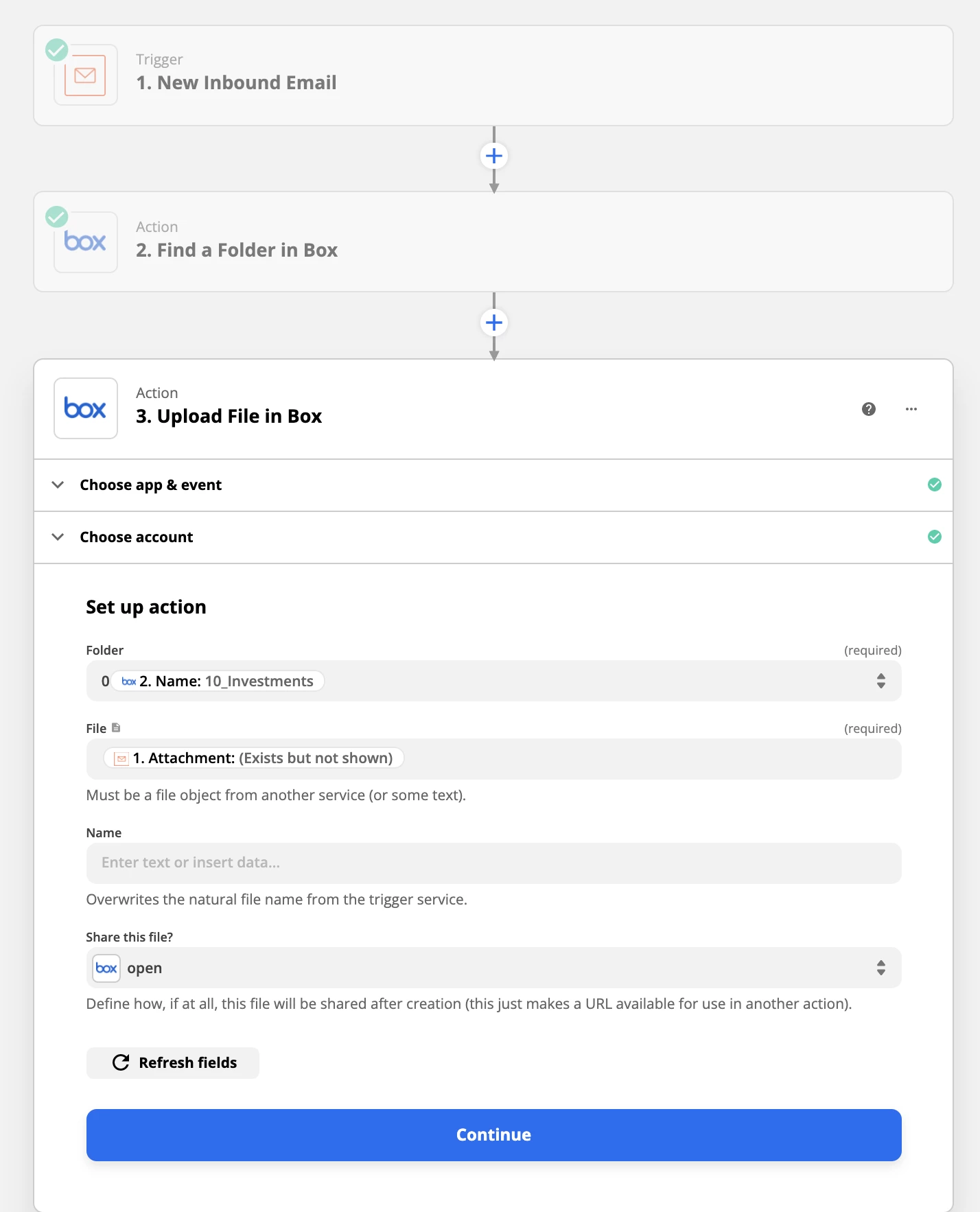
Here is my current setup, including a middle step to find the specific folder in Box I want to add the attachment to.
 

Thanks in advance for any help you can provide!
Best answer by Troy Tessalone

Hi @67tallchris 

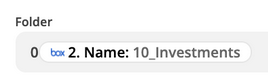
You need to map the ID of the Folder found in Step 2 to the Folder field in Step 3.


This post has been closed for comments. Please create a new post if you need help or have a question about this topic.

2 replies

Troy Tessalone
Zapier Orchestrator & Solution Partner
Forum|alt.badge.img+14
  • Zapier Orchestrator & Solution Partner
  • Answer
  • October 6, 2021

Hi @67tallchris 

You need to map the ID of the Folder found in Step 2 to the Folder field in Step 3.


  • Author
  • New
  • October 6, 2021

That was the ticket, thanks @Troy Tessalone




