


Question

Updating Different Sheets Files

  • May 27, 2022
  • 3 replies
  • 46 views

I have several different spreadsheet templates based on different locations. When I receive a new order, I need to identify the correct spreadsheet based on that location. All of which I can do via a series of “Find folders / files” zaps based off inputed data. I then want to add a spreadsheet row with all the data I have collected from the order. However if I use the custom ID of the spreadsheet (shown below), whilst it recognises the worksheets, will not show the row headers and therefore I cannot input the necessary data. 
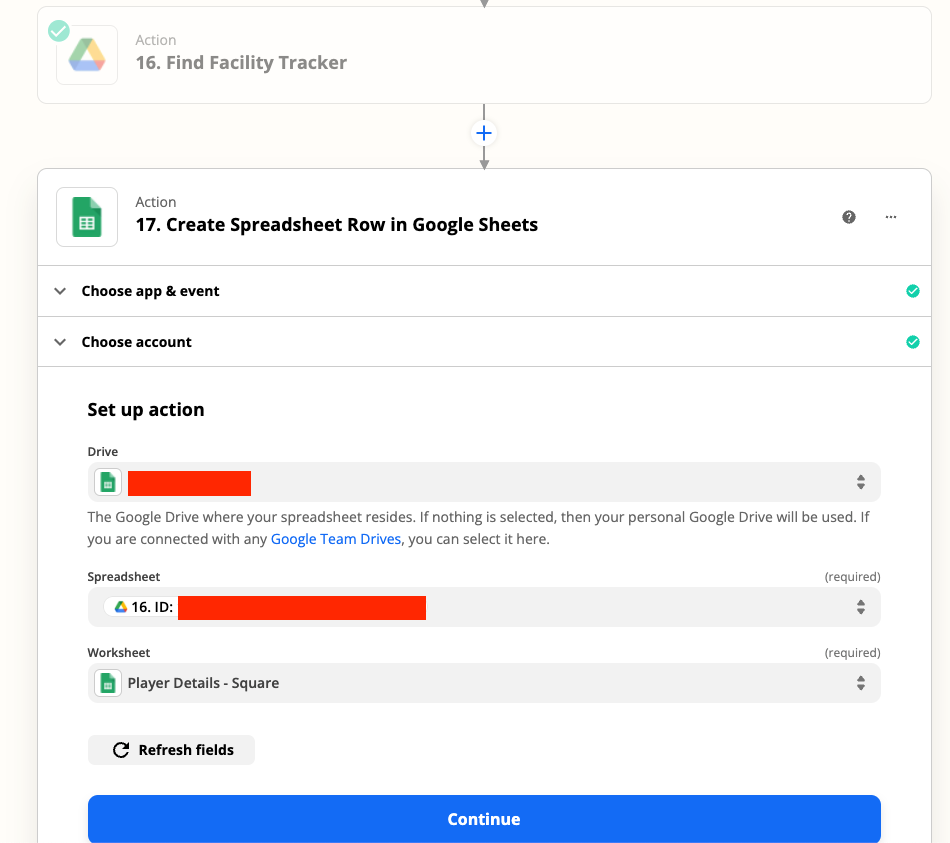
 

If I select the spreadsheet directly, all the fields show up, however cause this spreadsheet will change dependant on each order, this is no solution. I have also tried splitting text to extract the ID of the spreadsheet but it seems that any custom field in the spreadsheet input will remove the ability to see the fields within the worksheet. 

Any ideas?

This post has been closed for comments. Please create a new post if you need help or have a question about this topic.

3 replies

robschmidt
Forum|alt.badge.img+9
  • Zapier Solution Partner
  • May 27, 2022

Hi @Jimmyzaps 

In this case, I’d suggest using Paths, that way you will be map values with correct columns instead of dynamically trying to select it. You can have 15 paths (that means 15 different spreadsheets) in a single zap. 


  • Author
  • Beginner
  • May 27, 2022

Hey Rob,

Does that mean theres no way to dynamically choose a spreadsheet? 

I can build out the paths but its not future proof, and laborious. 

Cheers


Troy Tessalone
Zapier Orchestrator & Solution Partner
Forum|alt.badge.img+14
  • Zapier Orchestrator & Solution Partner
  • May 27, 2022

Hi @Jimmyzaps 

Check this help topic:




