
I’m having the same issue
Were you able to fix the issue?
I too trying to locate a row according to email address and update that row but it keeps returning the SAME email, even if i add and find new email adress

I’m having the same issue
Were you able to fix the issue?
I too trying to locate a row according to email address and update that row but it keeps returning the SAME email, even if i add and find new email adress
Best answer by Danvers
Hi
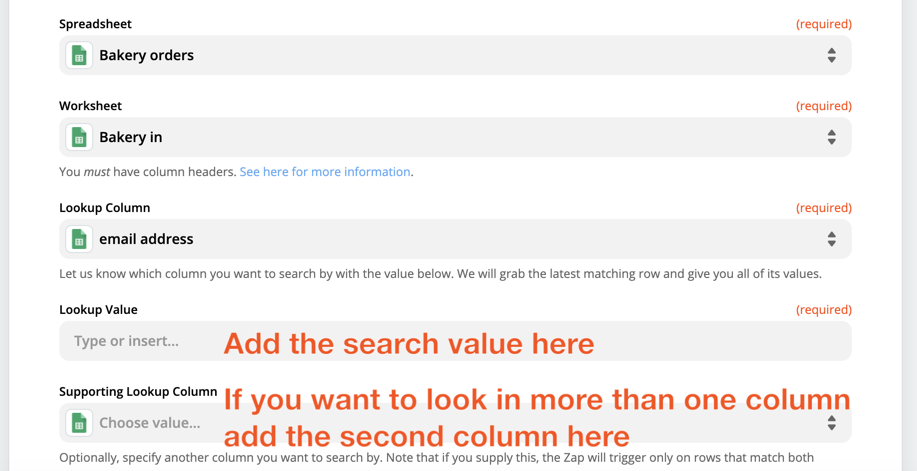
If you’re trying to find and then update a row, here’s how that should look:
Look up Row step
The Update step
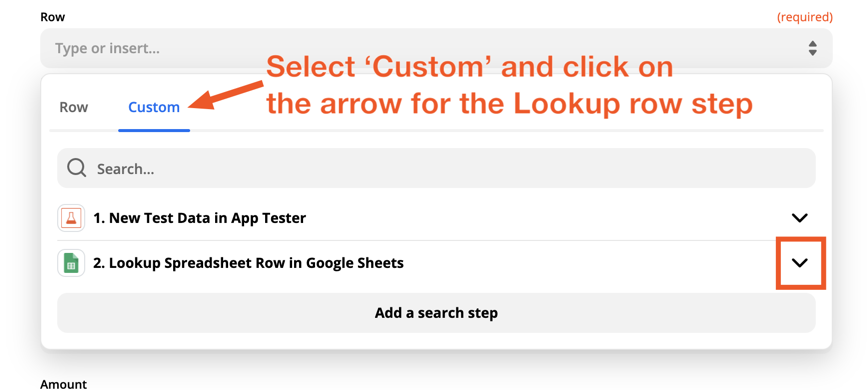
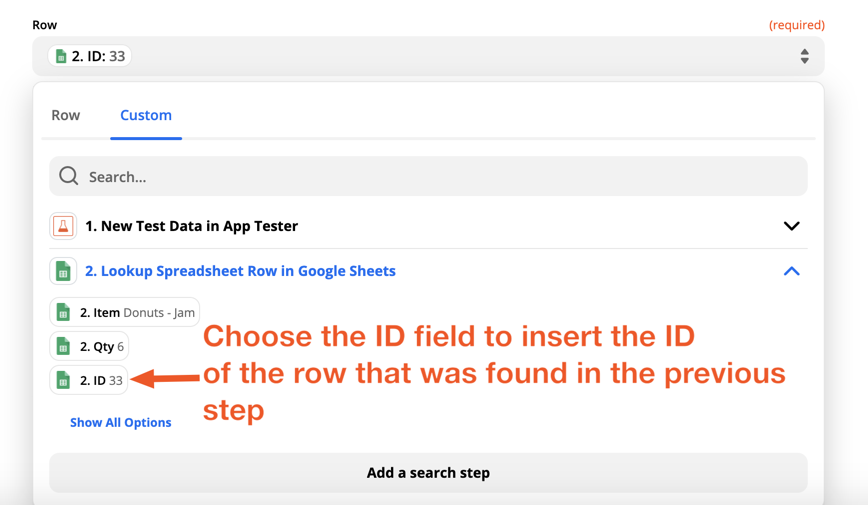
Select the ID field to tell the step to update the row that was found in the previous step:
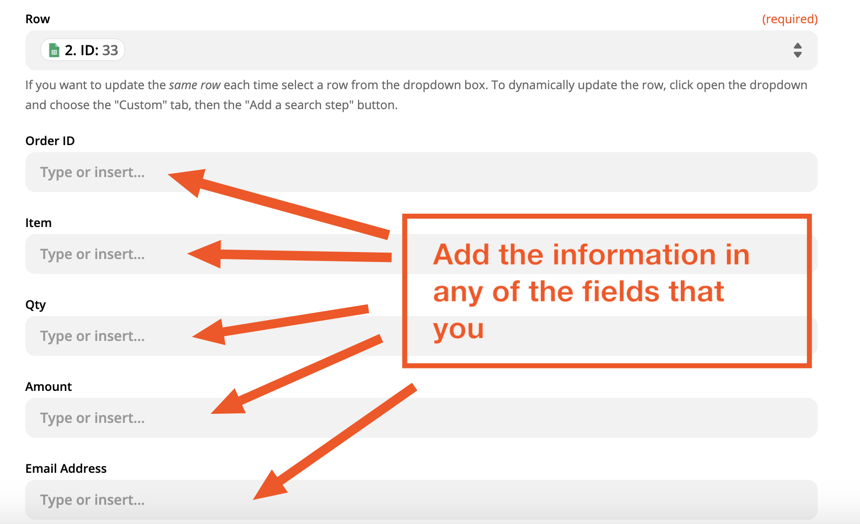
Add any information that you want to put in the row in the relevant fields:
I hope that clears things up!

Build and deploy automations from AI tools you already use. With Agentic Management, if anything breaks, the agent diagnoses the issue and proposes a fix.
Enter your E-mail address. We'll send you an e-mail with instructions to reset your password.


