Best answer

Troubleshooting Salesforce Campaign Member status updates after Zoom meetings

  • September 23, 2025
  • 6 replies
  • 45 views

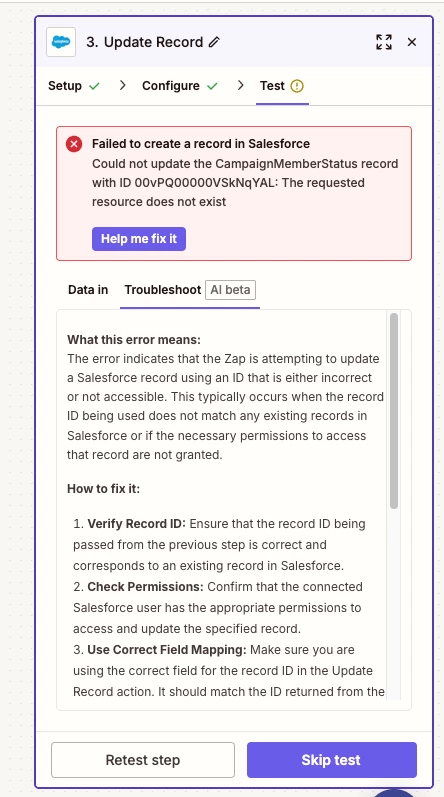
I have tried about 100 things and I continue to get an error for my find record step and/or update record step. 


Scenario: Someone attends a Zoom meeting. So I have used Zoom New Participant Joined Webinar or Meeting and then broken it into paths based on them joining. Let’s take October for this example. 
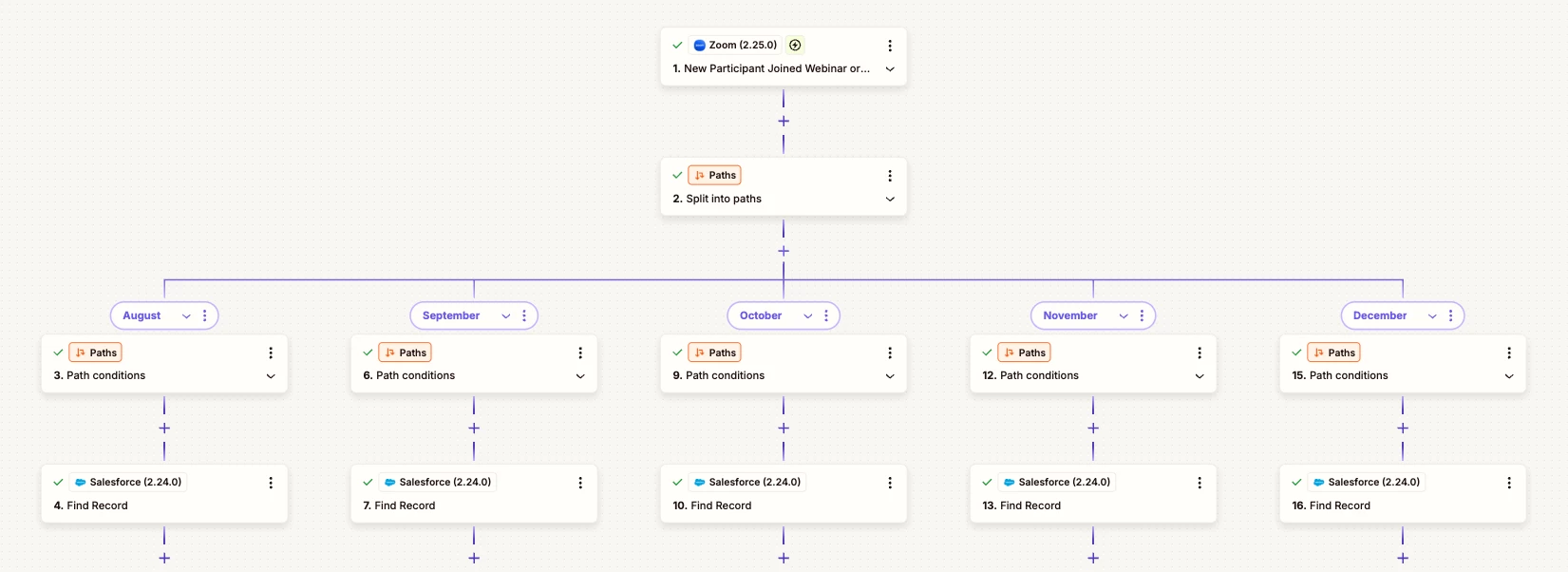
 

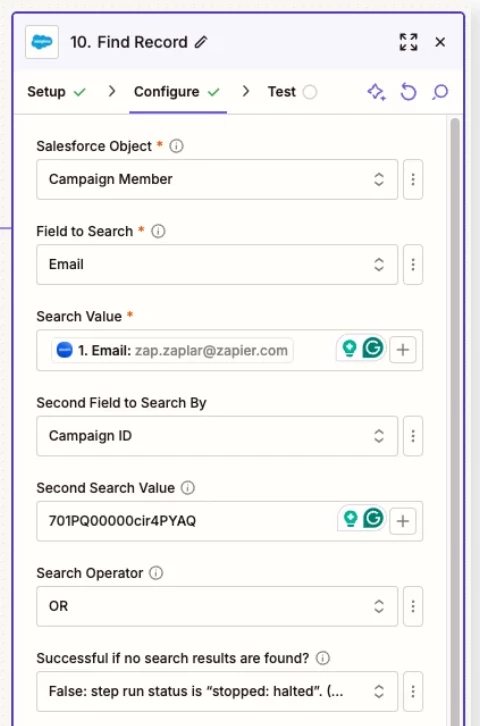
I then use a Salesforce Find Record step (10), looking up by the campaign member and campaign ID via email. 
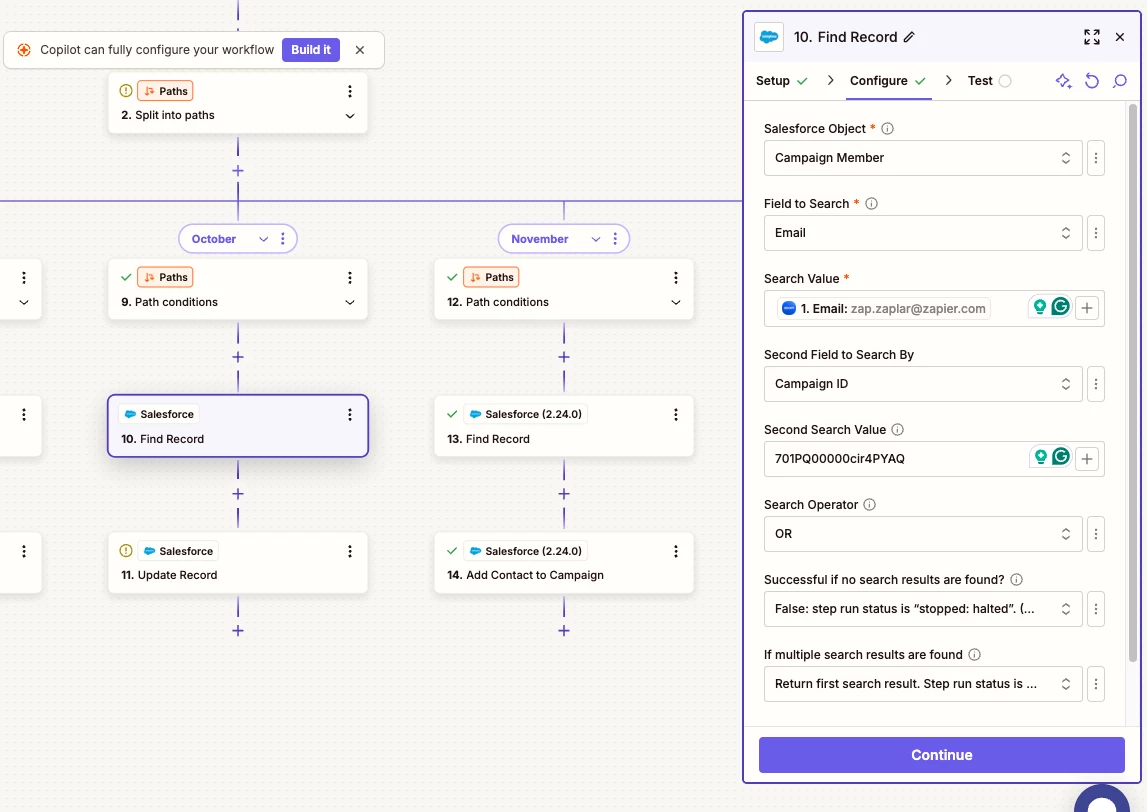
 

(Screenshot shows test data) When I use real data, it is still giving me an error saying the email is not in the correct format. 


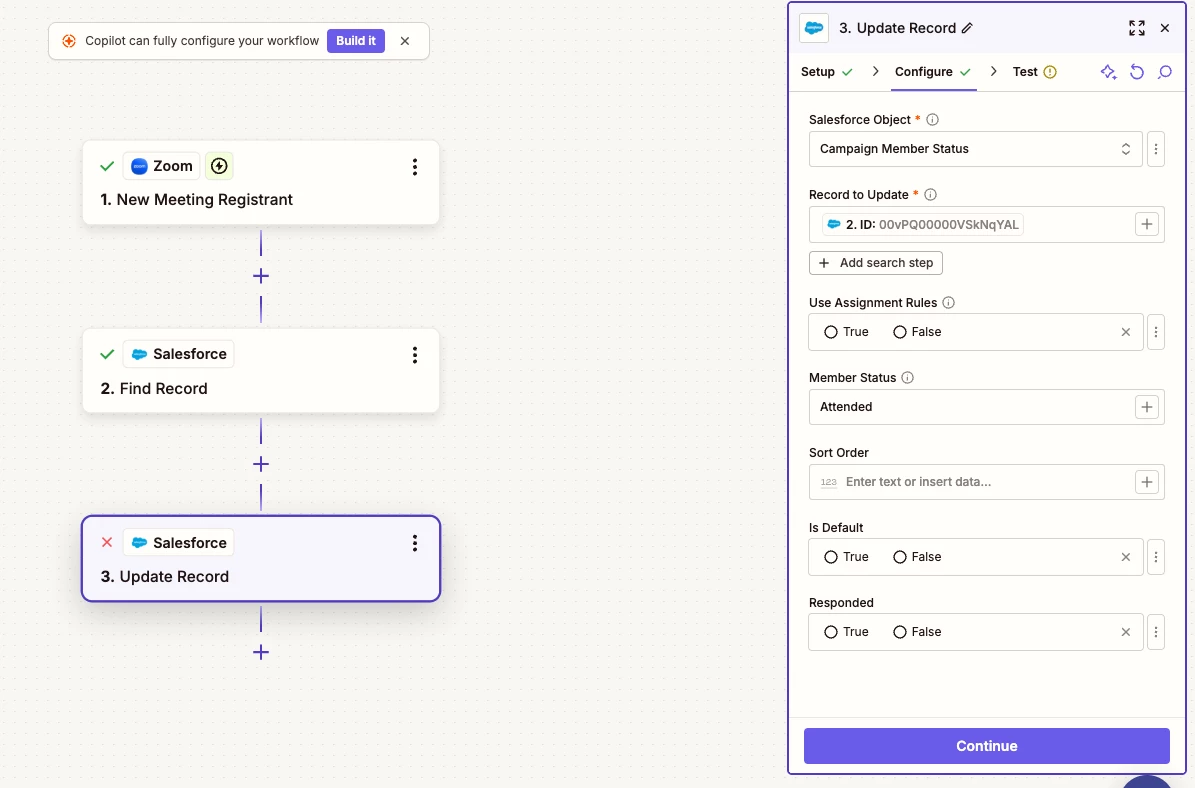
After that, I am using the Salesforce Update Record step, to update Campaign Member status. 
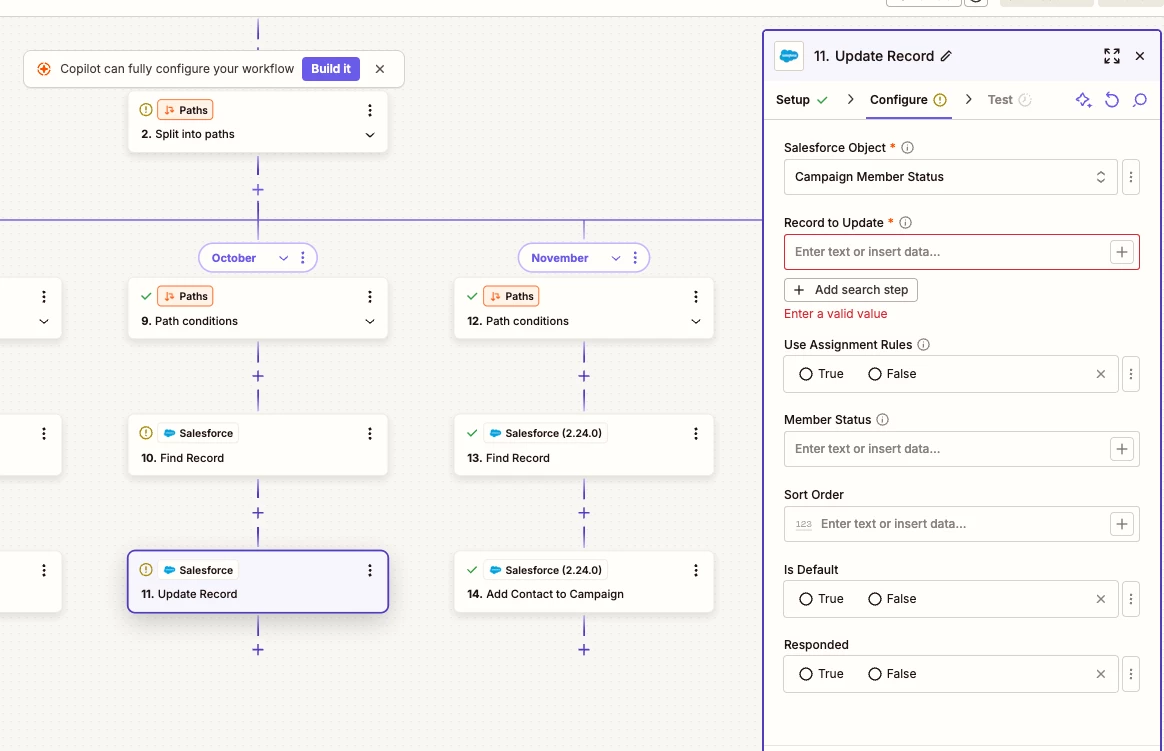
 

What am I missing here and why can’t I get it to work?
Best answer by Troy Tessalone

@workinmamaxoxo 

TIP: Click field labels to see tooltips with more info about expected values and formats.


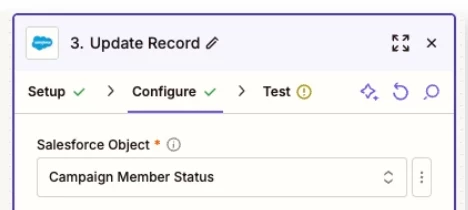
In Zap step 10, you are using this Salesforce Object: Campaign Member

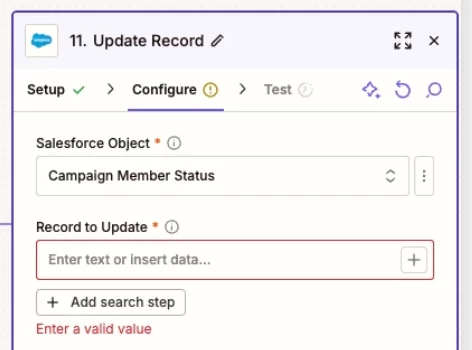
In Zap step 11, you are using this Salesforce Object: Campaign Member Status

Those have different Salesforce Record IDs.


You will need to find/map the correct Salesforce Object Record ID to correct the Zap step error.


Salesforce is highly customizable so you may have to work with your Salesforce Admin to understand which Salesforce Object/Record to use.


This post has been closed for comments. Please create a new post if you need help or have a question about this topic.

6 replies

Troy Tessalone
Zapier Orchestrator & Solution Partner
Forum|alt.badge.img+14
  • Zapier Orchestrator & Solution Partner
  • September 23, 2025

Hi ​@workinmamaxoxo 

See screenshots below.

You need to map the Salesforce Record ID from the related Find Record step.


OBSERVATIONS


Troy Tessalone
Zapier Orchestrator & Solution Partner
Forum|alt.badge.img+14
  • Zapier Orchestrator & Solution Partner
  • September 23, 2025

@workinmamaxoxo 

For us to have more info about the error for the Salesforce Find Record step, post screenshots showing the encountered error from the Zap step.


For the Search Operator, you likely want to change that to: AND

So that the first AND second field search values have to be found in order to return an existing Salesforce Record ID.


  • Author
  • Beginner
  • September 23, 2025

@Troy Tessalone ok the AND statement helped fund the record, but now getting this error on the Updating Record step. I used the Campaign Member ID from step 2. I don’t get an error if I use email for Record to Update, however, I can’t specify which campaign I want to update the status for...


Troy Tessalone
Zapier Orchestrator & Solution Partner
Forum|alt.badge.img+14
  • Zapier Orchestrator & Solution Partner
  • Answer
  • September 23, 2025

@workinmamaxoxo 

TIP: Click field labels to see tooltips with more info about expected values and formats.


In Zap step 10, you are using this Salesforce Object: Campaign Member

In Zap step 11, you are using this Salesforce Object: Campaign Member Status

Those have different Salesforce Record IDs.


You will need to find/map the correct Salesforce Object Record ID to correct the Zap step error.


Salesforce is highly customizable so you may have to work with your Salesforce Admin to understand which Salesforce Object/Record to use.


  • Author
  • Beginner
  • September 23, 2025

@Troy Tessalone - AHHH that’s it! It’s working :) Thank you so much for you help on this. I have been spinning my wheels trying to get a campaign status updated.


SamB
Community Manager
Forum|alt.badge.img+11
  • Community Manager
  • September 24, 2025

Yay! 🎉 So glad to see Troy was able to point you in the right direction here ​@workinmamaxoxo - thanks ​@Troy Tessalone! 🙌  

Sounds like you’re all set for now but do reach back out to the Community if you need help with anything else. 

In the meantime, happy Zapping! 😁⚡