Question

Squarespace Commerce and Thinkific

  • November 19, 2022
  • 2 replies
  • 99 views

I sell online courses through my square space and currently manually enrolling my students into Thinkific. How can I create a trigger once they pay in square pace they get automatically enrolled?

This post has been closed for comments. Please create a new post if you need help or have a question about this topic.


2 replies

Troy Tessalone
Zapier Orchestrator & Solution Partner
Forum|alt.badge.img+14
  • Zapier Orchestrator & Solution Partner
  • November 19, 2022

Hi @JenniferCrandon 

Good question.

What payment processing app are you using with Squarespace Commerce? (e.g. Stripe)

You may want to try using the payment processor app as the Zap trigger.


To use Squarespace Commerce you’d need to use the Squarespace Commerce API in Zaps: https://developers.squarespace.com/commerce-apis/overview

App APIs can be used in Zaps with the Webhooks app: https://zapier.com/apps/webhook/help


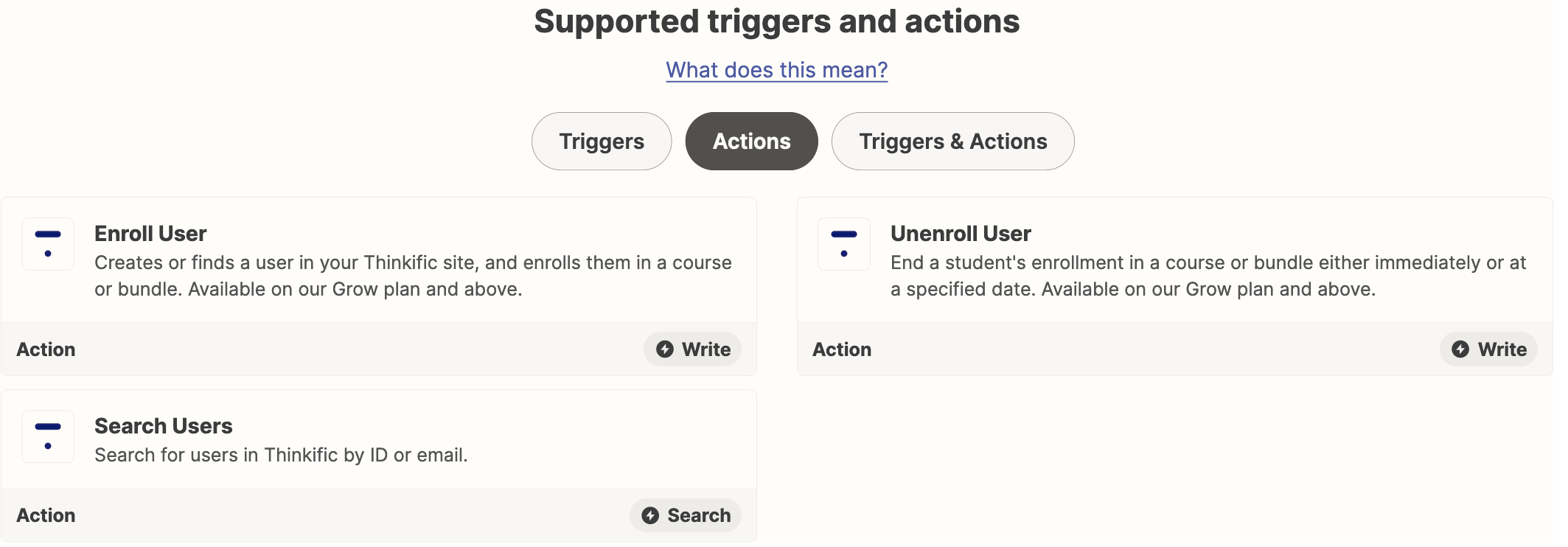
Thinkific available Zap actions:


Liz_Roberts
Forum|alt.badge.img+8
  • Zapier Staff
  • November 21, 2022

Hi @JenniferCrandon 👋🏽 Welcome to Zapier Community!

Checking in here to see if you decided to go with the Squarespace or payment processing app as your Trigger.

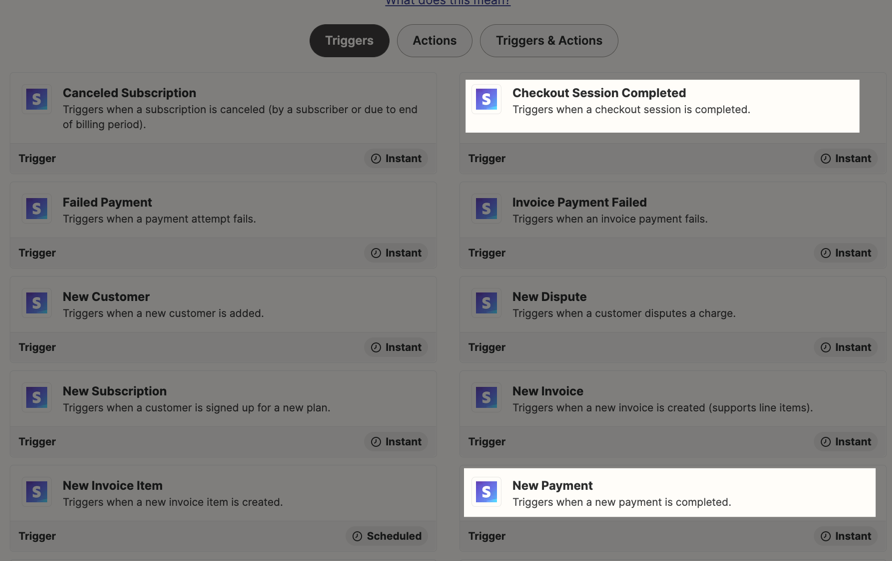
Adding to Troy’s response, if you’re using an app like Stripe your Trigger could be New Payment or Checkout Session Completed:

Here’s the Stripe integration page where you would select your Trigger, followed by the Enroll User Action in Thinkific. 

Let us know if this does the trick!