Best answer

Specify Panda Doc document owner in Create Document action

  • February 14, 2022
  • 6 replies
  • 114 views

Hello,


We have a Zapier & Panda Doc(https://pandadoc.com/) integration which creates a panda doc document. I am looking for option/setting to specify an “owner” of the document in Zapier action block but had no luck.

PandaDoc does have the provision to do so(https://developers.pandadoc.com/reference/new-document#create-on-members-behalf).

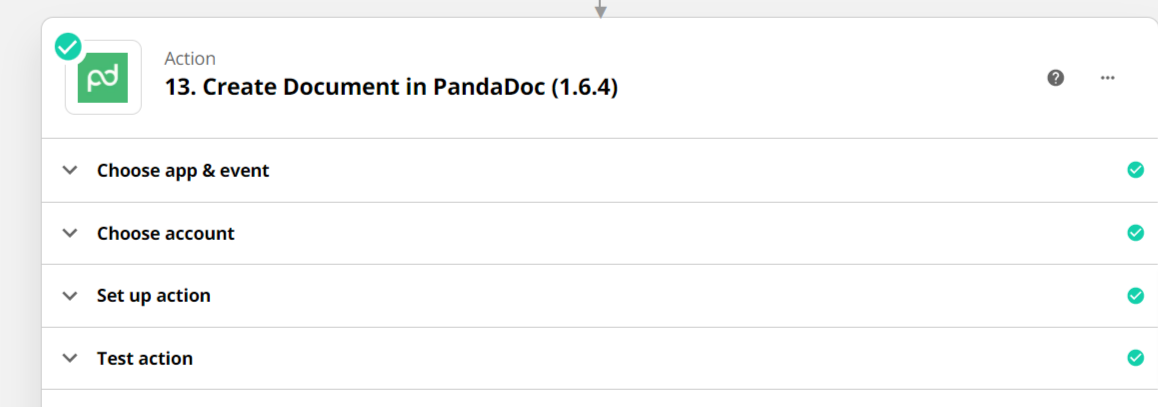
Panda Doc Action block:


Would there be an alternative of this?

Thank you in advance. 


Best answer by christina.d

 Hi there @Himanshu_Westhaven

I can see you were able to reach out to support, which is perfect! I wanted to come back and update the thread with their response as well in case it’s helpful for anyone else working through a similar process.

I've done some digging and it looks like it's currently not possible to specify an owner when creating a Document, however, we do have a feature request open with the PandaDoc team in regard to adding support for this in their app integration. I've gone ahead and added your email address to the request as a +1 vote. 

While not all feature requests are implemented, customer feedback like this is a huge part of how we continue to grow our platform. If this feature does get developed, we'll reach out to you directly to let you know!

That said, our team will be sure to update this thread when and if this does move forward! 🙂

This post has been closed for comments. Please create a new post if you need help or have a question about this topic.

6 replies

Troy Tessalone
Zapier Orchestrator & Solution Partner
Forum|alt.badge.img+14
  • Zapier Orchestrator & Solution Partner
  • February 14, 2022

Hi @Himanshu_Westhaven 

App APIs can be used in Zaps with the Webhooks app as an action step: https://zapier.com/apps/webhook/integrations


Troy Tessalone
Zapier Orchestrator & Solution Partner
Forum|alt.badge.img+14
  • Zapier Orchestrator & Solution Partner
  • February 14, 2022

@Himanshu_Westhaven 

Appears you are using an older version of the PandaDoc Zap app integration:


@Himanshu_Westhaven

Appears you are using an older version of the PandaDoc Zap app integration:


Hello Troy,

I also looked into the latest PandaDoc connector but it also does not have anything

to mention the “Owner”.

Thank you.


Hi @Himanshu_Westhaven 

App APIs can be used in Zaps with the Webhooks app as an action step: https://zapier.com/apps/webhook/integrations

Hello,

Yes I successfully did some tests of the PandaDoc API’s but the current PandaDoc block is creating a real long document which would be little complicated via the API.

PandaDoc allows the document to be created on the behalf of other members so I was expecting the same in the Create Document in Panda Doc block also.

Thank you.


Troy Tessalone
Zapier Orchestrator & Solution Partner
Forum|alt.badge.img+14
  • Zapier Orchestrator & Solution Partner
  • February 15, 2022

@Himanshu_Westhaven 

Most apps on Zapier are built and maintained by the app developers themselves, and Zapier keeps an internal list of app requests.

Unsure whether PandaDoc or Zapier owns the PandaDoc Zap app integration.

Feedback and feature requests can be submitted via a ticket to Zapier Support to be logged: https://zapier.com/app/get-help


christina.d
Forum|alt.badge.img+9
  • Zapier Staff
  • Answer
  • February 17, 2022

 Hi there @Himanshu_Westhaven

I can see you were able to reach out to support, which is perfect! I wanted to come back and update the thread with their response as well in case it’s helpful for anyone else working through a similar process.

I've done some digging and it looks like it's currently not possible to specify an owner when creating a Document, however, we do have a feature request open with the PandaDoc team in regard to adding support for this in their app integration. I've gone ahead and added your email address to the request as a +1 vote. 

While not all feature requests are implemented, customer feedback like this is a huge part of how we continue to grow our platform. If this feature does get developed, we'll reach out to you directly to let you know!

That said, our team will be sure to update this thread when and if this does move forward! 🙂