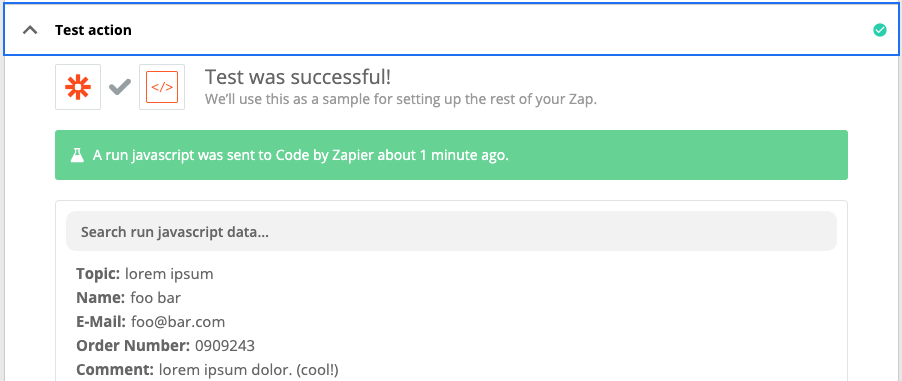
Topic: xxx Name: xxx E-Mail: @ Order Number: 1111 Comment: bla
Is there anyway to get all 3 lines into 3 separate Google Sheet columns for better organization? So far I have only found this solution here, which requires coding :)
Best answer by mateus
Assuming your message lines maintain the exact same pattern (e.g.: Subject: Description), you can use Javascript to dissect your message and return them as a list.
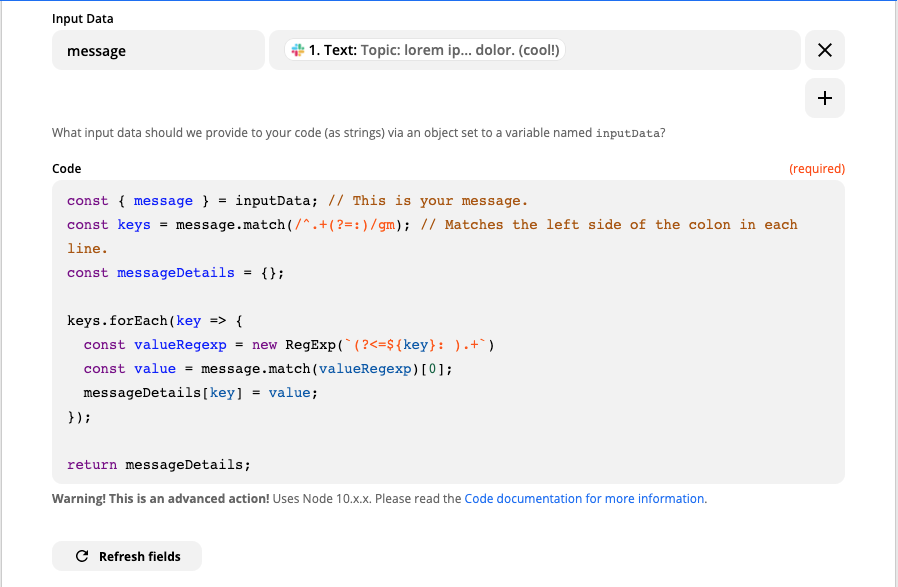
Pass your new Slack message as the message property in your inputData object.
Add the following code:
const { message } = inputData; // This is your message.
const keys = message.match(/^.+(?=:)/gm); // Matches the left side of the colon in each line. This is why it's important to keep the same message structure.
const messageDetails = {}; // Your dissected message will reside here.

keys.forEach(key => {
  const valueRegexp = new RegExp(`(?<=^${key}: ).+`, 'gm');
  const value = message.match(valueRegexp);
  messageDetails[key] = value;
});

return messageDetails;
Tried and true:
If you ever need to add more lines of text, this should work without any further changes, as long as you keep the same message structure.
Now you should be able to attribute these pieces of data to any Google Sheets column you want!
Assuming your message lines maintain the exact same pattern (e.g.: Subject: Description), you can use Javascript to dissect your message and return them as a list.
Pass your new Slack message as the message property in your inputData object.
Add the following code:
const { message } = inputData; // This is your message.
const keys = message.match(/^.+(?=:)/gm); // Matches the left side of the colon in each line. This is why it's important to keep the same message structure.
const messageDetails = {}; // Your dissected message will reside here.

keys.forEach(key => {
  const valueRegexp = new RegExp(`(?<=^${key}: ).+`, 'gm');
  const value = message.match(valueRegexp);
  messageDetails[key] = value;
});

return messageDetails;
Tried and true:
If you ever need to add more lines of text, this should work without any further changes, as long as you keep the same message structure.
Now you should be able to attribute these pieces of data to any Google Sheets column you want!
Hope it helps!
Early access
Next Gen Zaps
Build and deploy automations from AI tools you already use. With Agentic Management, if anything breaks, the agent diagnoses the issue and proposes a fix.