
Best answer

Shuffle / Randomize order of input values

  • May 22, 2023
  • 11 replies
  • 345 views

HugoT

Context: we create 4 different Instagram stories for one item with Creatomate based on the RSS input (which are received as urls. After that we upload those with a delay between each story.


Our problem: every time the stories are uploaded in the same order, would it be possible to shuffle the order? We know there is the formatter, however this only picks one random story/item (so there is a chance that next time it grabs the same random picked story).
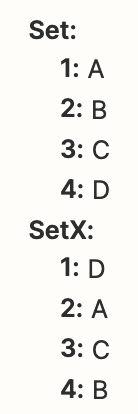
Best answer by Troy Tessalone

Hi @HugoT 

Good question.

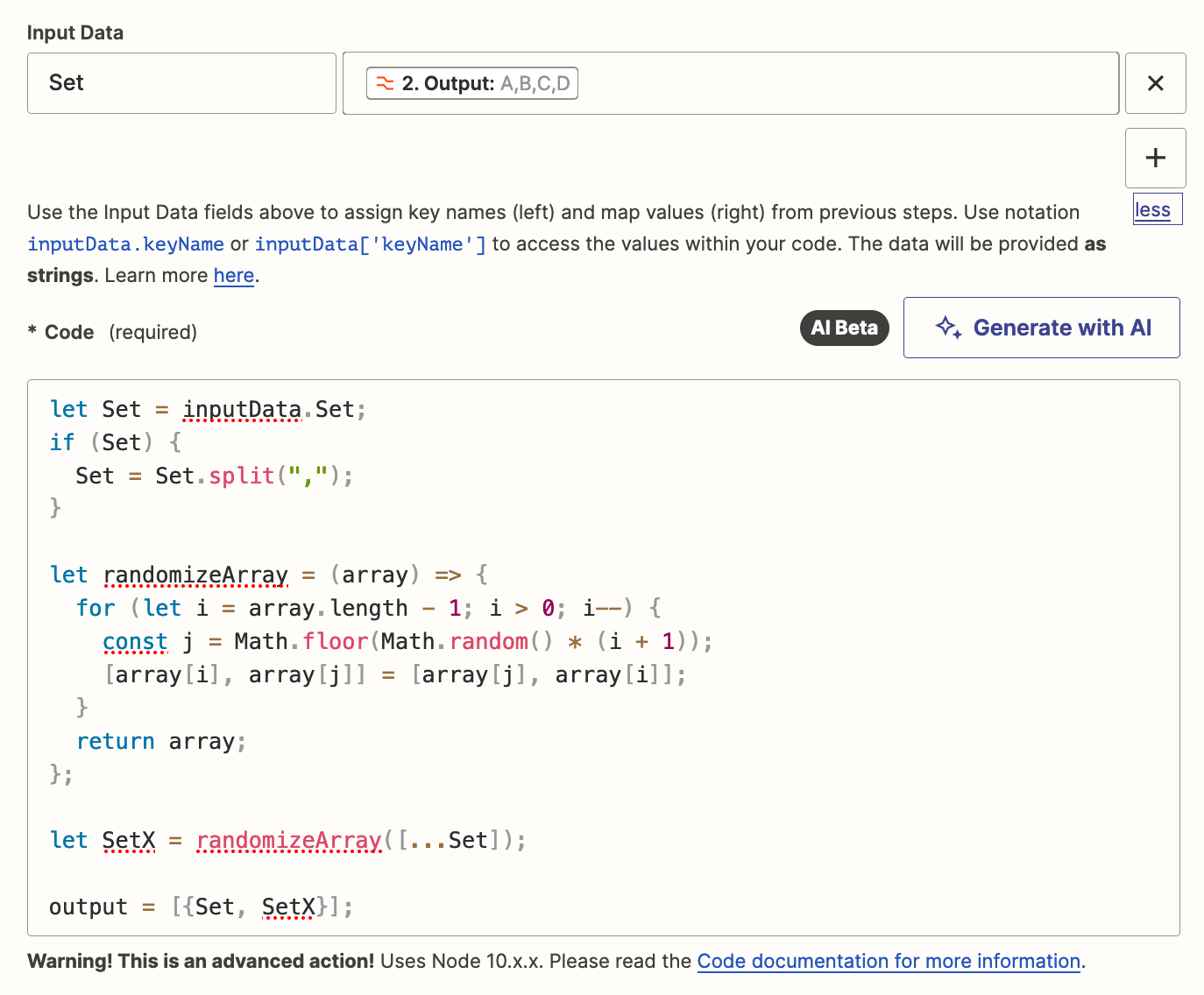
If you are looking to randomize an array’s items, then try using a Code step.

You can ask ChatGPT for the code to do the randomization. (may need to be tweaked to work in the Zap Code step)

Example: https://chat.openai.com/share/b8b1e8b2-bc63-420e-b9a8-e9802d3e6f59


let Set = inputData.Set;
if (Set) {
Set = Set.split(",");
}

let randomizeArray = (array) => {
for (let i = array.length - 1; i > 0; i--) {
const j = Math.floor(Math.random() * (i + 1));
[array[i], array[j]] = [array[j], array[i]];
}
return array;
};

let SetX = randomizeArray([...Set]);

output = [{Set, SetX}];


This post has been closed for comments. Please create a new post if you need help or have a question about this topic.

11 replies

robschmidt
Forum|alt.badge.img+9
  • Zapier Solution Partner
  • May 22, 2023

@HugoT 

This might be helpful for your scenario: 


HugoT
  • Author
  • Beginner
  • May 22, 2023

@robschmidt Sorry that didn’t do the job.

Is there another way?

We need to go from


  1. A (url)
  2. B (url)
  3. C (url)
  4. D (url)

To > Function or Zap that randomizes >


  1. C (url)
  2. B (url)
  3. D (url)
  4. A (url)

chanelle
Forum|alt.badge.img+8
  • Zapier Staff
  • May 25, 2023

Hi there @HugoT -

In order for me to best assist you, can you please provide some additional information regarding the set up of your Zap (trigger and action(s) used)? A screenshot of those would be excellent in order to get a closer look and see what is and is not possible, or if there are any workarounds to be found!

Please omit any personal information from the screenshots. 


HugoT
  • Author
  • Beginner
  • May 26, 2023

@chanelle thank you for your reply

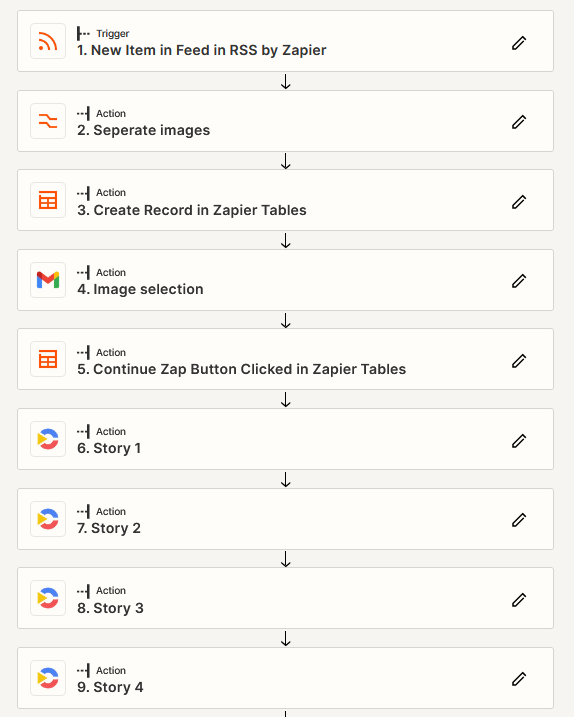
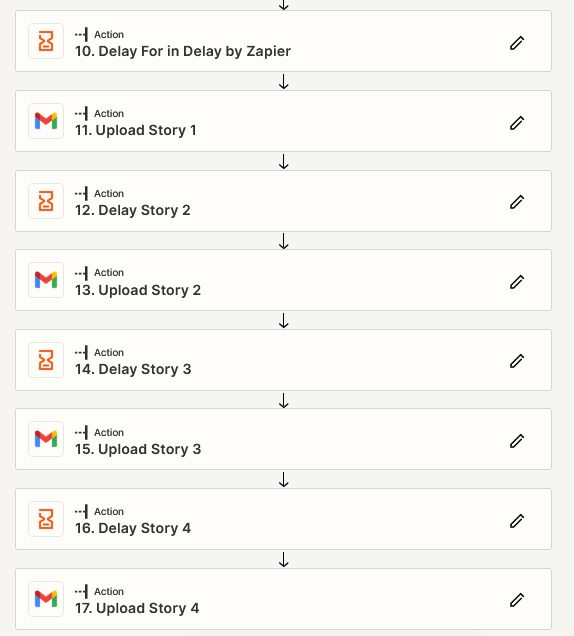
Please see below the flow:
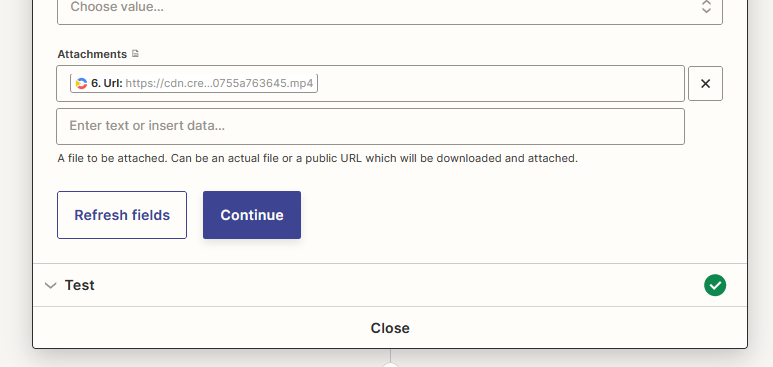
Additional information: at step 4 I select the images i want to use for the 4 different formats; It is the generated stories (step 6, 7, 8 and 9 > they provide a link as output) that i want to shuffle for the steps 11, 13, 15 and 17.


chanelle
Forum|alt.badge.img+8
  • Zapier Staff
  • May 26, 2023

Apologies @HugoT as I should have clarified, can you please provide screenshots in a similar fashion to this. That way I can see the nitty-gritty details that lay within the steps you indicated above. 

Again, apologies for the inconvenience and hoping to hear back soon! 


HugoT
  • Author
  • Beginner
  • May 30, 2023

@chanelle 

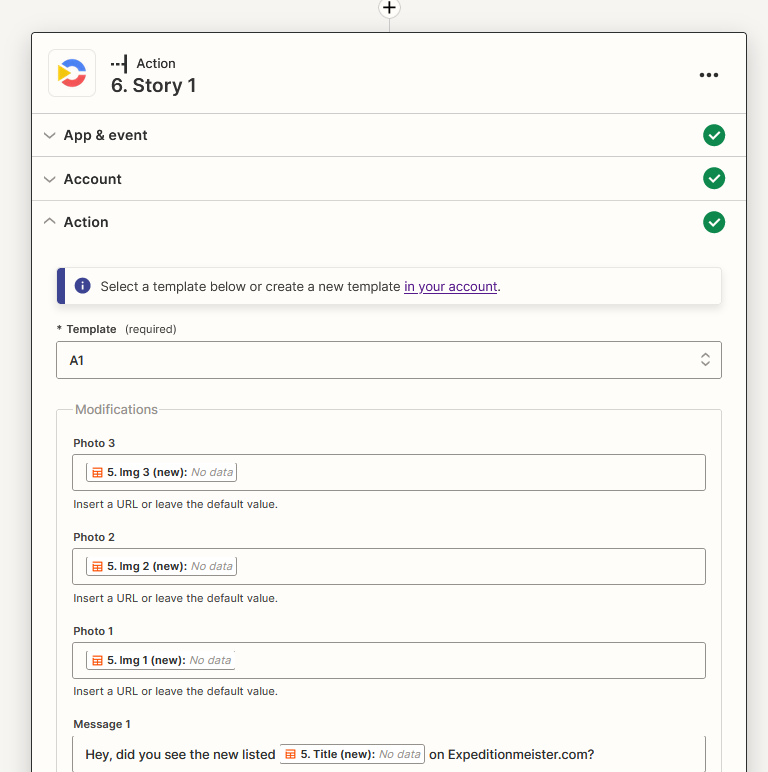
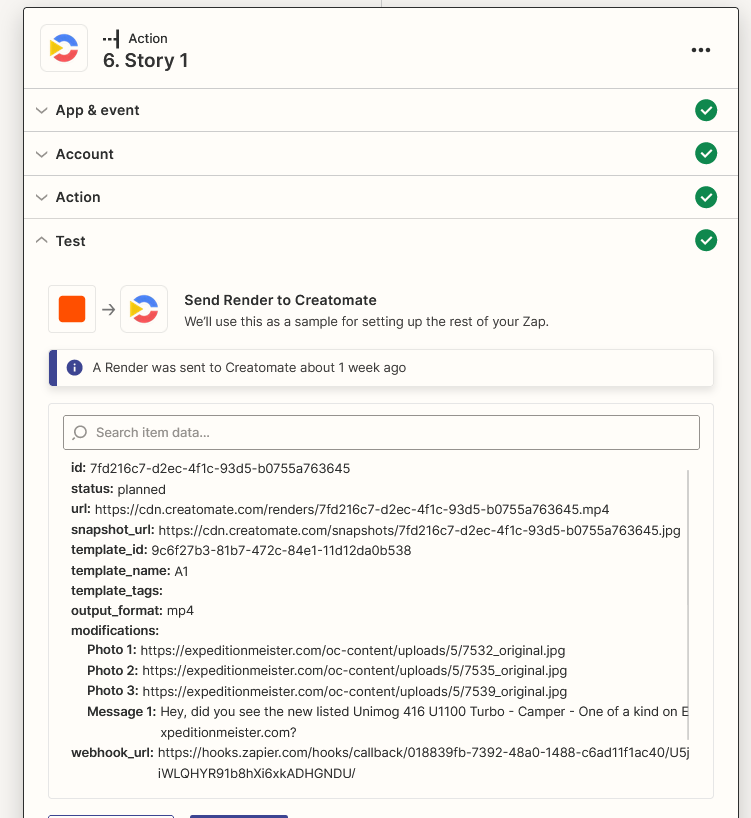
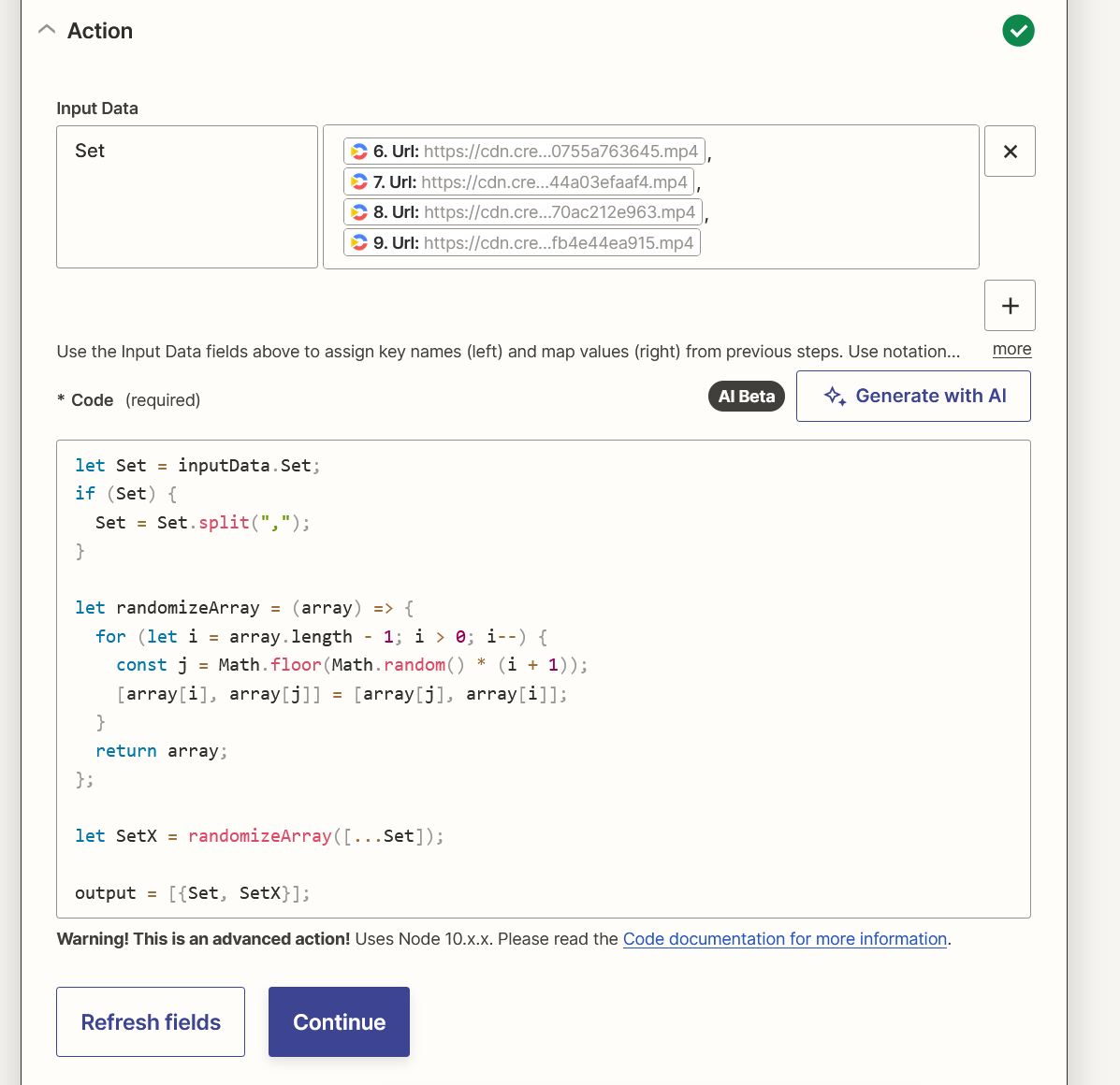
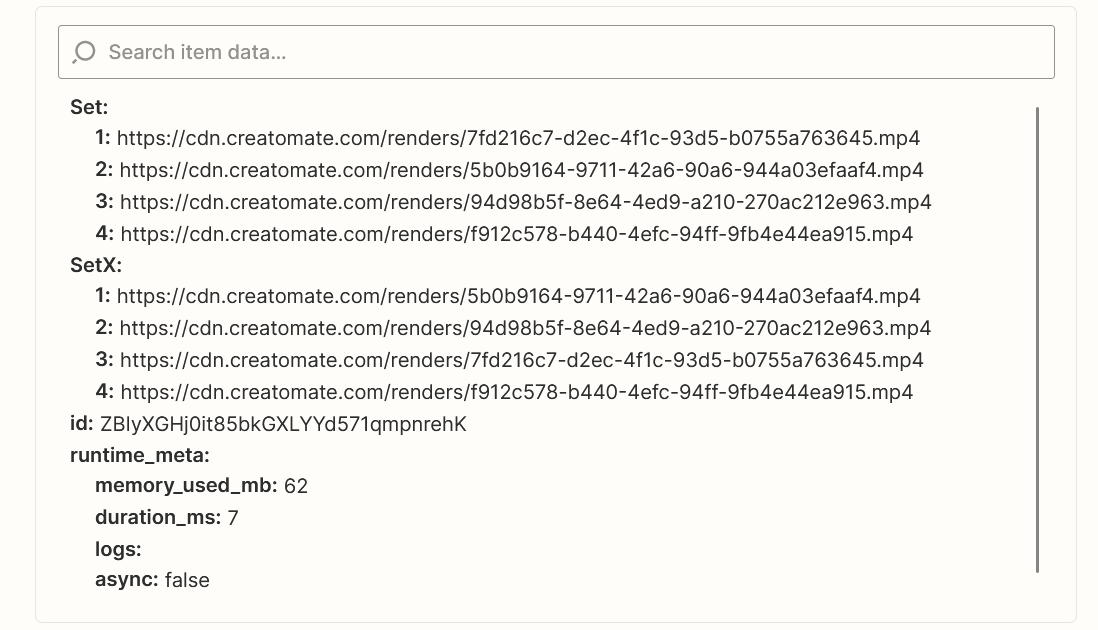
I believe these screenshots are the most valuable


Same for step 7, 8 and 9 (but different input fields leading to different generated outputs/urls


Step 11: (sending an email with the output/url from step 6) So step 13 has as attachment the output of step 7, etc… I want the outputs used to shuffle/randomize


Does this clarify?


Troy Tessalone
Zapier Orchestrator & Solution Partner
Forum|alt.badge.img+14
  • Zapier Orchestrator & Solution Partner
  • Answer
  • May 31, 2023

Hi @HugoT 

Good question.

If you are looking to randomize an array’s items, then try using a Code step.

You can ask ChatGPT for the code to do the randomization. (may need to be tweaked to work in the Zap Code step)

Example: https://chat.openai.com/share/b8b1e8b2-bc63-420e-b9a8-e9802d3e6f59


let Set = inputData.Set;
if (Set) {
Set = Set.split(",");
}

let randomizeArray = (array) => {
for (let i = array.length - 1; i > 0; i--) {
const j = Math.floor(Math.random() * (i + 1));
[array[i], array[j]] = [array[j], array[i]];
}
return array;
};

let SetX = randomizeArray([...Set]);

output = [{Set, SetX}];


Troy Tessalone
Zapier Orchestrator & Solution Partner
Forum|alt.badge.img+14
  • Zapier Orchestrator & Solution Partner
  • May 31, 2023

@HugoT 

Related Zapier Topic:


HugoT
  • Author
  • Beginner
  • May 31, 2023

Great thank you!


Works well.


HugoT
  • Author
  • Beginner
  • May 31, 2023


christina.d
Forum|alt.badge.img+9
  • Zapier Staff
  • June 7, 2023

Awesome! So glad to hear Troy was able to get you and up running with his recommendations. 🎉

Let us know if you have any other questions - we're always happy to help.