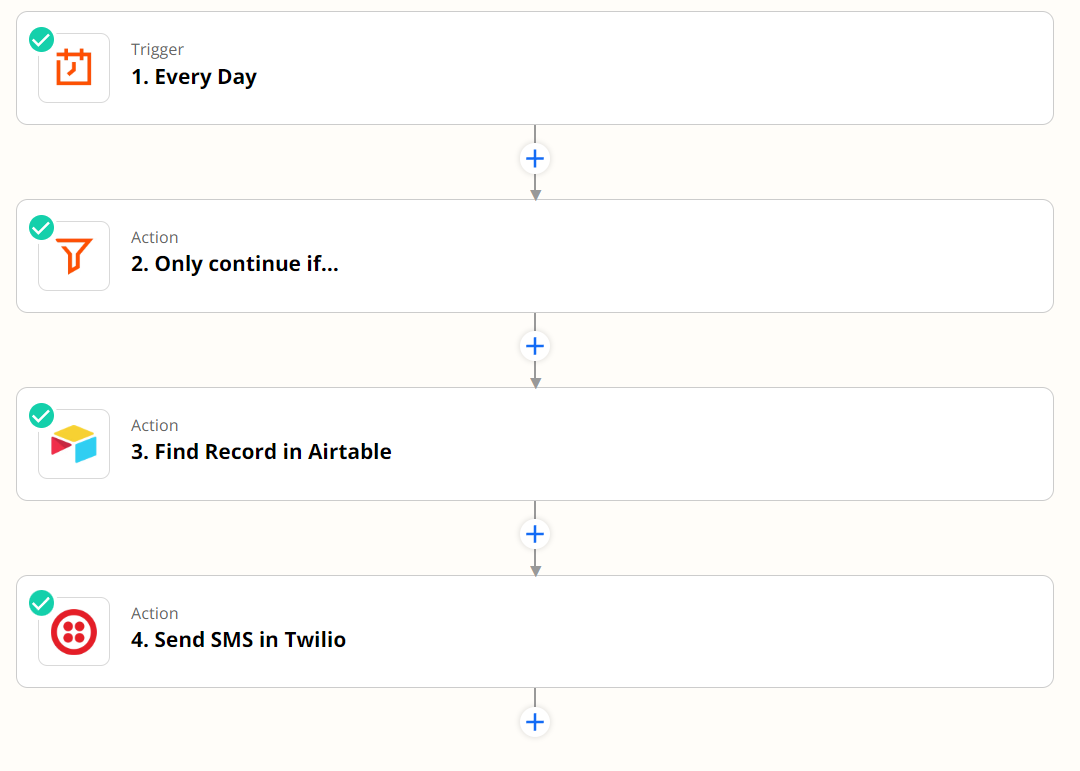
I have an automation set up to send SMS notices via Twilio on a scheduled basis. Prior to sending the SMS via twilio, I use a Find Record in Airtable Action to filter all the records that match certain conditions on any given day. This list of recipients will change anywhere from 0 to 20 per day.
The automation currently only runs once and sends a message to the first record found. How do I set this up to send the text message to all found records, not just one?
Best answer by christina.d
Hi there, @mannyv86! I can see you were able to chat with our friends in support about this! I wanted to pop their recommendation here in case it’s helpful. 🤗
I reviewed the Zap and the issue here is that the Find Record in Airtable action will only ever return a single record. In this case, I would actually recommend a different Zap setup:
New Record in Airtable (limit this to a specific view that has the desired records)
Append Entry and Schedule Digest (you can then schedule this Digest to release Daily at the desired time). You can then add the phone numbers and the output will have a comma-separated list of those numbers that you can map directly to the Send SMS action. As a note, if you need to add the country identifier to the beginning of each phone number, you will want to configure that in this Digest action.
Send SMS in Twilio
Troy also had an alternative solution here!
FYI: Most Zap triggers/actions work on a per record basis. (1 record)
The Airtable Find Record Zap action step will only return 1 record (if found).
You’d need to use the AirtableAPI to search for and return 2+ records.
App APIs can be used in Zaps with the Webhooks app as an action step.
The Looping app can be used to handle line items (aka multiple records).
This post has been closed for comments. Please create a new post if you need help or have a question about this topic.
Hi there, @mannyv86! I can see you were able to chat with our friends in support about this! I wanted to pop their recommendation here in case it’s helpful. 🤗
I reviewed the Zap and the issue here is that the Find Record in Airtable action will only ever return a single record. In this case, I would actually recommend a different Zap setup:
New Record in Airtable (limit this to a specific view that has the desired records)
Append Entry and Schedule Digest (you can then schedule this Digest to release Daily at the desired time). You can then add the phone numbers and the output will have a comma-separated list of those numbers that you can map directly to the Send SMS action. As a note, if you need to add the country identifier to the beginning of each phone number, you will want to configure that in this Digest action.
Send SMS in Twilio
Troy also had an alternative solution here!
FYI: Most Zap triggers/actions work on a per record basis. (1 record)
The Airtable Find Record Zap action step will only return 1 record (if found).
You’d need to use the AirtableAPI to search for and return 2+ records.
App APIs can be used in Zaps with the Webhooks app as an action step.
The Looping app can be used to handle line items (aka multiple records).
Early access
Next Gen Zaps
Build and deploy automations from AI tools you already use. With Agentic Management, if anything breaks, the agent diagnoses the issue and proposes a fix.
Join us September 23rd, 2026 for a free, one-day virtual event with 30+ sessions on AI automation. Get live build-alongs, playbooks, and strategies to lead AI transformation at your organization.