Best answer

Searching Shopify Products by SKU and not by Title to Update Quantity

  • March 31, 2021
  • 7 replies
  • 1314 views

Hello Zapier Community.

I am creating a Zap that updates Shopify inventory quantity from a Google Sheet. When building the Zap I noticed that it makes me create an extra step to search for products, but the only variant to search is product title. I can not use product title because my ERP system does not have my Shopify product titles stored.


I need help with: 

I would like to run the search using my product or variant SKU. Is this possible?


Thanks!
 

Best answer by SamB

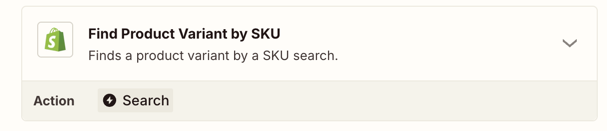
Hey folks 👋 Just dropping by this old thread to share that the Shopify app now has a Find Product Variant by SKU search action:

3c54decce1609bcdb200ca5bf6054209.png
 

So instead of needing to match by title or use a lookup table, you can look up the exact variant by SKU and pass its ID into an Update Inventory Quantity step.

Hope this saves someone some extra work!

This post has been closed for comments. Please create a new post if you need help or have a question about this topic.

7 replies

Troy Tessalone
Zapier Orchestrator & Solution Partner
Forum|alt.badge.img+14
  • Zapier Orchestrator & Solution Partner
  • March 31, 2021

Hi @Victaka 

You may have to explore another approach of leveraging the Shopify API: https://shopify.dev/docs/admin-api/rest/reference

This can be leveraged via a Code or Webhooks step.

Code: https://zapier.com/apps/code/help

Webhooks: https://zapier.com/apps/webhook/integrations#triggers-and-actions


  • Author
  • March 31, 2021

Hi @Troy Tessalone 


Thanks for your response. But since this is a new project with low funds and just testing the true order volume, I am looking fr ways to avoid Shopify API or webhook integrations Therefore I thought that Zapier was a good solution. But I need to find a way to use the product ID or SKU as the reference value and not the product title.


Ideas?


Victor


Troy Tessalone
Zapier Orchestrator & Solution Partner
Forum|alt.badge.img+14
  • Zapier Orchestrator & Solution Partner
  • March 31, 2021

@Victaka

Try using a lookup table as a Zap step to convert the SKU or Product ID to the Product Title.

If you only have a few items to lookup, then try the Formatter > Utilities > Lookup Table option: https://zapier.com/help/doc/how-use-formatter-functions#using-the-lookup-table

Otherwise, a GSheet (via Lookup Row search) or Airtable (via Find Record search) would be better suited to use to manage your data sets.


  • Author
  • March 31, 2021

@Troy Tessalone 


I tried the lookup table through Zapier but building the table is too manual and therefore only useful for few products. I have around 3,000 so building this lookup table is unthinkable.


Can you please give me more details on the other options you mention: GSheet (via Lookup Row search) or Airtable (via Find Record search).


Thanks


Victaka


Troy Tessalone
Zapier Orchestrator & Solution Partner
Forum|alt.badge.img+14
  • Zapier Orchestrator & Solution Partner
  • March 31, 2021

@Victaka 

GSheets and Airtable would use the same concept as the Formatter > Utilities > Lookup Table, except in a more friendly way to manage larger data sets.


Check out the available triggers/actions/searches for these apps...

GSheets: https://zapier.com/apps/google-sheets/integrations#triggers-and-actions

Airtable: https://zapier.com/apps/airtable/integrations#triggers-and-actions


TIP: When in doubt, test it out!


william
Forum|alt.badge.img+6
  • Zapier Staff
  • June 1, 2021

Hey @Victaka, I just wanted to check in here, hope you’re doing well!

Was the information shared by Troy able to help get things going, or do you still need help?


SamB
Community Manager
Forum|alt.badge.img+11
  • Community Manager
  • Answer
  • October 8, 2025

Hey folks 👋 Just dropping by this old thread to share that the Shopify app now has a Find Product Variant by SKU search action:

3c54decce1609bcdb200ca5bf6054209.png
 

So instead of needing to match by title or use a lookup table, you can look up the exact variant by SKU and pass its ID into an Update Inventory Quantity step.

Hope this saves someone some extra work!