

Hi,
I have a zap where:
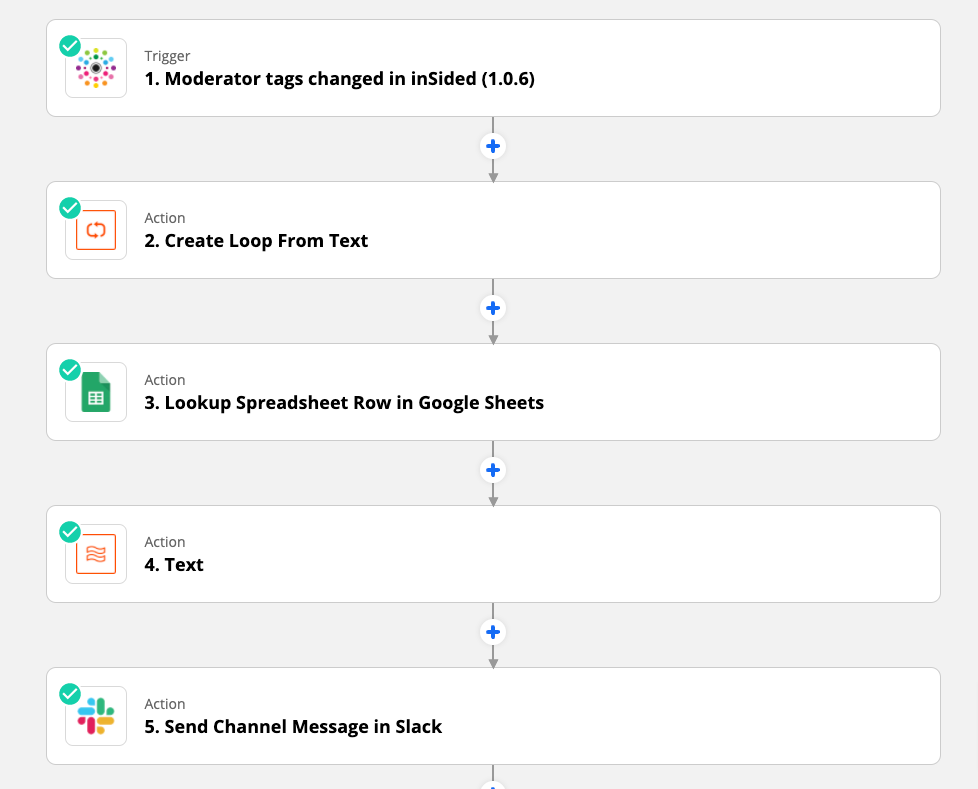
Trigger: New moderation tag in Insided
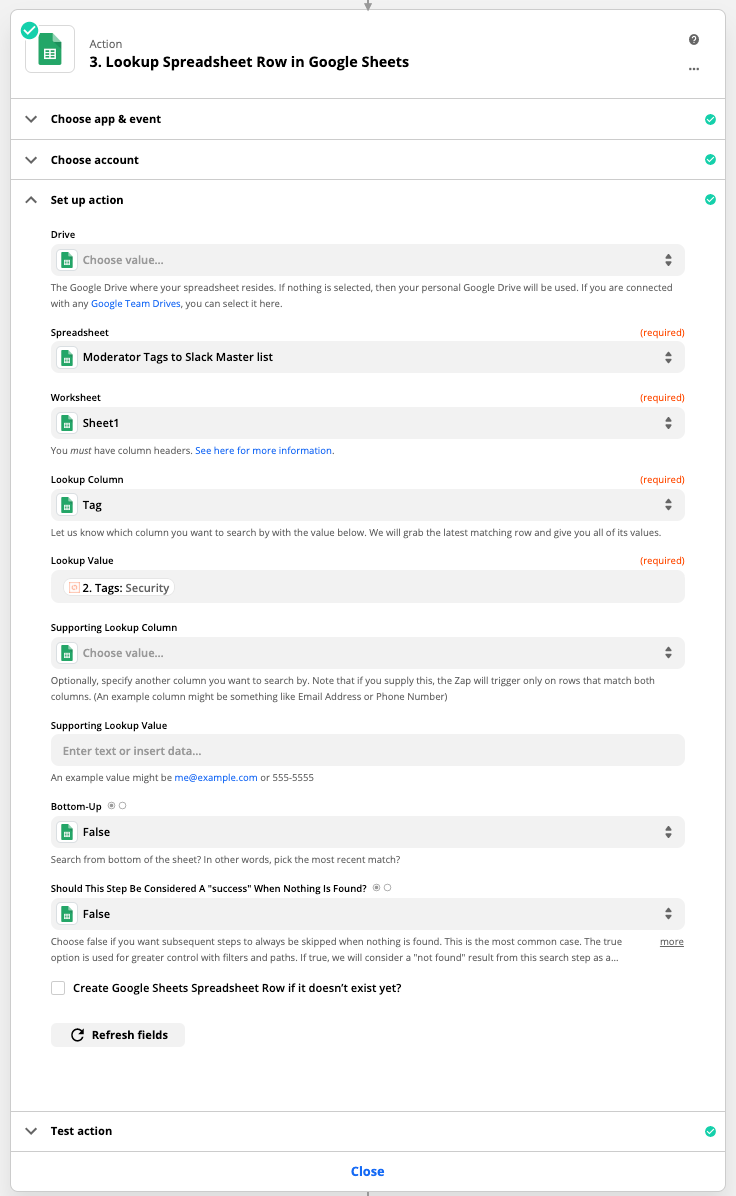
Action: Lookup value in Google sheets to find which slack channel to send a message to.
Action: Send Slack message to relevant channel
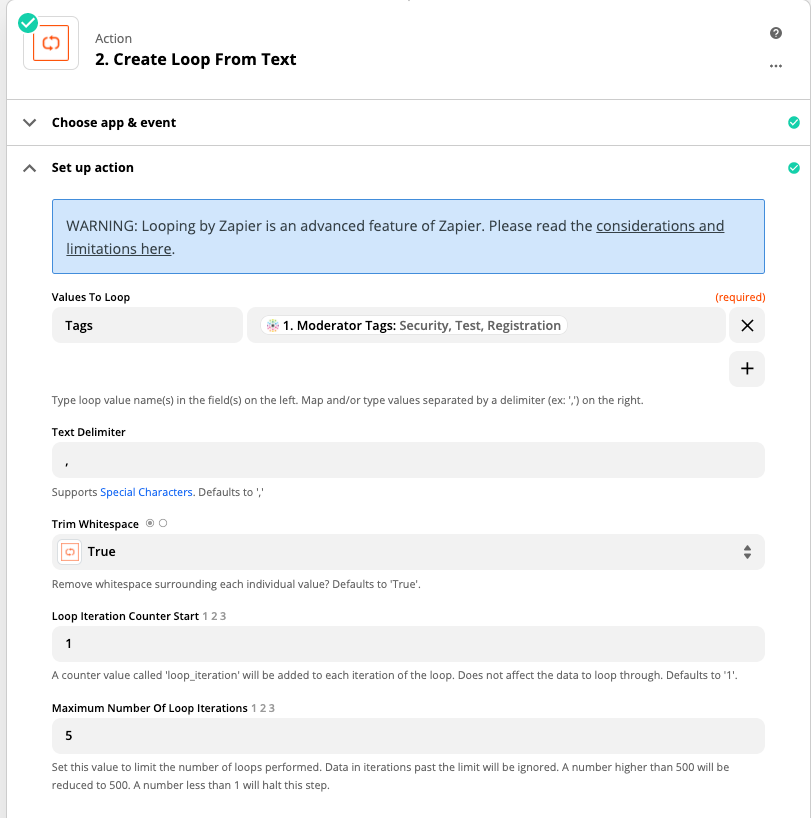
The zap works perfectly with 1 value. However, when I have multiple tags, the value comes out as “value 1, value 2”. As I only have columns for “Value 1” and “Value 2”, and not “value 1, value 2”, the lookup function cannot find the appropriate rows.
Is there a way for me to do a Lookup and Contains as opposed to Exact Matches?
Any thoughts?
Thanks
Ilan

Best answer
Searching for multiple values in Google Sheets
- Beginner
Best answer by Troy Tessalone
Hi
What is your logic for determining which Tag(s) to search for?
For example, if there are 2 Tags, should the Lookup search for each individually or only the first tag or only last tag or only specific tags?
Would you send a message to each matching Tag? (Try a Looping action: https://zapier.com/apps/looping/integrations)
Depending on your requirements, look into using Formatter and Filter steps.
Try using an Update GSheets action that utilizes a helper GSheet with a QUERY formula: https://support.google.com/docs/answer/3093343?hl=en
Some GSearches on the topic will get you configuring the WHERE statement that uses MATCHES.
=query(A1:A, "Select A where A matches '.*Info Inspired.*' ")This post has been closed for comments. Please create a new post if you need help or have a question about this topic.




Enter your E-mail address. We'll send you an e-mail with instructions to reset your password.