I am looking to automate the process of having my employees upload documents in multiple locations. Right now when a doc is added to airtable, I would the doc (Via Zapier) to be uploaded into our citrix environment. Each record in Airtable has a unique job number assigned to it. This job number is used as the folder name in Citrix as well. Can Zapier pull the the number from the field in Airtable and stick the document in the corresponding folder in Citrix or can zapier only upload to a single “Chosen” folder?

Best answer
Search out folders within nested folder
Best answer by Troy Tessalone
Hi
Zaps can be made dynamic using the ‘Custom’ mapping option on fields.
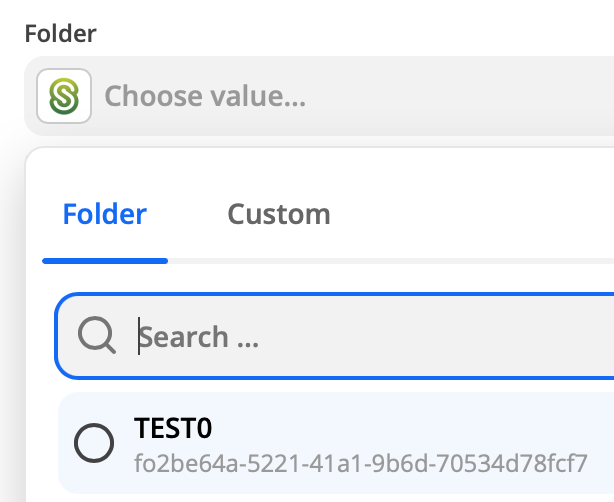
BUT Citrix ShareFile, expects the internal ID of the Folder, not the folder name. (see screenshot below)
However, the Citrix ShareFile Zap app integration doesn’t currently have any search actions available (e.g. to search for a Folder by Folder name): https://zapier.com/apps/citrix-sharefile/integrations#triggers-and-actions
To achieve this via a Zap, you may have to create another field in the Airtable Base Table to store the Citrix ShareFile Folder ID.
This post has been closed for comments. Please create a new post if you need help or have a question about this topic.





ZapConnect 2026 is coming
Join us September 23rd, 2026 for a free, one-day virtual event with 30+ sessions on AI automation. Get live build-alongs, playbooks, and strategies to lead AI transformation at your organization.
Log in to the Community
No account yet? Create an account
Use your Zapier credentials
Log in with ZapierEnter your E-mail address. We'll send you an e-mail with instructions to reset your password.