Best answer

Respond to an automated slack message in the thread

  • September 26, 2022
  • 5 replies
  • 1224 views

Hello, I want to create a double workflow between Zendesk and Slack, where an open ticket is sent to Zendesk, and once that ticket is solved, a thread is added to the message previously automated.

It should look the following:

  1. Zendesk ticket changing to status on-hold
  2. Slack message sent in a channel
  3. Same Zendesk ticket changing to status solved
  4. Thread response added to the automated message from number 2

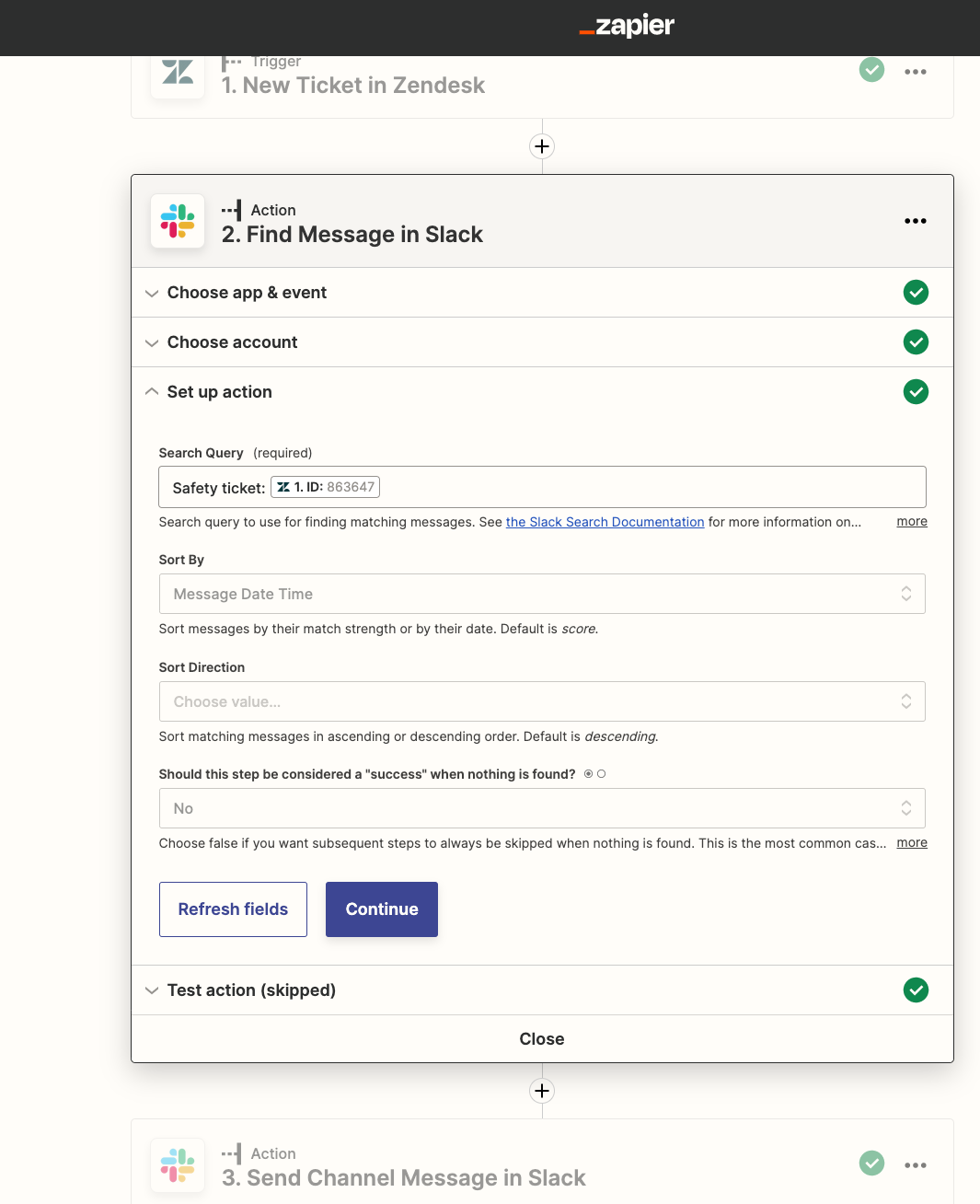
It should be able to find the already automated message via the ticket-id.

I referred already to this post, and added a step “Find message in slack” but it did not work. I’m aware it is quite complicated, but is there a way to do that?


Thanks a lot in advance!

 

Best answer by christina.d

This is awesome, @tpretori! 🔥Thanks so much for sharing this!

@CommOps, keep us posted if you’re able to implement this. We’d love to know. 🤗


This post has been closed for comments. Please create a new post if you need help or have a question about this topic.

5 replies

jesse
Forum|alt.badge.img+9
  • Architect
  • September 26, 2022

Hey @CommOps happy to help you with this workflow! Would you mind elaborating a bit on what you mean when you say things “didn’t work” when trying to find the message? Are you receiving some sort of error message? Let us know and we’ll see what we can do here to help you get up and running!


  • Author
  • Beginner
  • September 27, 2022

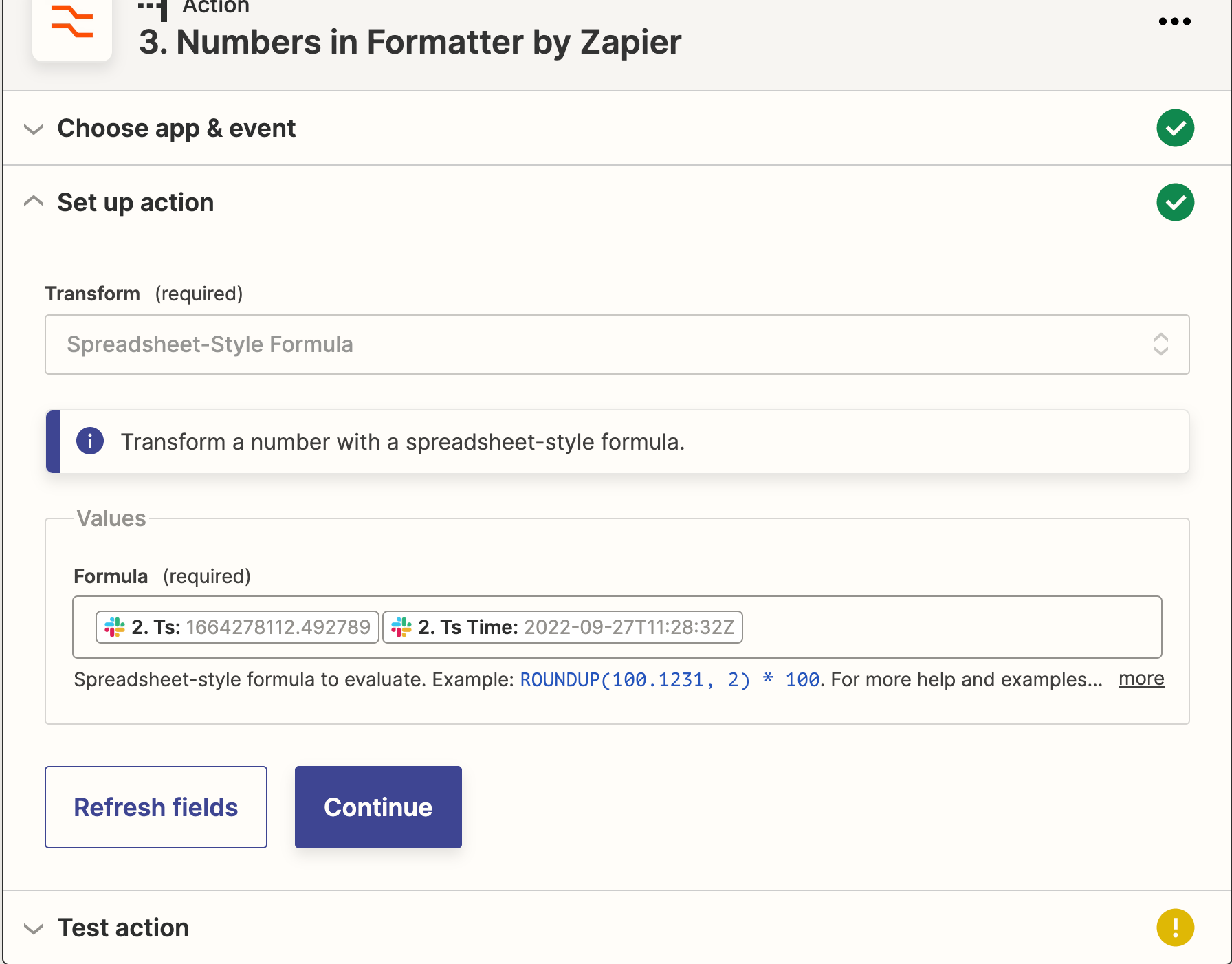
Hi Jesse, thanks for the reply! I am encountering an issue with the Numbers in Formatter by Zapier. It is not working for me like in the link. When I test it says “No data found”

Then I cannot move forward.

Do you know how to set up this field?

Thank you!


tpretori
Forum|alt.badge.img+1
  • Beginner
  • October 2, 2022

Hey CommOps,


I did a walkthrough of a similar set up that I have: https://www.loom.com/share/168bae6719e64e92af2ca700ace61afc

Let me know if this answers your question or if not if you could post a video walkthrough of your zap setup that would help us help you better


christina.d
Forum|alt.badge.img+9
  • Zapier Staff
  • Answer
  • October 4, 2022

This is awesome, @tpretori! 🔥Thanks so much for sharing this!

@CommOps, keep us posted if you’re able to implement this. We’d love to know. 🤗


  • Author
  • Beginner
  • October 11, 2022

Hello tpretori, thanks a lot for the video, it was very helpful to set up the thread in my step 2! 
I needed to use two different Zaps, because actually the two actions need to happen at different times. I cannot use two updates on the same ticket within one Zap, since they need to happen at different times and not simultaneously.


Zap 1 → sending a channel message when a ticket is added to a view (=ticket sent on-hold)
Zap 2 → when the same ticket is added to a different view (=ticket sent solved), finding the message from Zap 1 (I used ticket number as unique identifier), and sending a thread using Ts.

Again thanks a lot for the help!