Best answer

Pulling historical or existing data

  • September 15, 2022
  • 6 replies
  • 843 views

Hello,


I am fairly new to using Zapier and I am trying to find a way to pull existing or historical data from Basecamp to add to Hubspot or Google Sheets.  Example, my organization uses Basecamp to communicate project requests, tech issues, or information that needs to be shared to various teams.  I am going through Basecamp and adding a comment on each message that I would like to add to a knowledgebase or create a support ticket for.  I am using #knowledgebase to these comments to pull these posts, which could have been created last month, last week, or even earlier than that.  When I try to create a Zap, it seems like it won’t work unless there is a new item created, etc.  However, I may just not know use Zapier to pull information that already exists.  


The logic would look something like:

Find any Basecamp message board items in a project area with comments with #knowledgebase and create a new ticket in HubSpot or create a new row (with that content) in Google Sheets.

Thanks
Best answer by Liz_Roberts

@pcsanders welcome to Community! And bravo for diving into your first Zap ⚡

As @Troy Tessalone mentioned, Zaps will only pull over your new data so if you have your existing data in Google Sheets, this Zap will pull over new data moving forward 🙂

I suggest trying out the set up Troy mentioned above, submitting a test comment within Basecamp 3 and seeing if that does the trick!


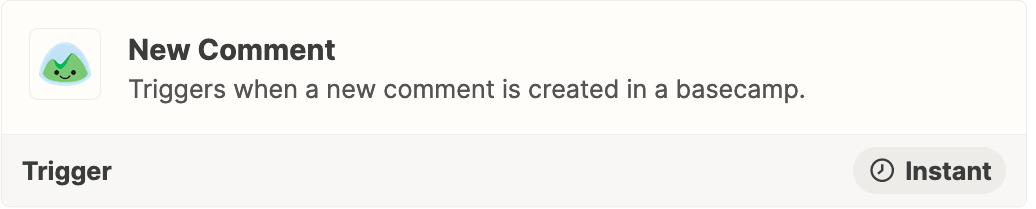
  1. Trigger: Basecamp 3 - New Comment
  2. Action: Filter
  3. Action: HubSpot - Create Ticket
  4. Action: GSheets - Create Row


Let us know how you get on- we’ll be here if you need us!

This post has been closed for comments. Please create a new post if you need help or have a question about this topic.

6 replies

Troy Tessalone
Zapier Orchestrator & Solution Partner
Forum|alt.badge.img+14
  • Zapier Orchestrator & Solution Partner
  • September 15, 2022

Hi @pcsanders 

Good question.

Please clarify which version of Basecamp you are using.


  • Author
  • Beginner
  • September 15, 2022

Basecamp 3


  • Author
  • Beginner
  • September 15, 2022

Hi @pcsanders 

Good question.

Please clarify which version of Basecamp you are using.


Hi Troy, its Basecamp 3.
Thanks


Troy Tessalone
Zapier Orchestrator & Solution Partner
Forum|alt.badge.img+14
  • Zapier Orchestrator & Solution Partner
  • September 15, 2022

@pcsanders 

NOTE: Zaps work while turned ON for new data going forward.

Have you tried these Zap steps?

  1. Trigger: Basecamp 3 - New Comment
  2. Action: Filter
  3. Action: HubSpot - Create Ticket
  4. Action: GSheets - Create Row


Liz_Roberts
Forum|alt.badge.img+8
  • Zapier Staff
  • Answer
  • September 19, 2022

@pcsanders welcome to Community! And bravo for diving into your first Zap ⚡

As @Troy Tessalone mentioned, Zaps will only pull over your new data so if you have your existing data in Google Sheets, this Zap will pull over new data moving forward 🙂

I suggest trying out the set up Troy mentioned above, submitting a test comment within Basecamp 3 and seeing if that does the trick!


  1. Trigger: Basecamp 3 - New Comment
  2. Action: Filter
  3. Action: HubSpot - Create Ticket
  4. Action: GSheets - Create Row


Let us know how you get on- we’ll be here if you need us!


  • Author
  • Beginner
  • October 15, 2022

@pcsanders

NOTE: Zaps work while turned ON for new data going forward.

Have you tried these Zap steps?

  1. Trigger: Basecamp 3 - New Comment
  2. Action: Filter
  3. Action: HubSpot - Create Ticket
  4. Action: GSheets - Create Row


Yes, thank you so much!