

Best answer

Problem editing my zap

  • Nov 21, 2024 9:29 PM UTC
  • 3 replies
  • 107 views

Forum|alt.badge.img

Hi there.

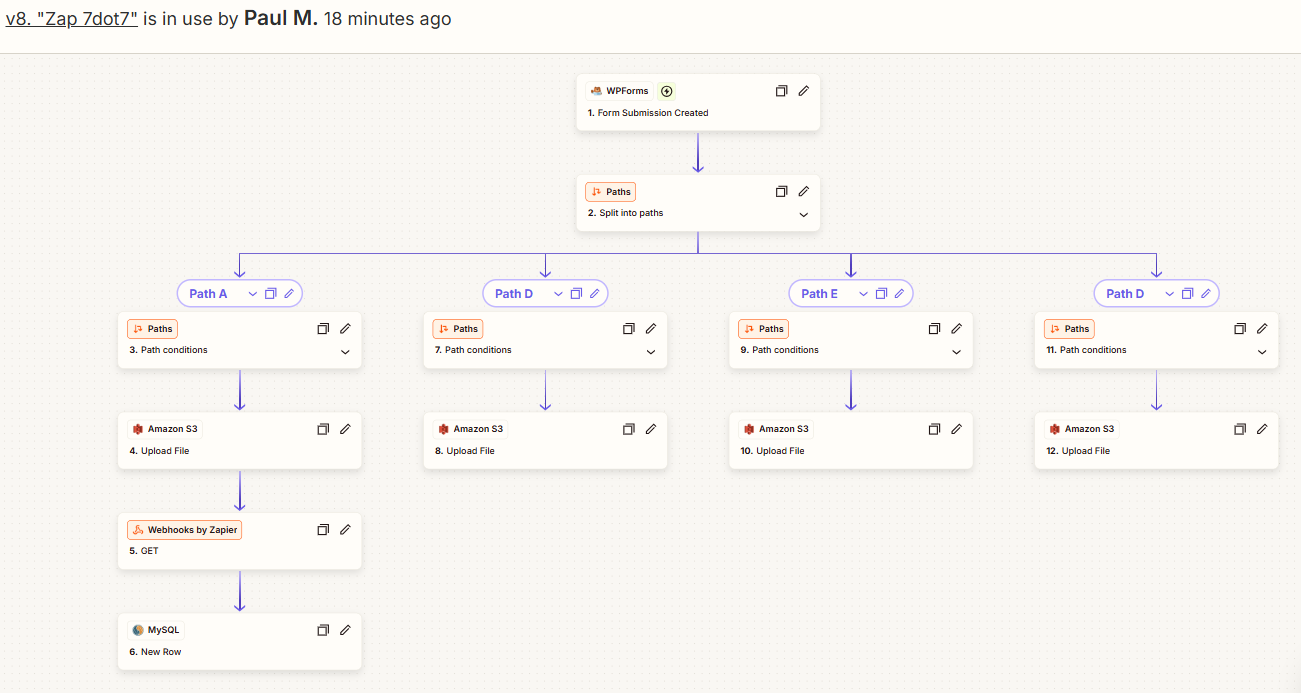
I want to edit the zap I’ve been working on which looks like this with my paths, etc.:
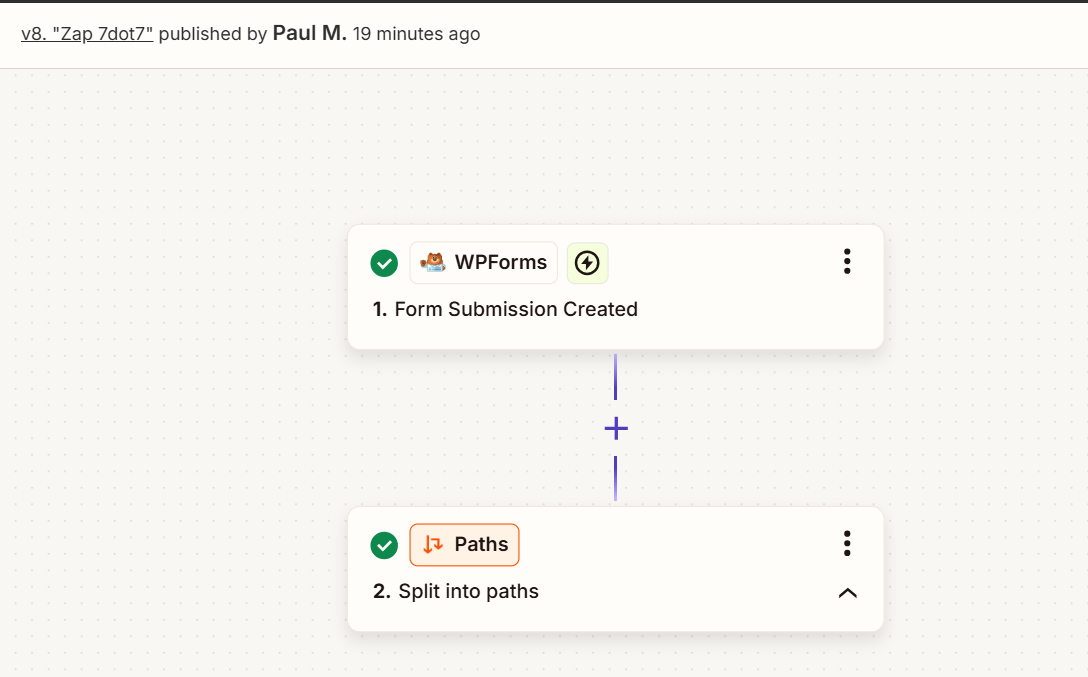
But when I click the EDIT DRAFT button it only gives me the first two steps to work with:
Any idea what’s happening and how I can get back to editing my zap?  
Best answer by Troy Tessalone

Hi ​@PMalmont 

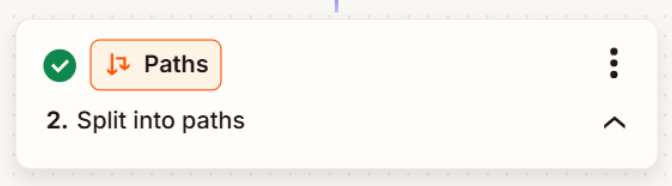
In Zap step 2, click the arrow button at the bottom right to change it from up to down.


View original
This post has been closed for comments. Please create a new post if you need help or have a question about this topic.

3 replies

Troy Tessalone
Zapier Orchestrator & Solution Partner
Forum|alt.badge.img+14
  • Zapier Orchestrator & Solution Partner
  • Answer
  • Nov 21, 2024 10:35 PM UTC

Hi ​@PMalmont 

In Zap step 2, click the arrow button at the bottom right to change it from up to down.


Forum|alt.badge.img
  • Author
  • Beginner
  • Nov 22, 2024 12:51 AM UTC

I’m such an dumbass.  Thank you!


JammerS
Forum|alt.badge.img+6
  • Zapier Staff
  • Nov 22, 2024 3:17 AM UTC

Wow! Thank you for confirming that Troy’s resolution got the Zap running. This will significantly help our Community members to have as a reference for the same issue.