Best answer

Podia > Mailchimp

  • January 19, 2021
  • 8 replies
  • 100 views

Hi there,


If I have multiple products in Podia, how can I set things up so that different purchases end up tagged differently in Mailchimp.


In Podia, I have the products email integration linked to the same Mailchimp list. I wanted to use Zapier to then determine when X product is purchased, the email will be tagged with Y. When Z product is purchased, the email will be tagged with A.


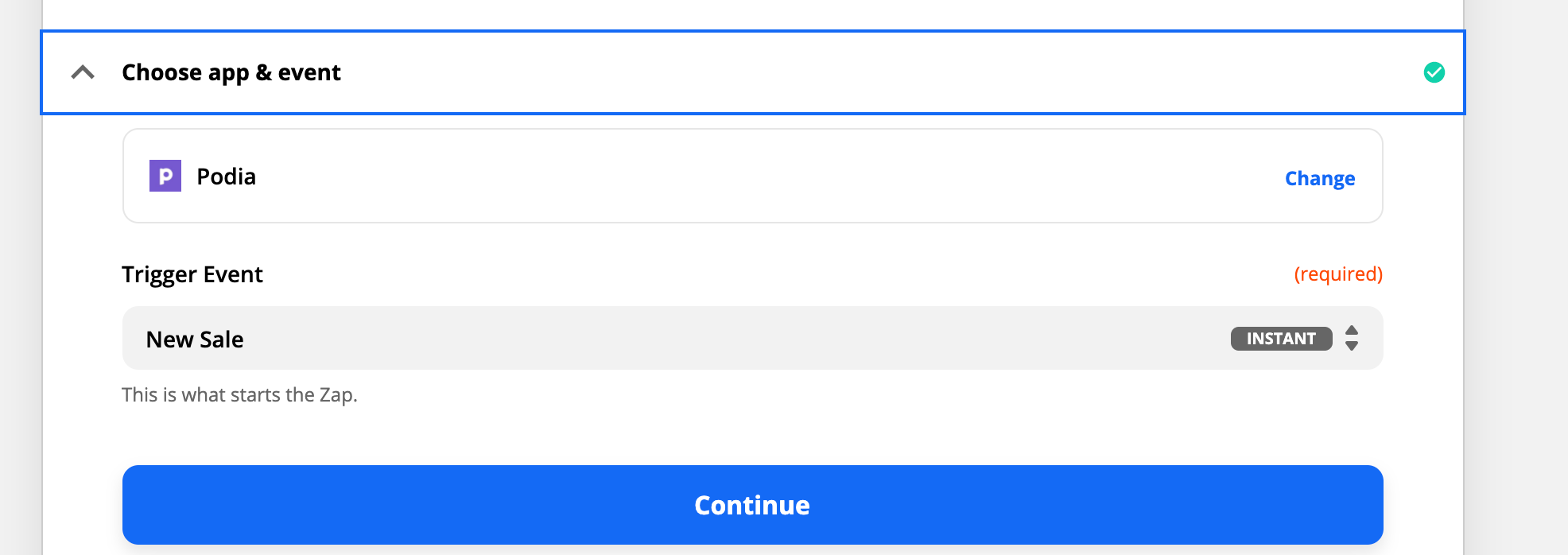
But Podia zaps are limited and it just offers a generic ‘new sale’, without the ability to distinguish between what product was purchased.


Am I missing something here or am I totally out of luck?


Thank you!

Best answer by racheld

@AndrewJDavison_Luhhu Thanks for asking! It appears that I am limited in what I can do because of my free account. So I think I’ve reached as far as I can go.

This post has been closed for comments. Please create a new post if you need help or have a question about this topic.

8 replies

Ennes
Forum|alt.badge.img+5
  • Tinkerer
  • January 19, 2021

Hey @racheld,

you can certainly achieve this with Zapier or rather with Paths, see here. Path allows you to insert some logic into your zaps. Meaning, while you still use Podia as trigger you can create different pathways for the following workflow. That means:

  1. Trigger: Podia - New Sale
  2. Action: Path (if Product A → Path A, if Product B → Path B)
    1. Action A: Mailchimp → Add Tag A to subscriber
    2. Action B: Mailchimp → Add Tag B to subscriber

I hope this helps you to achieve your goal :)


Troy Tessalone
Zapier Orchestrator & Solution Partner
Forum|alt.badge.img+14
  • Zapier Orchestrator & Solution Partner
  • January 19, 2021

Hi @racheld 

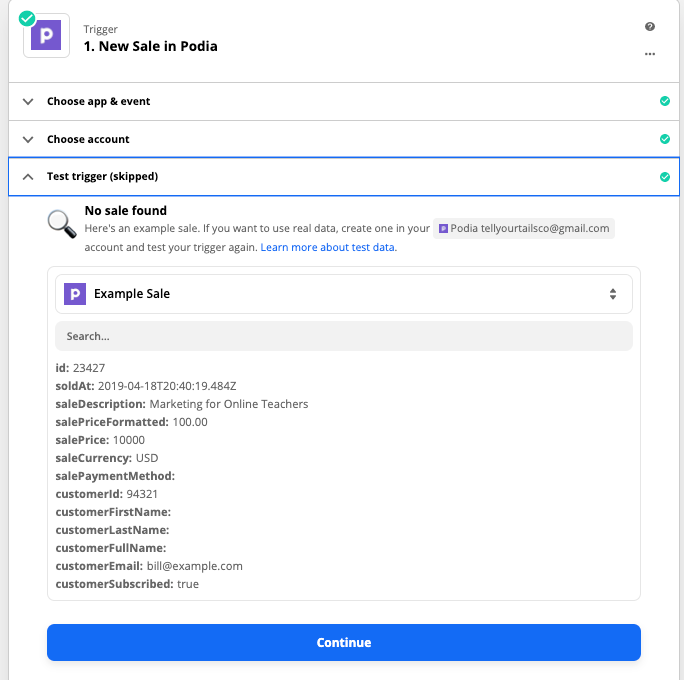
The Podia trigger step should include some data point that include the product purchased, which might be a unique system ID.

Perhaps you can provide screenshots of the available data points from the trigger step.

You can also use Filters in your Zap, which is a simpler version of Paths: https://zapier.com/apps/filter/help


  • Author
  • Beginner
  • January 19, 2021

@Troy Tessalone See screenshot. I’m not seeing anywhere where there’s an opportunity for a unique ID


Troy Tessalone
Zapier Orchestrator & Solution Partner
Forum|alt.badge.img+14
  • Zapier Orchestrator & Solution Partner
  • January 19, 2021

@racheld We need to see the DATA OUT from the Trigger step.


  • Author
  • Beginner
  • January 19, 2021

@Troy Tessalone Is this helpful?


Troy Tessalone
Zapier Orchestrator & Solution Partner
Forum|alt.badge.img+14
  • Zapier Orchestrator & Solution Partner
  • January 19, 2021

@racheld Are those all the returned data points from the trigger?

Is the Sale Description a data point that indicates what product was purchased?

If yes, you can Filter based on that data point.


AndrewJDavison
Forum|alt.badge.img+11
  • Zapier Solution Partner
  • March 17, 2021

@racheld 
Just checking in to see if you still need help with this? 


  • Author
  • Beginner
  • Answer
  • March 17, 2021

@AndrewJDavison_Luhhu Thanks for asking! It appears that I am limited in what I can do because of my free account. So I think I’ve reached as far as I can go.