Question

PDF Generation with Google Docs, can’t pass HTML to the Google Docs.

  • March 29, 2022
  • 3 replies
  • 163 views

Forum|alt.badge.img

I’m looking for a free way to generate PDF’s from HTML. I was trying to follow this guide: https://www.process.st/help/docs/create-a-pdf-with-zapier/ but it appears that I can’t pass HTML to the Google Doc.


Are there any workarounds to convert the HTML into a rich format and create a Google Doc?

This post has been closed for comments. Please create a new post if you need help or have a question about this topic.

3 replies

Troy Tessalone
Zapier Orchestrator & Solution Partner
Forum|alt.badge.img+14
  • Zapier Orchestrator & Solution Partner
  • 34084 replies
  • March 29, 2022

Hi @zap29550 

Good question.

What GDoc action are you trying to use?


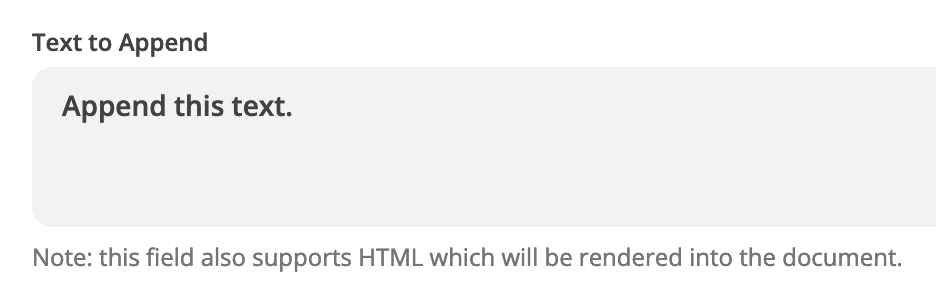
If you use GDoc Append Text to Doc, that action supports HTML.


Also, the GDoc Create Doc from Text action supports limited HTML.


Forum|alt.badge.img
  • Author
  • Beginner
  • 26 replies
  • March 29, 2022

Ah, I was following the guide I linked to and was creating a Doc from template. 

When I try to do the Create Document from Text with the HTML, the formatting is really poor. 


Troy Tessalone
Zapier Orchestrator & Solution Partner
Forum|alt.badge.img+14
  • Zapier Orchestrator & Solution Partner
  • 34084 replies
  • March 29, 2022

@zap29550 

I’ve noticed the GDoc Create Doc from Template doesn’t seem to support HTML.


You’ll likely have to use a proper HTML to PDF conversion app, which may not be free.

Check out PDF.co: https://zapier.com/apps/pdfco/integrations#triggers-and-actions