Best answer

Pardot "Find or Create Prospect" sometimes not returning Prospect ID

  • March 19, 2021
  • 6 replies
  • 417 views

Hello - I’m having trouble running a couple Zaps that integrate Shopify with Pardot. 

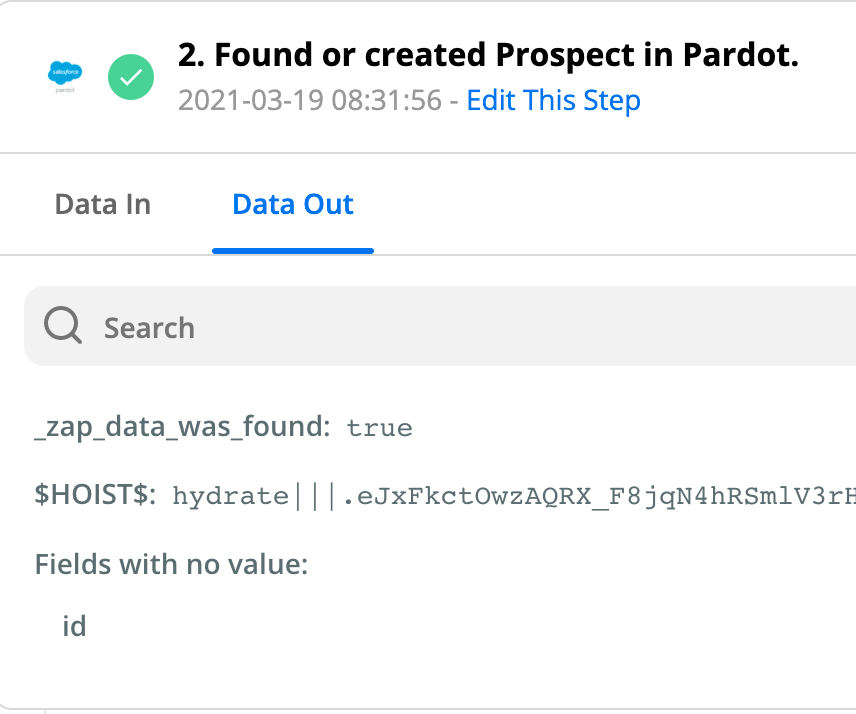
While the zaps have successfully run hundreds of times, I am also seeing dozens of errors because there is no ID value after a “Find or Create” action, and the subsequent “Update Prospect” action fails. 

A spot-check of Pardot indicates these are all existing Prospects. 


Has anyone encountered this issue?

Best answer by Troy Tessalone

@RuarriS 

Thanks for sharing those screenshots and additional.

Based on your screenshots this may be a bug.

I suggest opening a ticket with Zapier Support here so they can dig in deeper to troubleshoot: https://zapier.com/app/get-help

This post has been closed for comments. Please create a new post if you need help or have a question about this topic.

6 replies

Troy Tessalone
Zapier Orchestrator & Solution Partner
Forum|alt.badge.img+14
  • Zapier Orchestrator & Solution Partner
  • March 19, 2021

Hi @RuarriS 

Best initial way to troubleshoot is to look thru examples of the Zap Runs history details (see the DATA IN/OUT for each step) for both successful and unsuccessful instances to see if you can isolate what may be causing the error.


  • Author
  • Beginner
  • March 19, 2021

Thanks for your response.


The Data In values look consistent, but here’s what a Data Out looks like on a failure. This prospect does exist in Pardot. 


Troy Tessalone
Zapier Orchestrator & Solution Partner
Forum|alt.badge.img+14
  • Zapier Orchestrator & Solution Partner
  • March 19, 2021

@RuarriS 

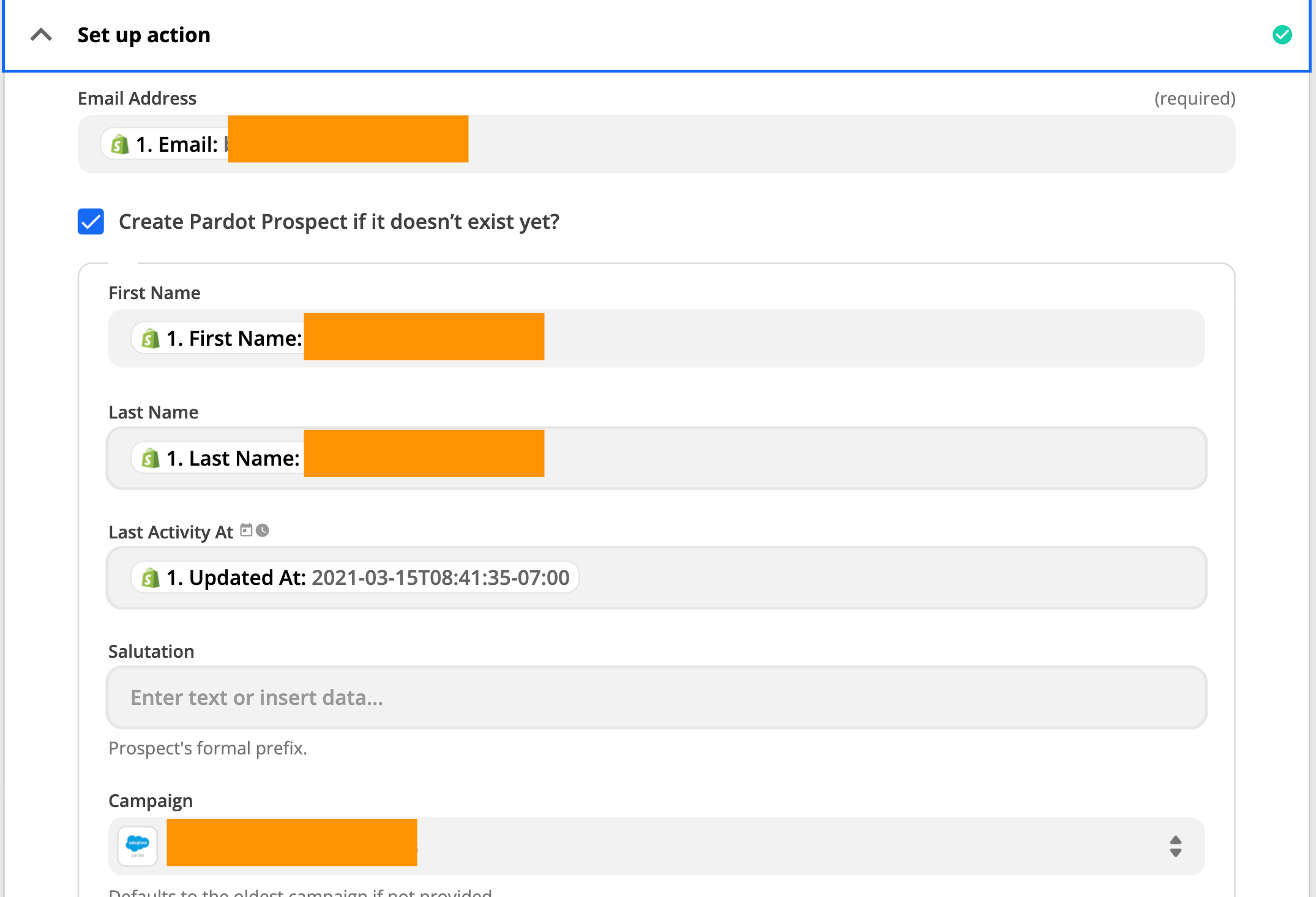
How is that step currently configured?

Perhaps you can provide screenshots of those settings.


  • Author
  • Beginner
  • March 19, 2021

It’s pretty basic - just the few values set that are visible in the screenshot


Troy Tessalone
Zapier Orchestrator & Solution Partner
Forum|alt.badge.img+14
  • Zapier Orchestrator & Solution Partner
  • Answer
  • March 19, 2021

@RuarriS 

Thanks for sharing those screenshots and additional.

Based on your screenshots this may be a bug.

I suggest opening a ticket with Zapier Support here so they can dig in deeper to troubleshoot: https://zapier.com/app/get-help


  • Author
  • Beginner
  • March 19, 2021

@Troy Tessalone  Thanks for your help!