Answer

Old School Mail Merge - Training Participant Certificates

  • June 19, 2024
  • 8 replies
  • 72 views

Hello!


I have a Google Form that tracks participants in training events at our school.  I would like to merge the registration info into a Google Doc or pdf certificate.  I tried the Text Formatter but cannot get it to work.  I would love to know if that is the best action to use (like is it designed to do this).  If not can someone suggest an action? 

A little bit of info - I cannot use a Google Template I am afraid as there is a signature image of our VP on the certificate that we do not want to make widely available to folks. I have gotten through the steps to copy the “template” file and am trying to replace text there with fields from the Google form responses (a google sheet of course).  

Any ideas are appreciated!

Thanks-

Bethany
Best answer by Troy Tessalone

@bethany70 

Check the description for guidance and context.

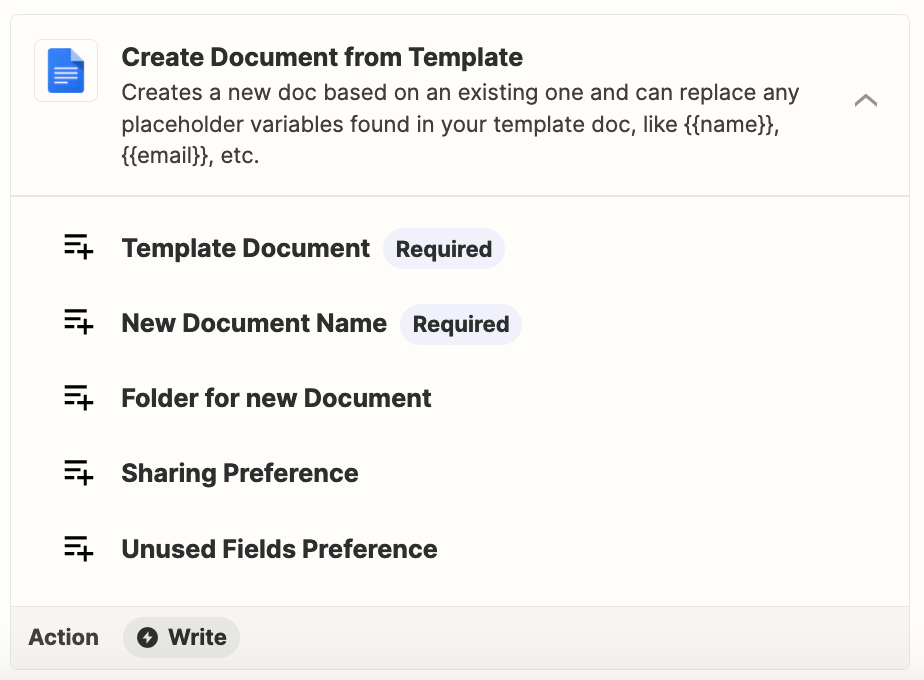
Creates a new doc based on an existing one and can replace any placeholder variables found in the template doc, like {{name}}, {{email}}, etc.

Help article to follow: https://zapier.com/blog/create-autopopulate-google-docs-template/


You specify these:

  • Template Document
  • New Document Name
  • Folder for New Document
  • Sharing Preference
  • Unused Field Preference


This post has been closed for comments. Please create a new post if you need help or have a question about this topic.

8 replies

Troy Tessalone
Zapier Orchestrator & Solution Partner
Forum|alt.badge.img+14
  • Zapier Orchestrator & Solution Partner
  • June 19, 2024

Hi @bethany70 

You can use the GDoc Template as that will return a link to the PDF version of the GDoc.


Zap action: GDocs - Create Document from Template


  • Author
  • New
  • June 19, 2024

Thanks Tony - I am afraid I cannot publish the original file as a template due to its content (all of our students can access our templates and the signature of the VP is included).  Might you know any other ways around?  


  • Author
  • New
  • June 19, 2024

So sorry - thank TROY!!!  Typing too fast!!


Troy Tessalone
Zapier Orchestrator & Solution Partner
Forum|alt.badge.img+14
  • Zapier Orchestrator & Solution Partner
  • June 19, 2024

@bethany70 

Why not move that GDoc Template to a Folder that the students don’t have access to?

Otherwise, you’ll have to explore using a PDF filler app.

Options: https://zapier.com/apps/categories/documents


  • Author
  • New
  • June 19, 2024

Hi Troy - thanks so much for continuing toe assist!  I see not that I can create a copy of any file using the Create Document From Template.  I am be missing something in my GDocs knowledge, but is there a format to use to ensure that the spreadsheet data is brought in? 

I can successfully create the document - but I want it to be personalized….. Name, session name etc.

Does that make sense?  

Thank you again for your patience!

Bethany


Troy Tessalone
Zapier Orchestrator & Solution Partner
Forum|alt.badge.img+14
  • Zapier Orchestrator & Solution Partner
  • Answer
  • June 19, 2024

@bethany70 

Check the description for guidance and context.

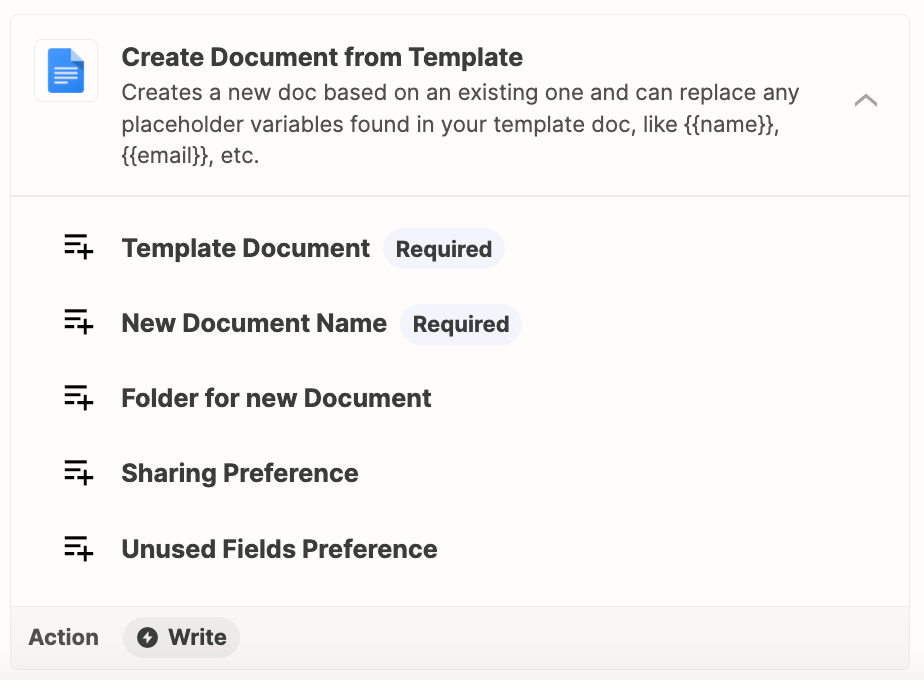
Creates a new doc based on an existing one and can replace any placeholder variables found in the template doc, like {{name}}, {{email}}, etc.

Help article to follow: https://zapier.com/blog/create-autopopulate-google-docs-template/


You specify these:

  • Template Document
  • New Document Name
  • Folder for New Document
  • Sharing Preference
  • Unused Field Preference


  • Author
  • New
  • June 19, 2024

Hi Troy-

Thank you so much!!  That is exactly what I was looking for!!

Have a great week-

Bethany


  • Author
  • New
  • June 19, 2024

Actually it is not working for me as described.  I am adding a ticket…..