Question

Null values in line itemizer

  • January 20, 2023
  • 8 replies
  • 273 views

Hi!

I’m getting from a API response this information as a comma delimited list:

  • Name: A


  • Name: B
  • FirstIn: 20-01-23

Note that the first one does not have a FirstIn value, since it hasn’t yet logged in


The exact format would be this:

  • Output Name:{“A”,”B”}
  • Output FirstIn: {“”,”20-01-23”}


If I pass both variables to Line Itemizer, I’ll get this:

  • Name: A
  • FirstIn: 20-01-23


  • Name: B
  • Output Name:[“A”,”B”]
  • Output FirstIn: [”20-01-23”]


Because it ignores null values and mixes them up. I see it interprets the output of FirstIn for B as null, but the null should be imputed for A.

I need to parse both variables (Name and FirstIn) as line items because I’ll be using them in a SpreadSheet-Style Formula in next steps

How would you solve this?


Thanks in advance!

This post has been closed for comments. Please create a new post if you need help or have a question about this topic.

8 replies

Troy Tessalone
Zapier Orchestrator & Solution Partner
Forum|alt.badge.img+14
  • Zapier Orchestrator & Solution Partner
  • January 20, 2023

Hi @GPozzi 

Good question.

For clarity and context, please post detailed screenshots with how your Zap step are configured, thanks.


  • January 20, 2023

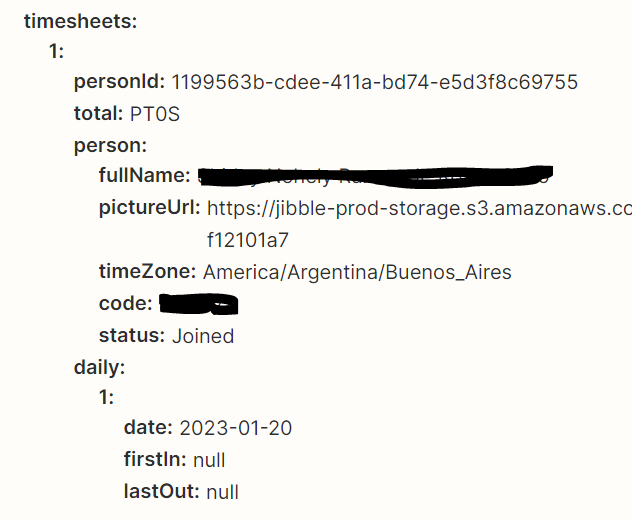
Hi @Troy Tessalone ! Thanks for taking the time to look at my issue. This is the API response of Employee A:


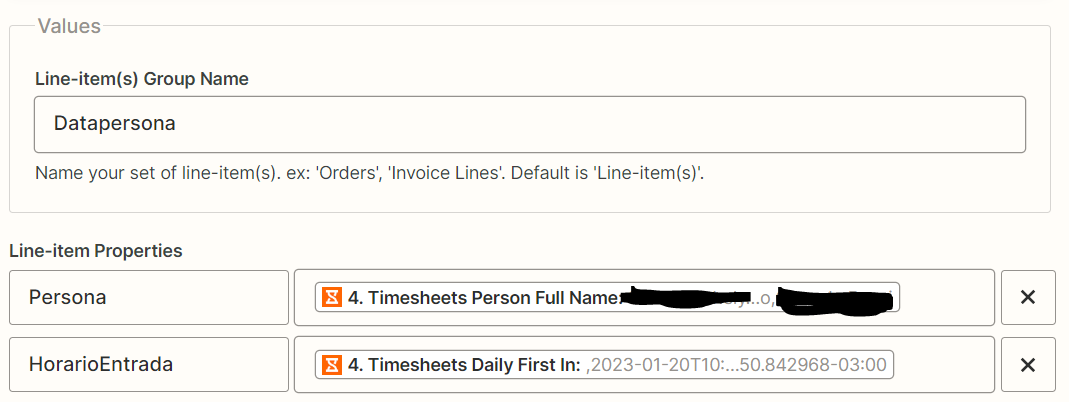
This is the line itemizer. Employee A hasn’t got a FirstIn date and thus its FirstIn is null


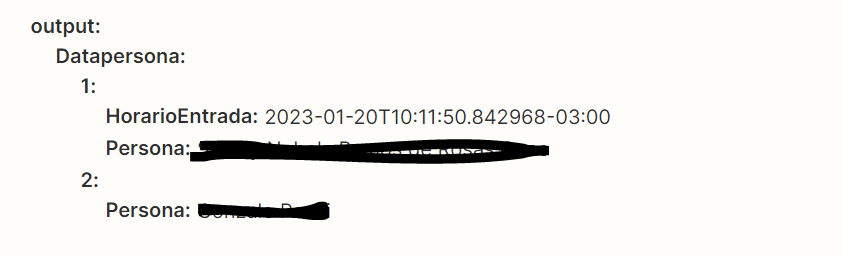
But the output shows Employee A has the timestamp of Employee B, confirming the shuffling:

I hope the mix in the variable names does not confuse you


Troy Tessalone
Zapier Orchestrator & Solution Partner
Forum|alt.badge.img+14
  • Zapier Orchestrator & Solution Partner
  • January 20, 2023

@GPozzi 

How are you trying to use the output of the Formatter step?


Perhaps try using the Looping app to handle each line item: https://zapier.com/apps/looping/integrations


Code steps can also be used to handle line items more robustly: https://zapier.com/apps/code/help


  • January 21, 2023

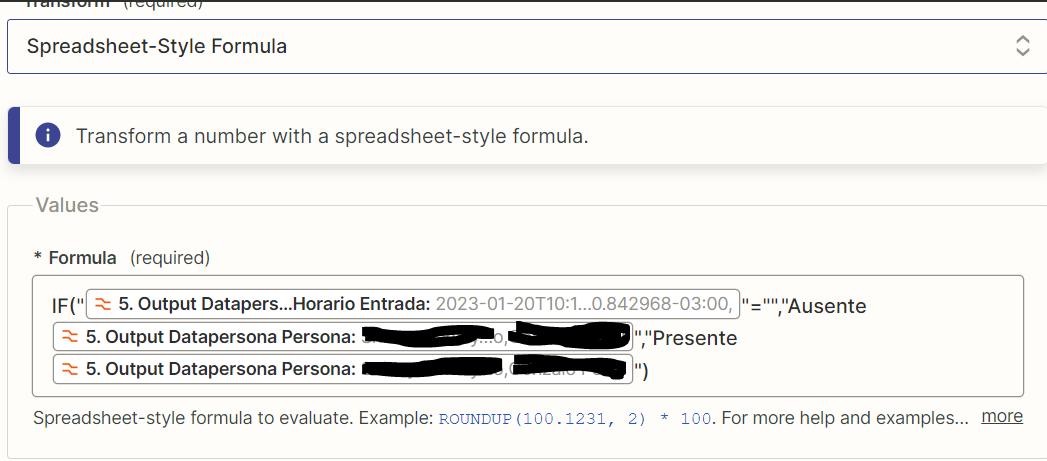
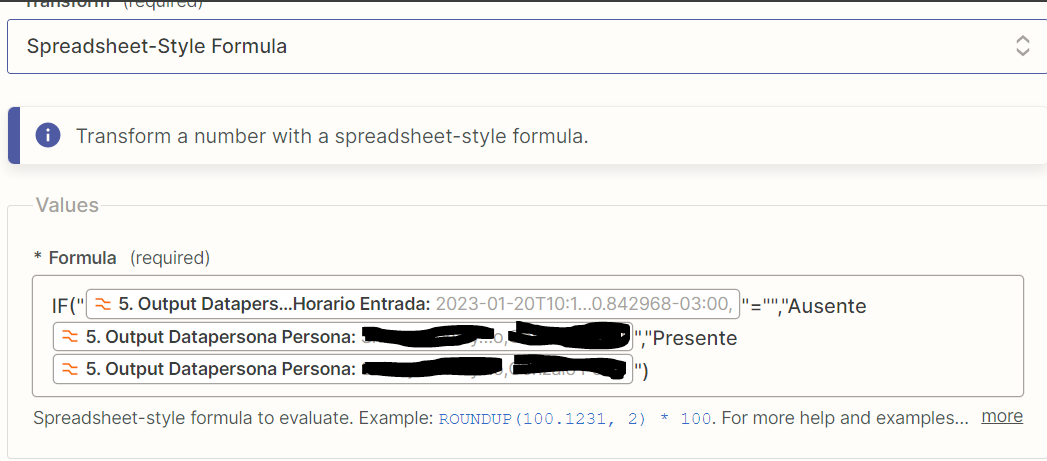
I’m trying to use it this way with formatter - Event:numbers - Transform: Spreadsheet-Style Formula:

See how it mixed them up. The first name is A and the second is B


The result should be a concatenation of “Ausente (absent) NAME” or “Presente (present) NAME” if FirstIn is null or not


Yes, I’ve tried using code but I can’t itemize properly...


Troy Tessalone
Zapier Orchestrator & Solution Partner
Forum|alt.badge.img+14
  • Zapier Orchestrator & Solution Partner
  • January 21, 2023

@GPozzi

But what are you trying to do with the output of this Zap?


  • January 21, 2023

The point of this zap is to message in real time via Google Chat the list of absent students at 9:00 by comparing a list of students that should have checked in (which I take from a GSheet with another step) with a list of students that have effectively checked in (the output of the first step, which is the result of an API call).

By appending the text (“Presente” / “Ausente”) to the spreadsheet text formula I’ll be able to filter out the absent ones in a subsequent javascript code step and also filter the name that contains the students that should have checked in in that shift.

Again, thanks for having taken a look at my question 😁. I appreciate it


Troy Tessalone
Zapier Orchestrator & Solution Partner
Forum|alt.badge.img+14
  • Zapier Orchestrator & Solution Partner
  • January 21, 2023

@GPozzi

If you are using a JavaScript Code step already, then why not handle the logic in the Code step instead of trying to use Formatter steps?


I think it would be helpful to see a screenshots that shows all of your Zap steps outline in order for us to have enough context.


nicksimard
Forum|alt.badge.img+11
  • Zapier Staff
  • February 8, 2023

Hey @GPozzi!

I just wanted to check in with you on this to see if you’d had a chance to consider what Troy had said above? Or maybe you’ve managed to solve this some other way?

Please let us know if you still need help here :)