
Question

Not all Google Doc template fields being seen by Zap

  • October 1, 2021
  • 3 replies
  • 77 views

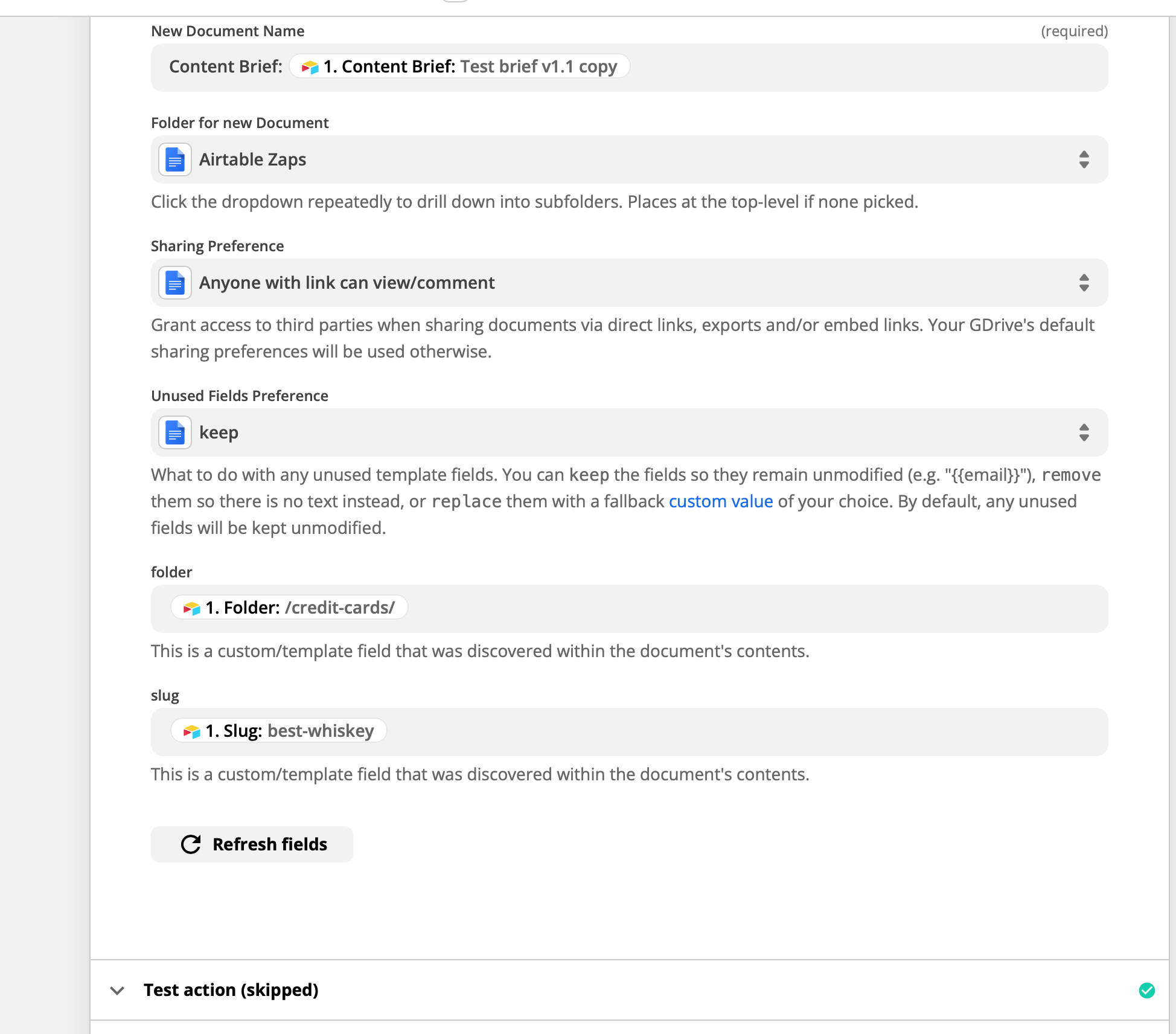
I’ve set up a zap to generate a new Google Doc from a template when a new Airtable record is created. 


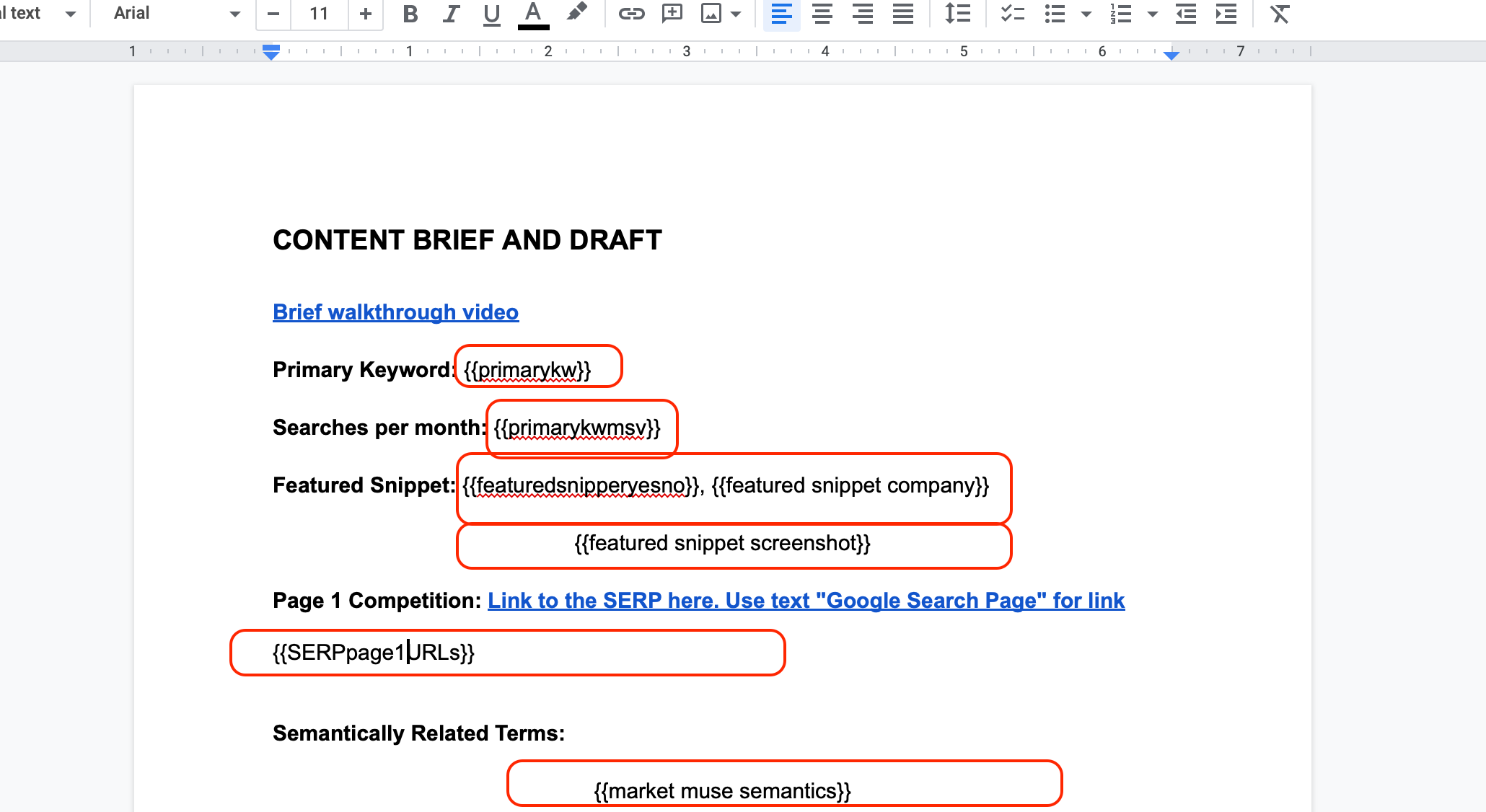
For some reason, the Zap is only recognizing some of the {{}} fields in the template Google Doc. Any thoughts on how to resolve this?

Screenshot of the Zap and the fields recognized (just two, folder and slug):
 

Sample screenshot of the source template (some fields highlighted that the Zap isn’t recognizing):
 

Any thoughts of what I’m doing wrong?

This post has been closed for comments. Please create a new post if you need help or have a question about this topic.

3 replies

Welp, I bent it to my will and got it to work, or at least, I deleted those fields I copied from another doc and manual re-wrote them. That fixed the issue in my tests. Maybe something markup related in that Zapier didn’t recognized those pasted in fields??


ForYourIT
Forum|alt.badge.img+7
  • Tinkerer
  • October 2, 2021

Recreating the variables sometimes works to recognize them ;)

You can mark this as solved if you can please.


Troy Tessalone
Zapier Orchestrator & Solution Partner
Forum|alt.badge.img+14
  • Zapier Orchestrator & Solution Partner
  • October 2, 2021

@Nathan Hamilton 

TIP: Best to not have spaces in any of the {{PLACEHOLDERS}}






