Best answer

No data sent

  • October 4, 2024
  • 4 replies
  • 62 views

Hello, I am looking for a way to transcribe an audio file. I would like to do something like “when an audio file is added to a specific folder in googledrive, transcribe the audio file with speech note and send the transcribed text to the notion database”, but when I actually run zap, the transcribed text is not sent. But when I actually run zap, the transcribed text is not sent, and a page with only the title is created in notion.
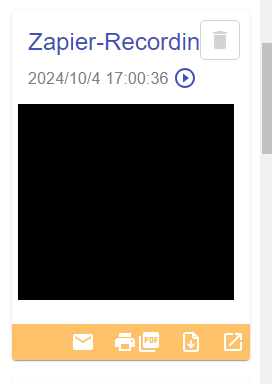
 The last execution is working without any error, and the transcription is working on the speechnote side. 
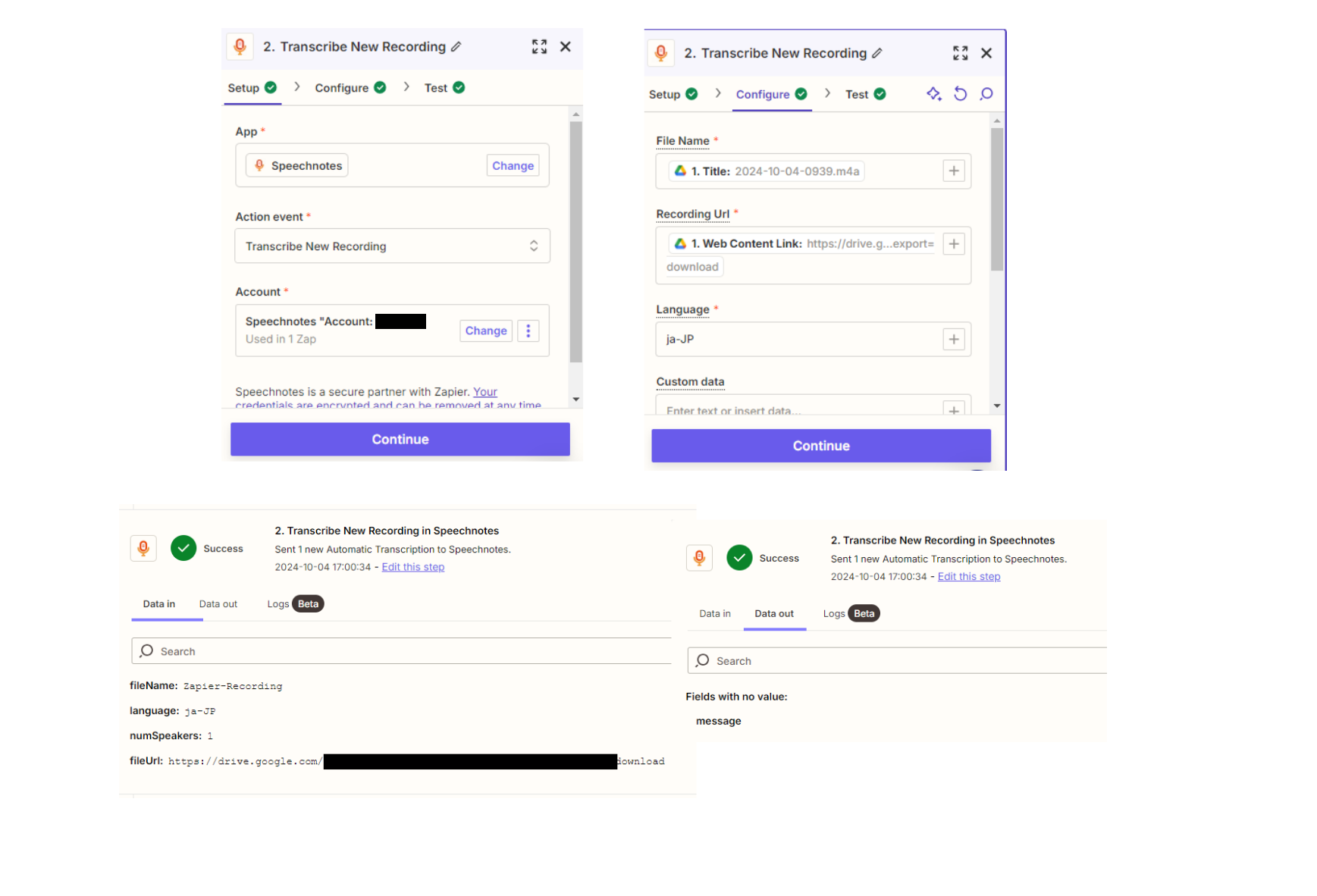
As shown in the image below, the transcribed text is supposed to be stored in the “message” section, but it is marked as “no data”. What is the cause?
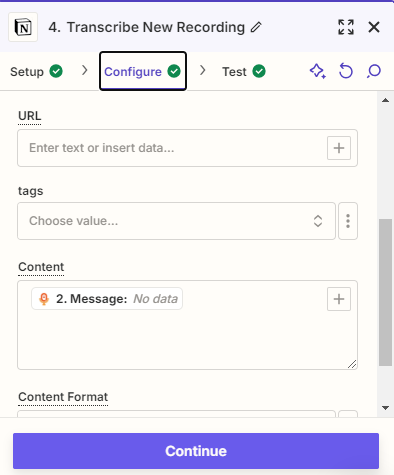
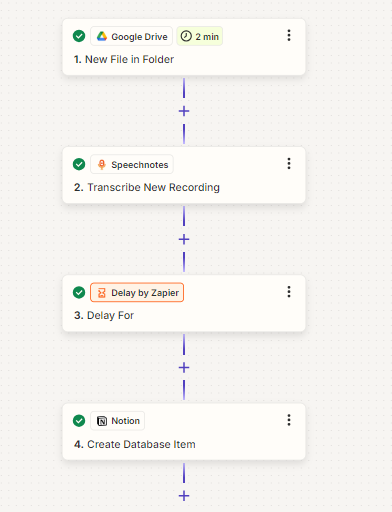
 

no data​​​​


zap


Best answer by Troy Tessalone

@shsh 
Make sure your GDrive file is publicly accessible.

OR

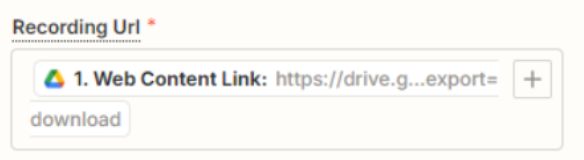
Try using the File object from Zap Step 1, which is a variable that looks like: File (exists but not shown)

Help link for using files in Zaps: https://zapier.com/help/create/basics/send-files-in-zaps


If the issue persists, then try one of these:

  • Contact Speechnotes Support for help with their Zap app integration
  • Try using a different Zap app to transcribe the audio file


This post has been closed for comments. Please create a new post if you need help or have a question about this topic.

4 replies

Troy Tessalone
Zapier Orchestrator & Solution Partner
Forum|alt.badge.img+14
  • Zapier Orchestrator & Solution Partner
  • October 4, 2024

Hi @shsh 

For us to have more info, post screenshots with how your Zap step 2 is configured.

For live Zap Runs, check your Zap Runs history details to see the DATA IN/OUT for each step to help you troubleshoot: https://zapier.com/app/history/


  • Author
  • New
  • October 4, 2024

Thanks for the reply. Here are the details within step 2. I also looked at the data in/out and the message is still empty, as you can see in the second image, the transcription of the file is done in speechnotes, so I am not sure why it would be empty.


speechnotes


Troy Tessalone
Zapier Orchestrator & Solution Partner
Forum|alt.badge.img+14
  • Zapier Orchestrator & Solution Partner
  • Answer
  • October 4, 2024

@shsh 
Make sure your GDrive file is publicly accessible.

OR

Try using the File object from Zap Step 1, which is a variable that looks like: File (exists but not shown)

Help link for using files in Zaps: https://zapier.com/help/create/basics/send-files-in-zaps


If the issue persists, then try one of these:

  • Contact Speechnotes Support for help with their Zap app integration
  • Try using a different Zap app to transcribe the audio file


  • Author
  • New
  • October 4, 2024

Even when I set it to "File (exists but not shown)", the message part was empty.
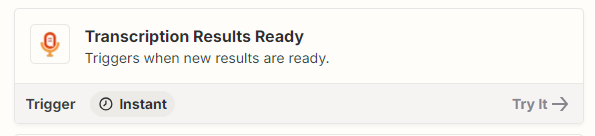
However, I found that if I created another zap and used this trigger as the starting point, I could do what I wanted. It would have been ideal to have it all in one zap, but it can't be helped. Reply Thank you. I would like to contact you regarding this matter.