Best answer

Ninja Forms > Check date > Send e-mail (ActiveCampaign or other)

  • April 26, 2022
  • 7 replies
  • 99 views

Hi,


When a ninja form coms in with a certain date, I want my availablity checked in Google Sheets or excell and if that date is true or false to send e-mail A of B with activecampaign depending on true or false. 

I have tried to set it up many times, but it never worked. Is there anybody who can help me of point me in the right direction? Is this possible at all?


Regards,

Tessa 
Best answer by tesssmania

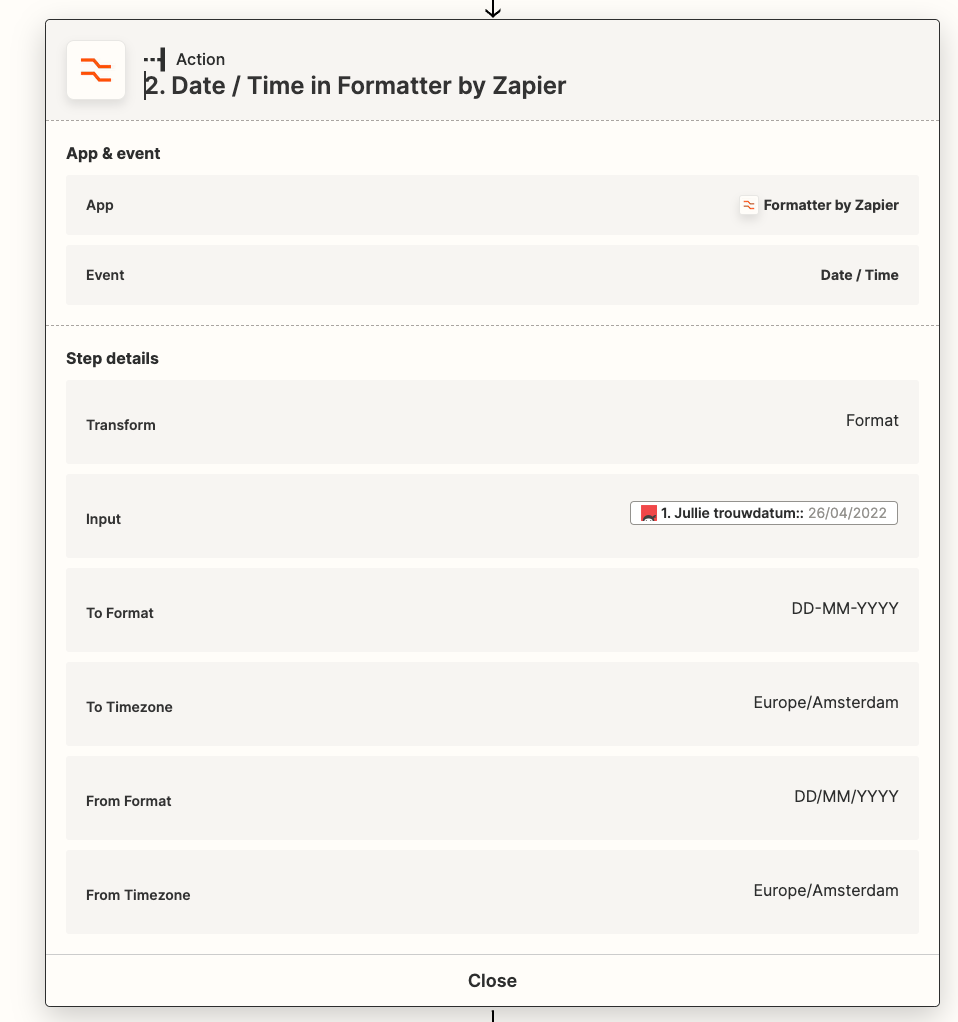
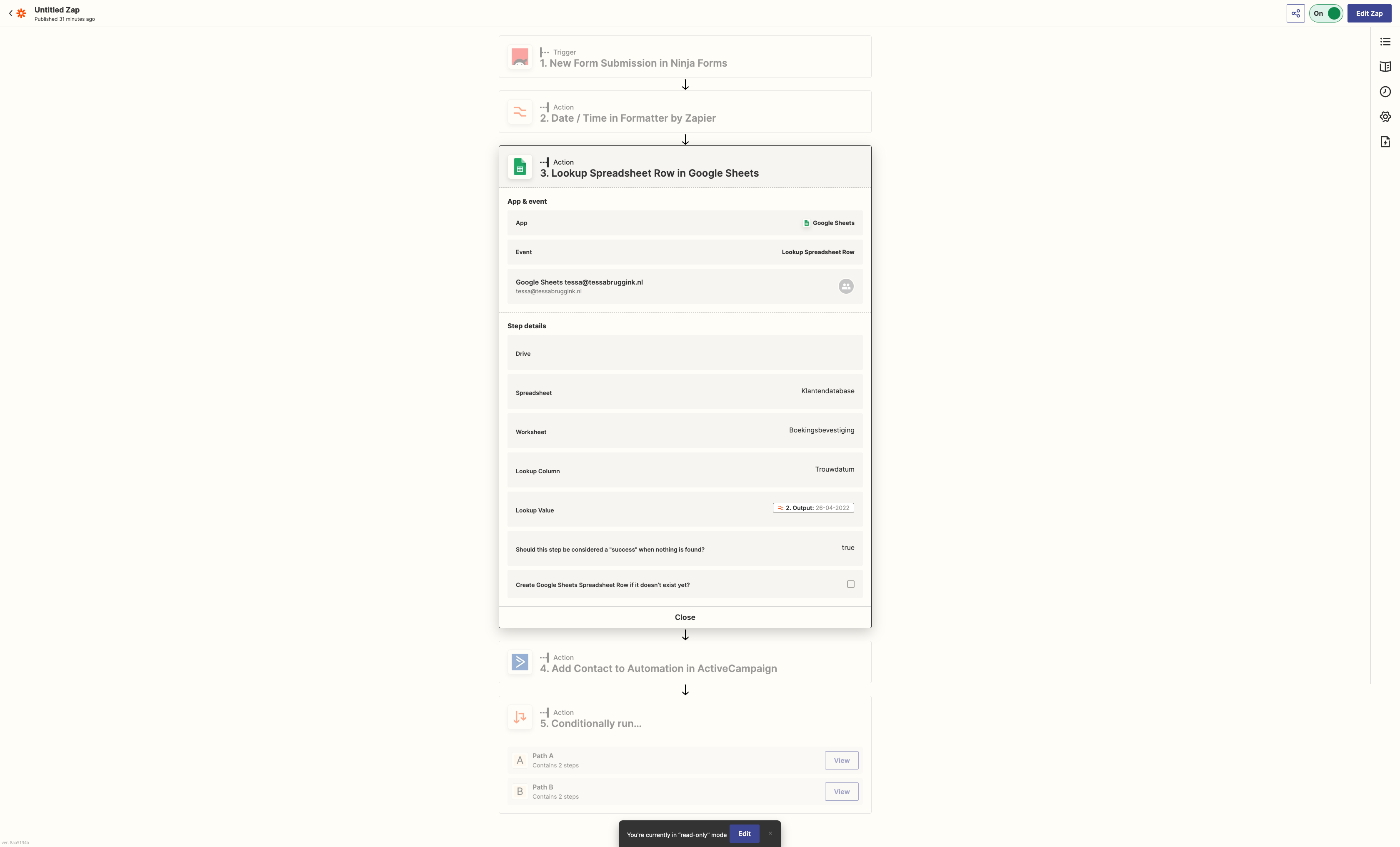
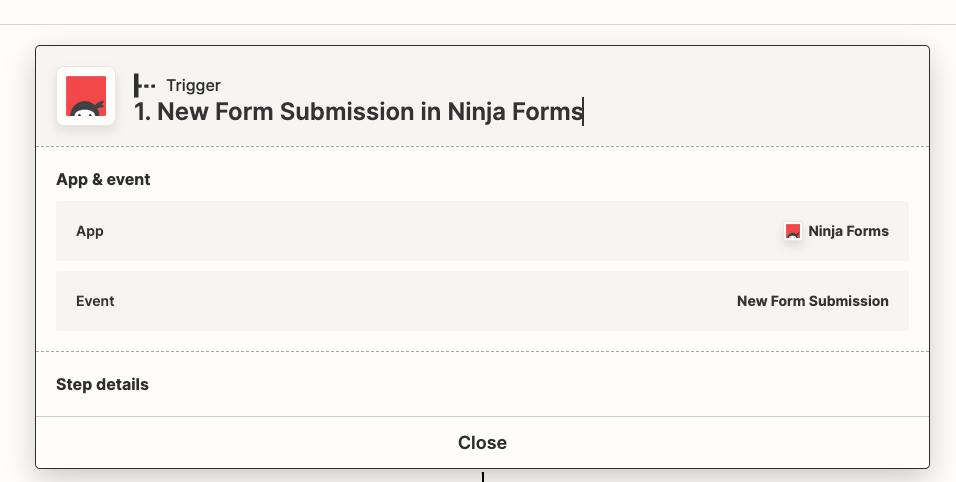
Trigger: new ninja form entry with date and email adres.
 formate the date from 20,
/01/2022 to 20-01-2022

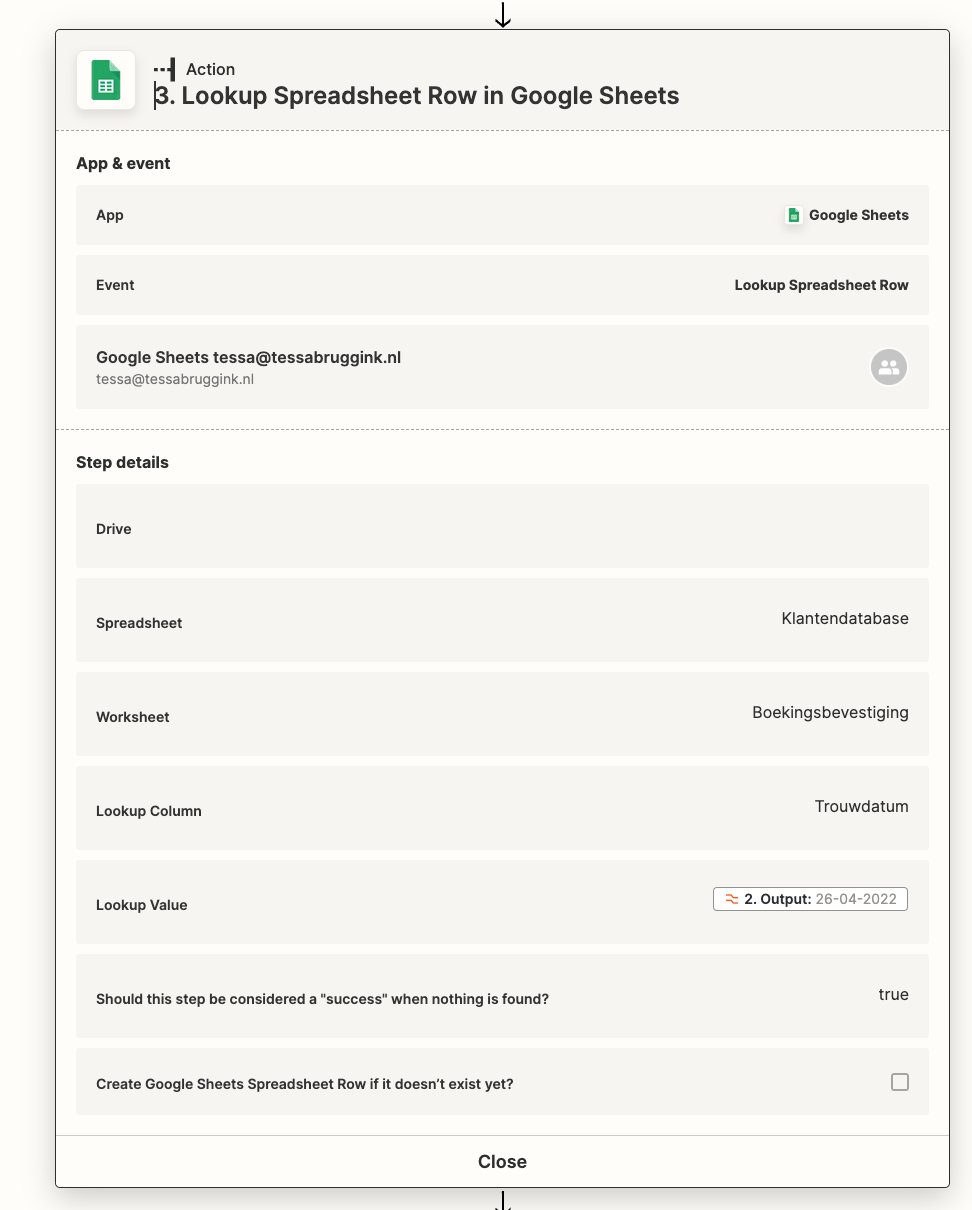
Look up if this date excists in my client list row with the wedding date. 
If date is not found its a succes. I put true so the next Step will run. 
 

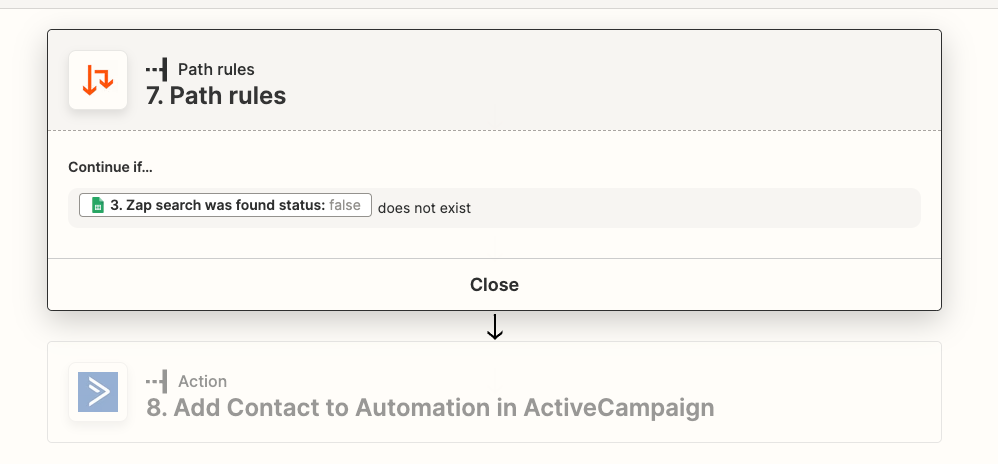
Next Step is send email I am available.

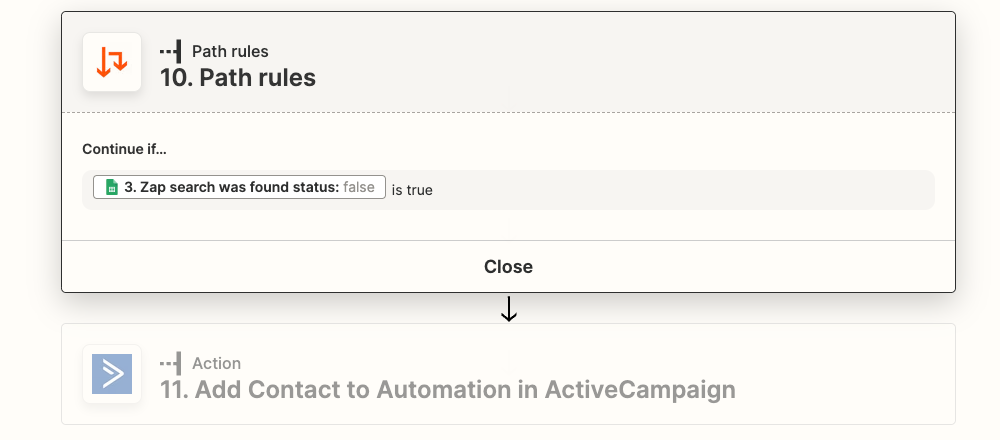
If date excists is true send email that I am not available by adding to automation. Wanted to try without a path B. I tried a lot of options now. Hope this helps. 

@Troy Tessalone 

This post has been closed for comments. Please create a new post if you need help or have a question about this topic.

7 replies

Satya09
Forum|alt.badge.img+7
  • Beginner
  • April 26, 2022

Hi @tesssmania  

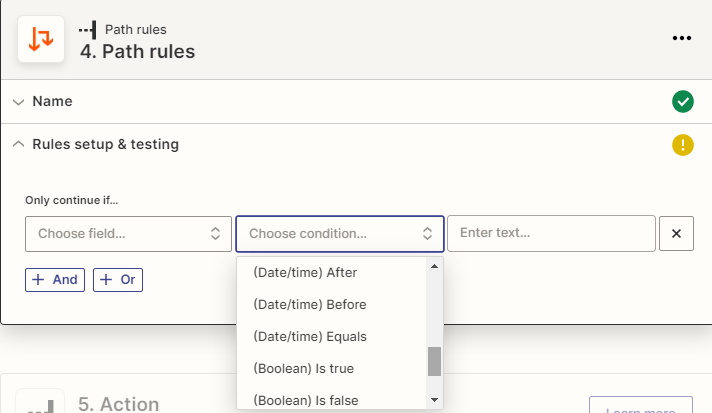
Just use the Ninja Forms New Submission as Trigger through which you collect the date submitted through form,add a Lookup Action Step for Google Sheet that contains Date and then Add a Path Step where you can create rules to compare the date from the Form Submission and Google Sheet.

Just create two paths in the path step one for the condition is true and another for false.Then add a Contact inside Active Campaign with different tags for the two conditions you have.


To send different emails based on conditions,use the respective tags as triggers and create automations inside activecampaign that send emails when a particular tag gets added.


Troy Tessalone
Zapier Orchestrator & Solution Partner
Forum|alt.badge.img+14
  • Zapier Orchestrator & Solution Partner
  • April 26, 2022

Hi @tesssmania 

Good question.

Can you please detailed post screenshots with how your Zap steps are currently configured for us to have more context, thanks.


  • Author
  • New
  • April 26, 2022

Hi @Satya09 and @Troy Tessalone, thanks for you replies. I am struggeling haha. Does this screenshot help? It sends the same e-mail now no matter what date is entered. Hope you can help. 


Troy Tessalone
Zapier Orchestrator & Solution Partner
Forum|alt.badge.img+14
  • Zapier Orchestrator & Solution Partner
  • April 26, 2022

@tesssmania 

We’d need to see detailed screenshots of each Zap step.

Also, please outline a few specific examples with detailed data in order for us to have context about the inputs/outputs and the desired automation behavior you are seeking.


  • Author
  • New
  • Answer
  • April 26, 2022
Trigger: new ninja form entry with date and email adres.
 formate the date from 20,
/01/2022 to 20-01-2022

Look up if this date excists in my client list row with the wedding date. 
If date is not found its a succes. I put true so the next Step will run. 
 

Next Step is send email I am available.

If date excists is true send email that I am not available by adding to automation. Wanted to try without a path B. I tried a lot of options now. Hope this helps. 

@Troy Tessalone 


Troy Tessalone
Zapier Orchestrator & Solution Partner
Forum|alt.badge.img+14
  • Zapier Orchestrator & Solution Partner
  • April 26, 2022

@tesssmania

Make sure you’ve configured GSheet correctly to work with Zaps: https://zapier.com/help/doc/how-to-set-up-your-google-spreadsheet-to-work-with-zapier

Try turning the Zap ON and testing, then check your Zap Runs to see the DATA IN/OUT for each Zap step to help trace and troubleshoot the data: https://zapier.com/app/history/


  • Author
  • New
  • April 27, 2022

Thanks a lot! I changed some things in Google Sheets but also had to change a couple of other things. But it works now. I am super happy. Thank you!