Question

Nimble CRM contacts into my marketing email app

  • May 9, 2024 2:37 PM UTC
  • 10 replies
  • 130 views

zamboknee
Forum|alt.badge.img

Can I use Zapier to, when a contact is moved to a stage in Nimble’s workflow, suck their information over to my email marketing app (Direct Mail Mac)?

This post has been closed for comments. Please create a new post if you need help or have a question about this topic.


10 replies

Troy Tessalone
Zapier Orchestrator & Solution Partner
Forum|alt.badge.img+14
  • Zapier Orchestrator & Solution Partner
  • May 9, 2024 2:48 PM UTC

ken.a
Forum|alt.badge.img+6
  • Zapier Staff
  • May 10, 2024 8:16 AM UTC

Hi @zamboknee,

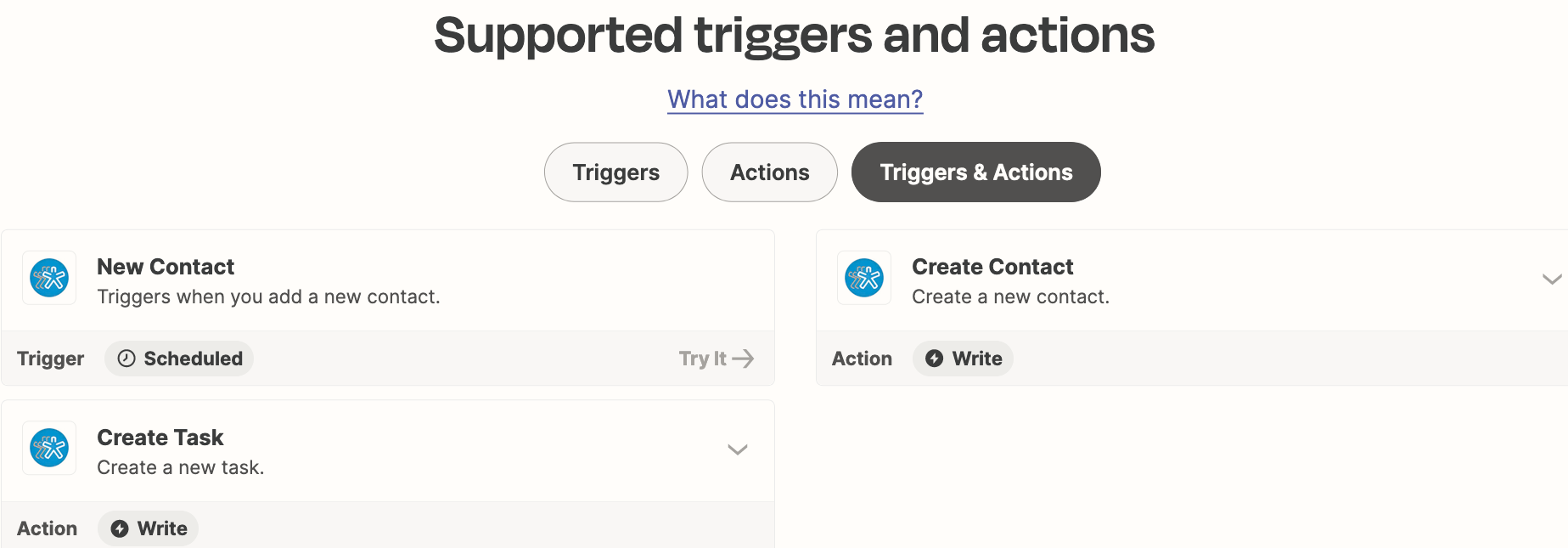
It looks like the only available trigger for Nimble is the “New Contact” trigger and doesn’t support the Contact moved to a stage. With this, I’d recommend reaching out to our Support Team to create a feature request on your behalf.

You can reach our Support Team here: https://zapier.com/app/get-help

Hopefully, this helps.


zamboknee
Forum|alt.badge.img
  • Author
  • New
  • May 13, 2024 7:36 PM UTC

Got it to work however the zap is not letting me include the ‘email’ info from Nimble.

It will only let me insert an actual email like ‘testemail@email.com’


Troy Tessalone
Zapier Orchestrator & Solution Partner
Forum|alt.badge.img+14
  • Zapier Orchestrator & Solution Partner
  • May 13, 2024 9:39 PM UTC

@zamboknee 

Email is a required field.

If the email address data point is returned from a previous step, then you can map the dynamic variable to the Email field, same as you did for the First Name field variable.


zamboknee
Forum|alt.badge.img
  • Author
  • New
  • May 13, 2024 10:26 PM UTC

Yeah but Zapier isn’t giving me the option of the ‘email’ field from nimble.


Troy Tessalone
Zapier Orchestrator & Solution Partner
Forum|alt.badge.img+14
  • Zapier Orchestrator & Solution Partner
  • May 13, 2024 10:31 PM UTC

@zamboknee 

Does the contact example selected in the Zap trigger step have an email address in Nimble?


zamboknee
Forum|alt.badge.img
  • Author
  • New
  • May 14, 2024 2:51 PM UTC

I THINK so?


Troy Tessalone
Zapier Orchestrator & Solution Partner
Forum|alt.badge.img+14
  • Zapier Orchestrator & Solution Partner
  • May 14, 2024 2:54 PM UTC

@zamboknee 

Then for the Email field input you should be able to use the ‘Custom’ tab to map a dynamic variable from a previous step that is for one of the email data points from Step 1.


zamboknee
Forum|alt.badge.img
  • Author
  • New
  • May 14, 2024 5:03 PM UTC

I don’t understand.

Here’s what I want to happen.


When I create a new contact in Nimble, I’d like that person’s name and email (company name too) sucked into my Direct Mail Mac app.


Should I delete this zap and start over?


Troy Tessalone
Zapier Orchestrator & Solution Partner
Forum|alt.badge.img+14
  • Zapier Orchestrator & Solution Partner
  • May 14, 2024 5:34 PM UTC

@zamboknee 

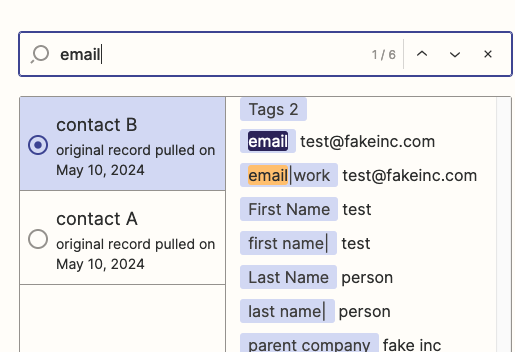
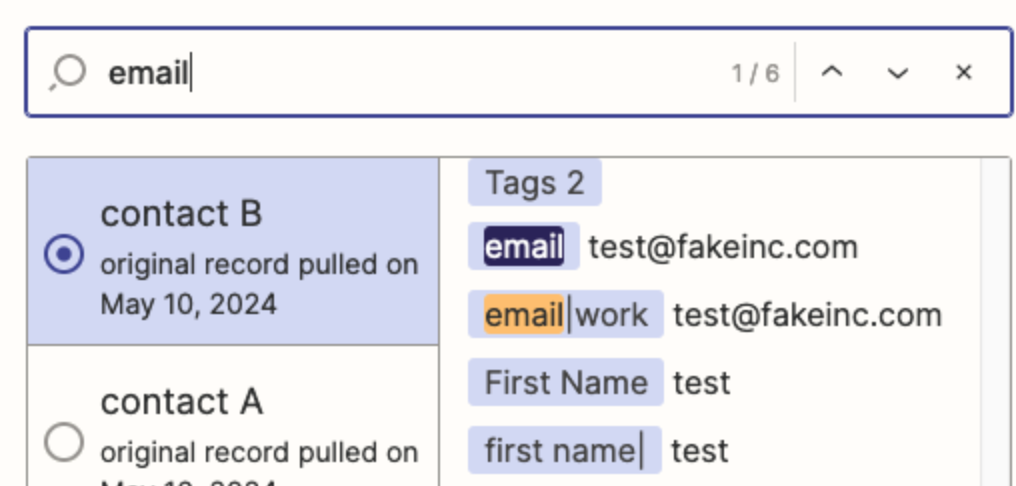
Your Zap trigger example screenshots show email variables.


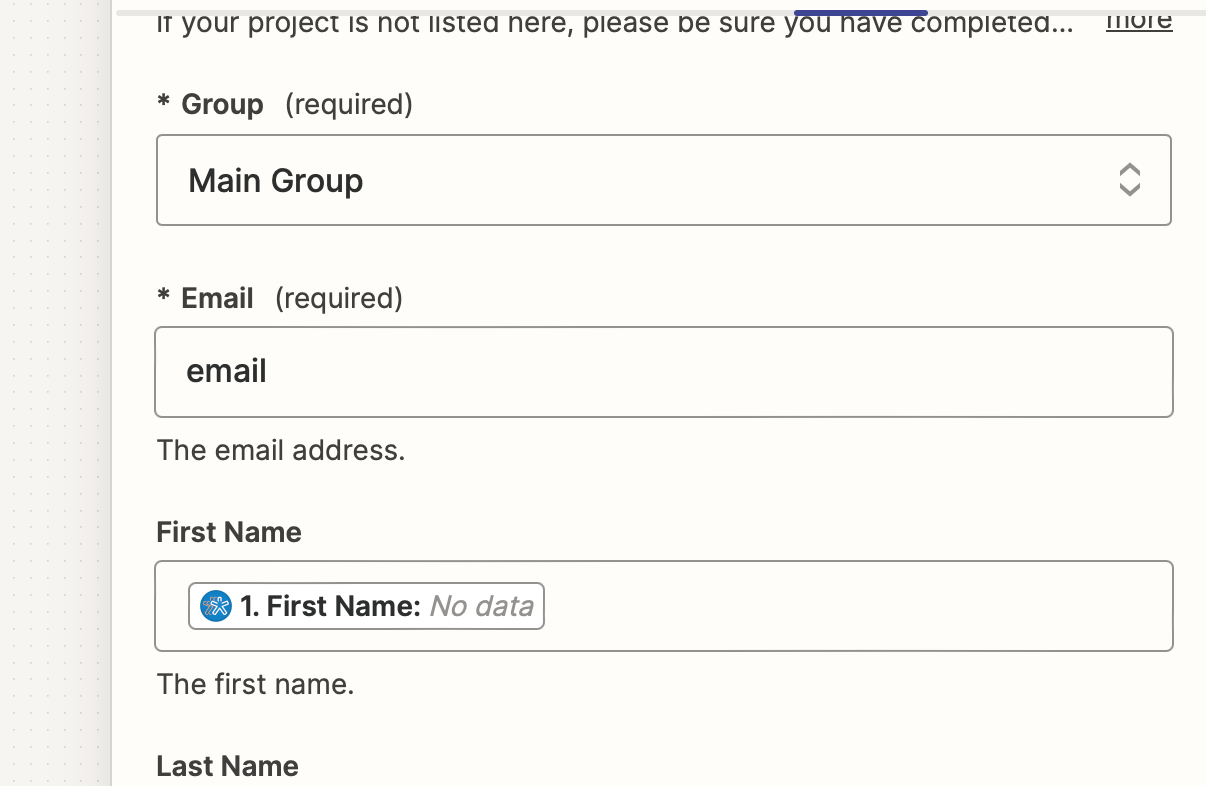
This screenshots show you were able to map the variable for First Name from Step 1, but have a static value set for the Email field.

You should be able to map a variable from step 1 for the Email field, the same way you mapped a variable from Step 1 for the First Name field.