Best answer

MS Teams - Text form

  • January 12, 2021
  • 2 replies
  • 740 views

I have done a zap from google sheet to google calendar then MS teams.

I want to send automatic reminders to my coworker through MS teams. I have tried formatter in order to split the text on three lines which looks to work:
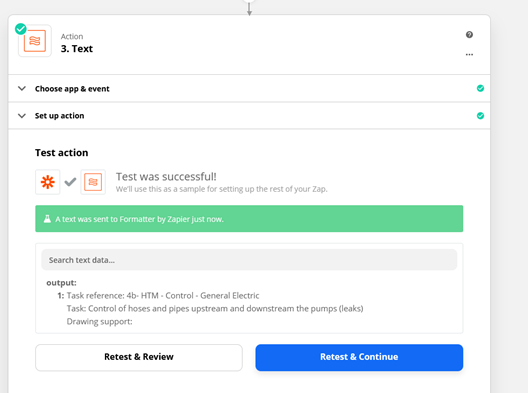
Then after connecting to MS teams, it looks to be still correct
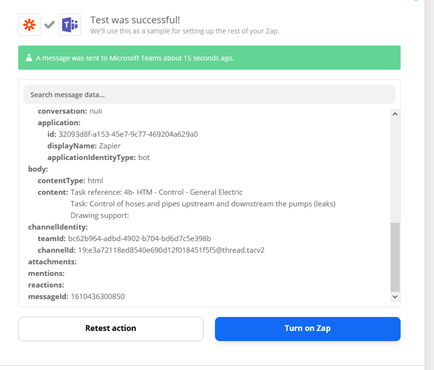
 

However the final form that has been send in the channel chat is a unique line

 

Could you help me to split correctly the text as the content above ?

Thanks

Best answer by Troy Tessalone

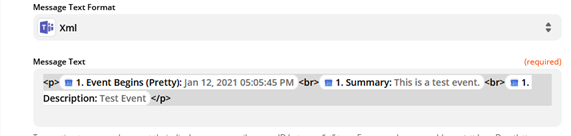
Try using Markdown or HTML to format line breaks.

Markdown: https://support.microsoft.com/en-us/office/use-markdown-formatting-in-teams-4d10bd65-55e2-4b2d-a1f3-2bebdcd2c772

HTML: https://www.w3schools.com/tags/tag_br.asp

This post has been closed for comments. Please create a new post if you need help or have a question about this topic.

2 replies

Troy Tessalone
Zapier Orchestrator & Solution Partner
Forum|alt.badge.img+14
  • Zapier Orchestrator & Solution Partner
  • Answer
  • January 12, 2021

  • Author
  • Beginner
  • January 13, 2021

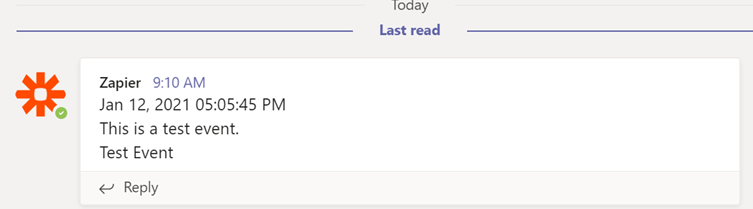
Thanks @Troy Tessalone , it works perfectly with HTML =)