Question

Monday.com get item by column value issue

  • March 9, 2022
  • 4 replies
  • 648 views

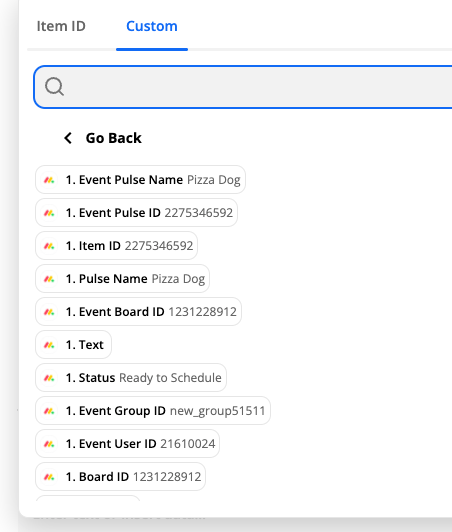
So when using data from a triggered event in monday I have access to all the columns data like this...
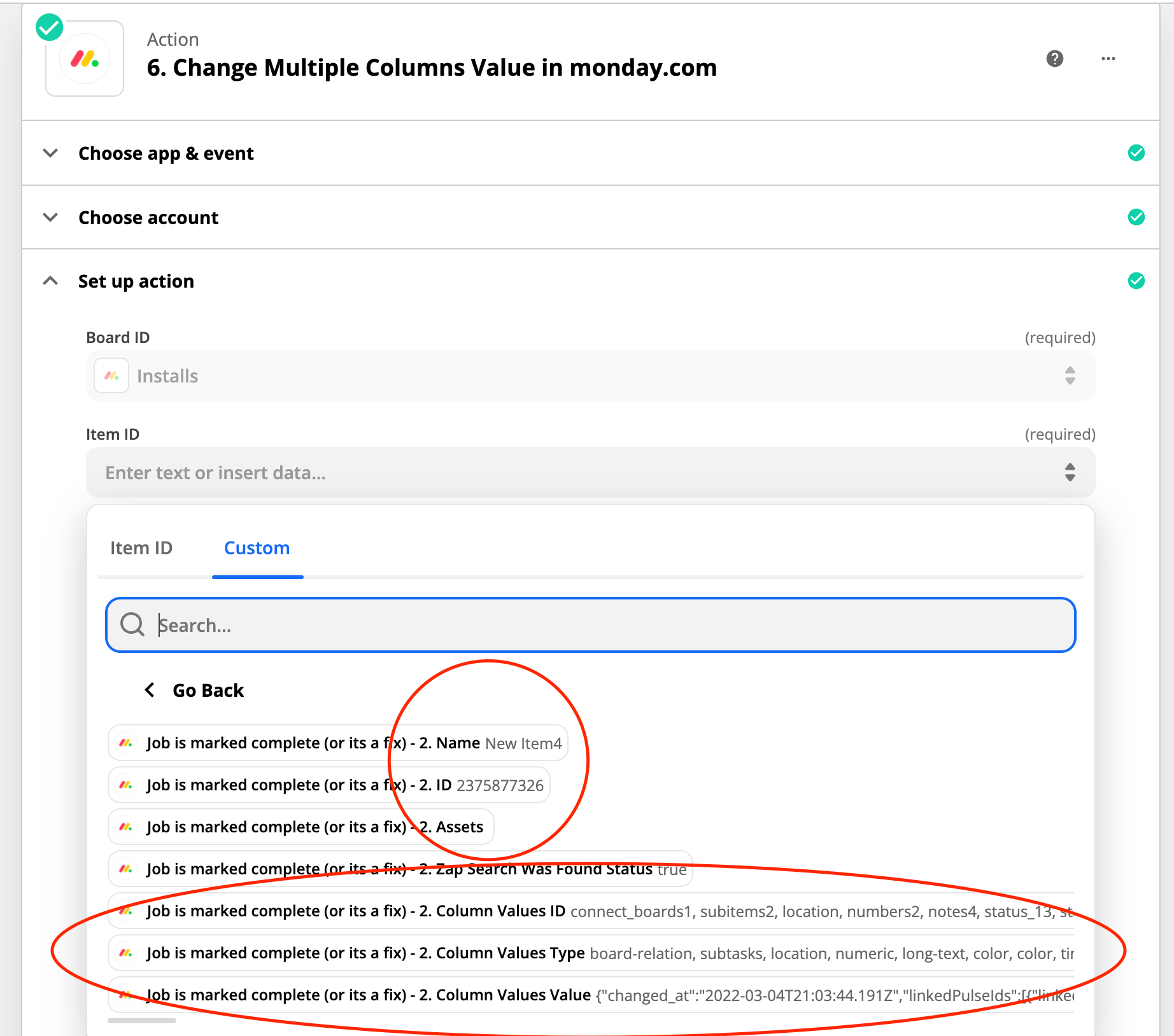
But when I use get item by column I only have access to the Name and ID.

And the rest of the values are not so accessible for a beginner like me…

Can I do something different to get the values like they are when triggered from an event?
 

Any help would be much appreciated. 

This post has been closed for comments. Please create a new post if you need help or have a question about this topic.

4 replies

Troy Tessalone
Zapier Orchestrator & Solution Partner
Forum|alt.badge.img+14
  • Zapier Orchestrator & Solution Partner
  • March 9, 2022

Hi @boydbar 

Try using this Zap step: Monday Get Column Values


NOTE: Leave the Column field blank.


  • Author
  • Beginner
  • March 9, 2022

...


Troy Tessalone
Zapier Orchestrator & Solution Partner
Forum|alt.badge.img+14
  • Zapier Orchestrator & Solution Partner
  • March 9, 2022

@boydbar

Did you figure it out?

You need to first find the Item, then Get the Item’s Column Values. (2 Zap steps)


  • Author
  • Beginner
  • March 10, 2022

With that info I made a work around. But still not helpful when you need a record without the ID