I need to make personal information anonimous but still allow for a small preview of the data.
For example an email address needs to be converted into saXXXXXXXer@gmXXX.Xom
Or a phone number into 06XXXXXX12
Etc
How can I set this up?

I need to make personal information anonimous but still allow for a small preview of the data.
For example an email address needs to be converted into saXXXXXXXer@gmXXX.Xom
Or a phone number into 06XXXXXX12
Etc
How can I set this up?
Best answer by andywingrave
Hello! I’m not sure this can be completed without a code step..
This will do it in a JavaScript code step (some of the clumsiest code I’ve written...But gets the job done...)
function replaceRange(s, start, end, substitute) {
    return s.substring(0, start) + substitute + s.substring(end);
}

let email = inputData.email
let phone = inputData.phone
let emailStart = Math.round(email.length/4)
let emailEnd = emailStart*3
let phoneStart = Math.round(phone.length/4)
let phoneEnd = phoneStart*3

let newEmail = replaceRange(email, emailStart, emailEnd, "XXXXXX");
let newphone = replaceRange(phone, phoneStart, phoneEnd, "XXXXXX");

output = [{newphone, newEmail}];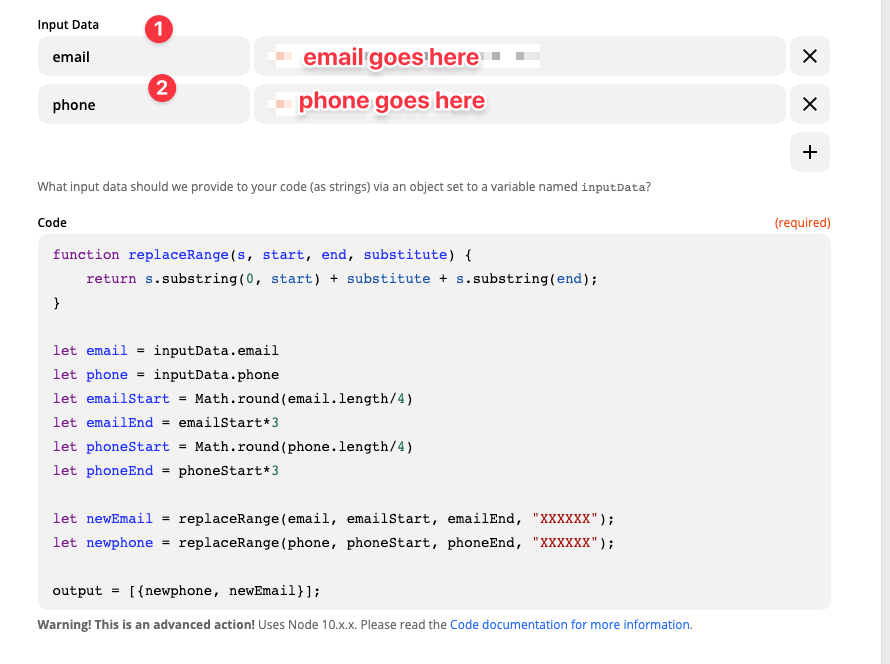
Enter your E-mail address. We'll send you an e-mail with instructions to reset your password.