Question

Linking tasks to Contacts and Opportunities in Insightly using Zapier

  • March 25, 2026
  • 2 replies
  • 11 views

In Insightly, I have an automated workflow that can trigger on Contacts (3 tasks appear on the 'Activity' feed of a Contact). However, in the 'My Tasks' section, all of the tasks aren’t linked to a contact, so when I or my colleagues are completing these tasks, we have no idea who these tasks are connected to and for what specific opportunity. How can I link these tasks to a Contact AND an Opportunity through Zapier (some of the contacts have more than one opportunity, so I would want to have the tasks linked to each opportunity per contact)?

2 replies

Troy Tessalone
Zapier Orchestrator & Solution Partner
Forum|alt.badge.img+14
  • Zapier Orchestrator & Solution Partner
  • March 26, 2026

Hi ​@btatum4 

For us to have more info, post screenshots showing how your Zap steps are outlined/configured.

In the Zap steps, you should be able to map the record IDs across steps to link the records.


Sparsh from Automation Jinn
Forum|alt.badge.img+6

Hey ​@btatum4,

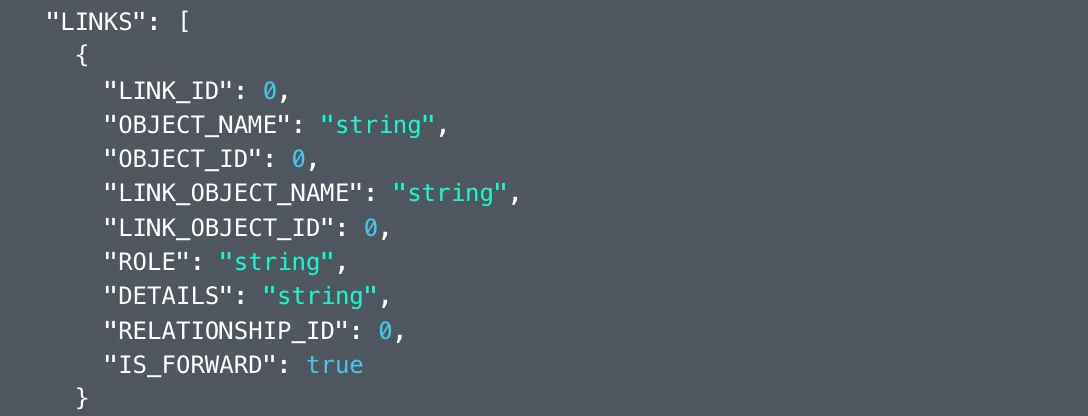
For the contact to have the links with other objects in insightly, you will have do it explicitly as it doesn’t happen automatically.

Can you see the option to give the link object in create record action? If not, you will probably have to do it by querying the Insightly API directly using Webhooks in Zapier. Here is a helpful article about Webhooks in Zapier- https://zapier.com/apps/webhook/integrations. Here is the API documentation- https://api.na1.insightly.com/v3.1/#!/Overview/Introduction.


I know it can get a bit more technical and complex but if it’s important for you, you can give this approach a try. Hope it helps!

PS: If you need more active help, I’m happy to connect through my Zapier Solution Partner page if you’d like to reach out here- https://zapier.com/partnerdirectory/automation-jinn