Best answer

Klaviyo Email List Integration via Squarespace not working

  • February 27, 2020
  • 6 replies
  • 238 views

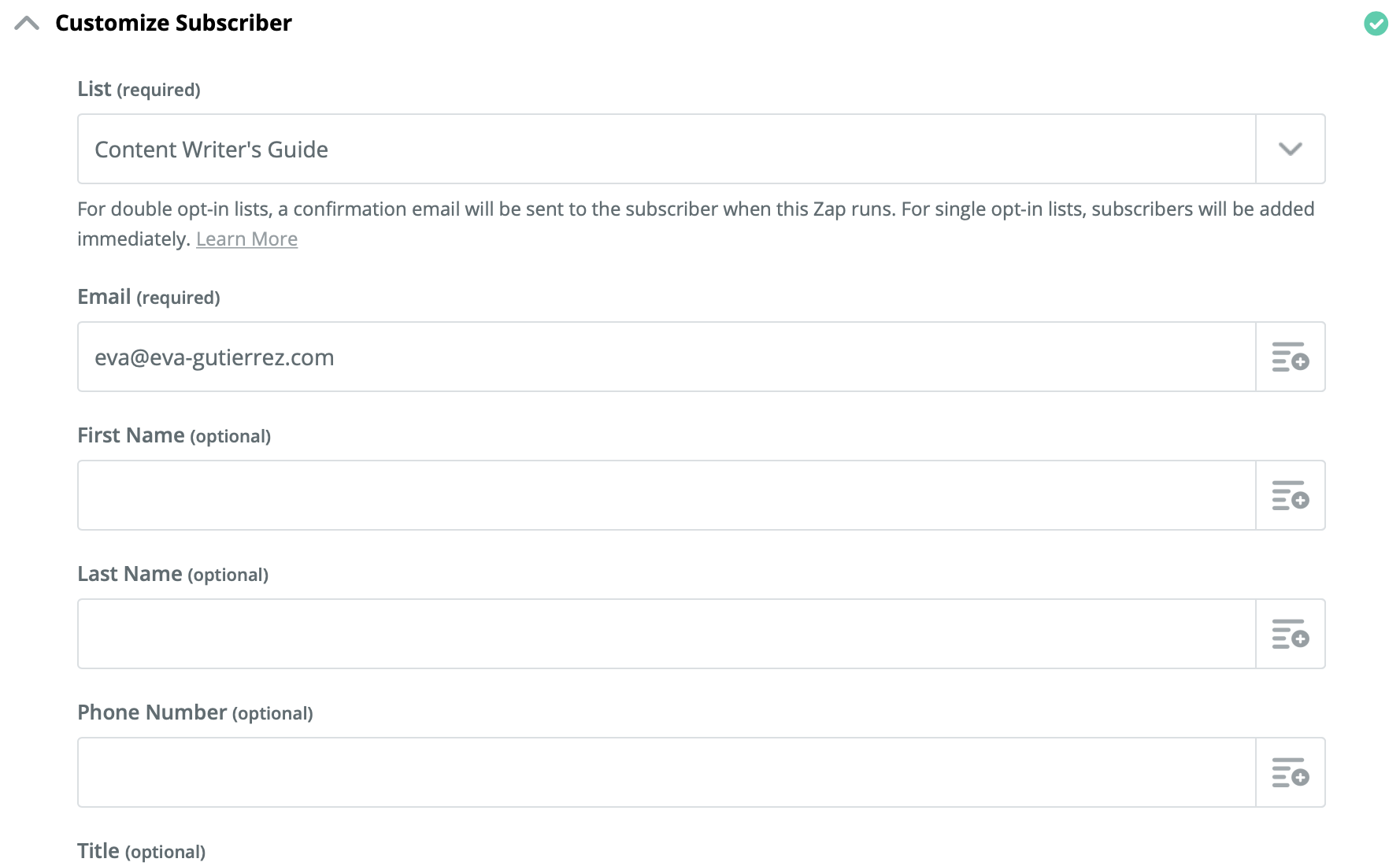
 I’m having a problem with the double opt-in. I have a Squarespace account that is linked to Klaviyo via a Zapier integration. The integration links users who fill out the form on my Squarespace account to my Klaviyo email list. Currently, whenever someone fills out the form, I get the double opt-in email confirmation (that they should be receiving) to my email address and they are not being added to my list.


Do you know what problem I need to fix?


Best answer by AndrewJDavison

Hi @Eva

That email field should be for the person you want to subscribe, not your email address.

See this icon on the right:

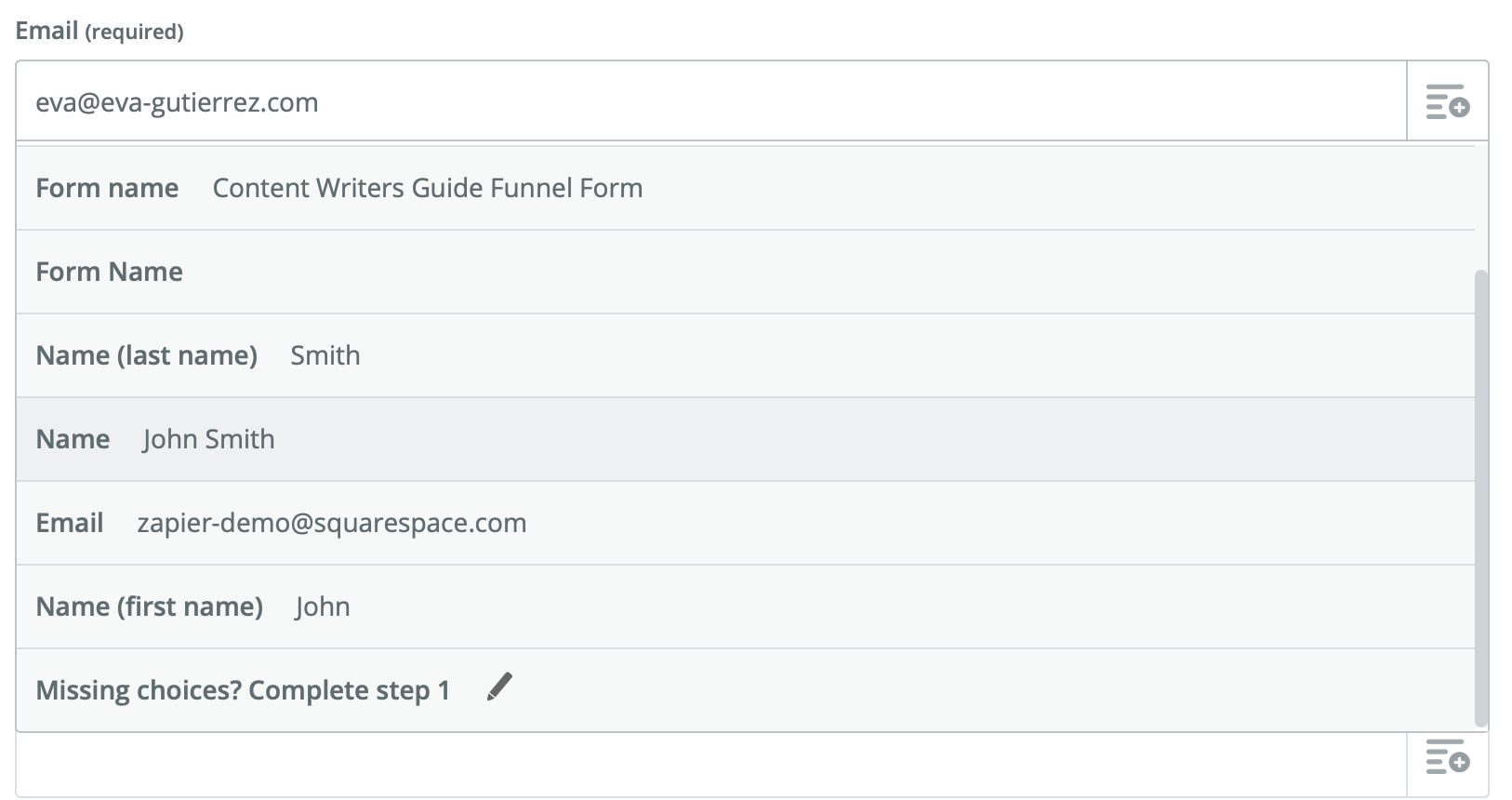
Screen Shot 2020-02-29 at 11.32.40.pngClick that, and you'll be able to dynamically map the email address you get from your trigger.



This post has been closed for comments. Please create a new post if you need help or have a question about this topic.

6 replies

Danvers
Forum|alt.badge.img+12
  • Zapier Staff
  • February 28, 2020

Hi @Eva! In the Klaviyo step, what do you have in the email address field? Is it the information from the Squarespace step? Or is it an email address that you've typed in (eg your email address)?

If you're not sure what I mean, could I trouble you to please share a screenshot of the Klaviyo step so that we can see how it's set up. If there are any email addresses in there that aren't yours, make sure that obscure them so that you're not sharing someone's details!


AndrewJDavison
Forum|alt.badge.img+11
  • Zapier Solution Partner
  • February 28, 2020

Hi @Eva

Can you show us with a screengrab how you have the Klaviyo step setup.


  • February 28, 2020

Screen Shot 2020-02-28 at 2.32.35 PM.pngHere's the email address in the Klaviyo step (which is my email address). Let me know if you need to see another part of the Klaviyo step and thank you sooo much for helping me!


AndrewJDavison
Forum|alt.badge.img+11
  • Zapier Solution Partner
  • Answer
  • February 29, 2020

Hi @Eva

That email field should be for the person you want to subscribe, not your email address.

See this icon on the right:

Screen Shot 2020-02-29 at 11.32.40.pngClick that, and you'll be able to dynamically map the email address you get from your trigger.


  • March 2, 2020

Screen Shot 2020-03-01 at 7.24.50 PM.pngSo at this step I would choose the "Email zapier-demo@squarespace.com" field?



AndrewJDavison
Forum|alt.badge.img+11
  • Zapier Solution Partner
  • March 2, 2020

Hi @Eva

Yes, exactly!

When your zap runs live, it will take whatever email address the person used when filling out the form.