Question

Insert Tables content into Zapier Interfaces text

  • September 16, 2024
  • 12 replies
  • 87 views

If I’m building a Zapier Interface with a form, how can I have the thank you page, show some of the information submitted in the form?

In other words, how can I embed Zapier Tables content in a text component in Interfaces?


For example the user submits First Name and Email, and The Thank You page says “Thank you, {First Name}!


This post has been closed for comments. Please create a new post if you need help or have a question about this topic.

12 replies

Troy Tessalone
Zapier Orchestrator & Solution Partner
Forum|alt.badge.img+14
  • Zapier Orchestrator & Solution Partner
  • September 16, 2024

  • Author
  • New
  • September 16, 2024

Hi @Troy Tessalone ,

Thank you, but I’m not trying to prefill the form.

I’d like a text component to be dynamic by pulling a certain field from a table.

For example the user submits First Name and Email in the form, it get s saved in the table, and the Thank You page says “Thank you, {First Name}, pulling from the table.


Troy Tessalone
Zapier Orchestrator & Solution Partner
Forum|alt.badge.img+14
  • Zapier Orchestrator & Solution Partner
  • September 16, 2024

  • Author
  • New
  • September 16, 2024

@Troy Tessalone 

Ok, however this uses form data, not table data.

What about if you want a different field, for example a calculated or AI field based on the information that was submitted?

Speciffically pulling from a table, Is that possible?


Troy Tessalone
Zapier Orchestrator & Solution Partner
Forum|alt.badge.img+14
  • Zapier Orchestrator & Solution Partner
  • September 16, 2024

@flip2000 

For us to have more context, outline a specific examples so we can better understand the desired data flow between the apps involved.


  • Author
  • New
  • September 16, 2024

@Troy Tessalone 

Ok, let me try and clarify.

So imagine a form where a user answers multiple questions.

The users are business owners, they submit their yearly revenue and the industry in which they operate.

Based on that information we can give them an estimation of their company valuation (calculated in a sheet).

And we’d like to show them this number straight away when they have submitted the form, with a text along the lines of:

“Thank you for answering these questions.

Based on the information you shared, your estimated comapny valuation is XXX.”


All the calcuations can be made in a Zapier table or Google Sheet, but I’m looking for a way to insert a resulting data point on an Interface page.


Troy Tessalone
Zapier Orchestrator & Solution Partner
Forum|alt.badge.img+14
  • Zapier Orchestrator & Solution Partner
  • September 16, 2024

@flip2000 

Flow might work like this:

  • Form submitted
  • Zap configured to:
    • Do the desired calculations (Airtable / GSheets / Tables)
    • Send an email to the user who submitted the form
      • Email contains link to a Zapier Interfaces page with the query string parameters that can be used to dynamically show data in the Text component

  • Author
  • New
  • September 16, 2024

@Troy Tessalone 

I’d love to give an instant answer, and am surprised that this doesn’t seem possible. The information is in the database, we just need to pull it...

But as a side note, I’m not sure I’ve seen any instructions to dynamically show data in a text component, using a query string parameter? I’ve only seen how to pre-fill a form with a query string parameter.


Troy Tessalone
Zapier Orchestrator & Solution Partner
Forum|alt.badge.img+14
  • Zapier Orchestrator & Solution Partner
  • September 16, 2024

@flip2000

But as a side note, I’m not sure I’ve seen any instructions to dynamically show data in a text component, using a query string parameter? I’ve only seen how to pre-fill a form with a query string parameter.

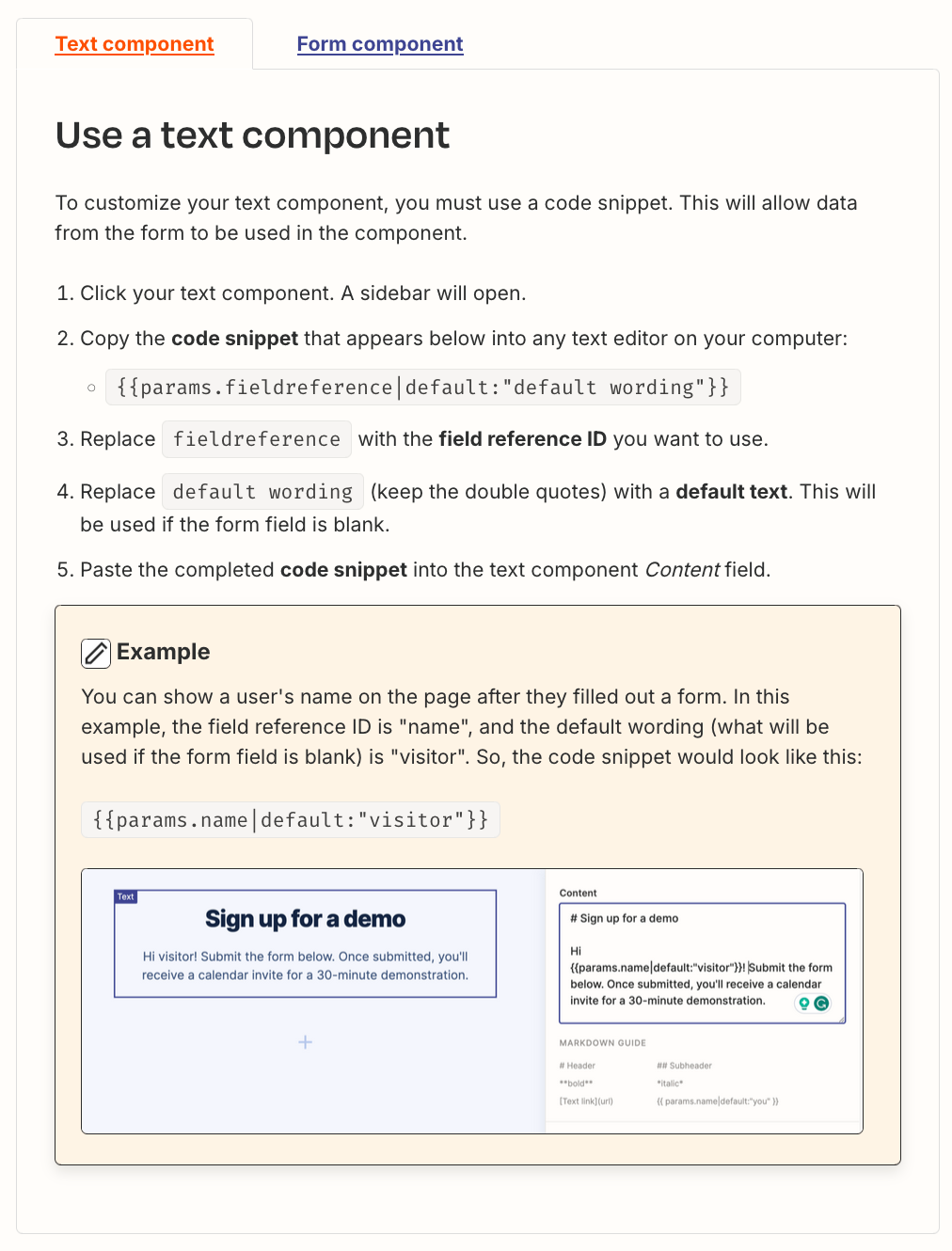
Previously shared help link: https://help.zapier.com/hc/en-us/articles/26098424926093-Use-form-data-to-personalize-components#h_01HW32YW0CGGQ42F7HZAESNHHC


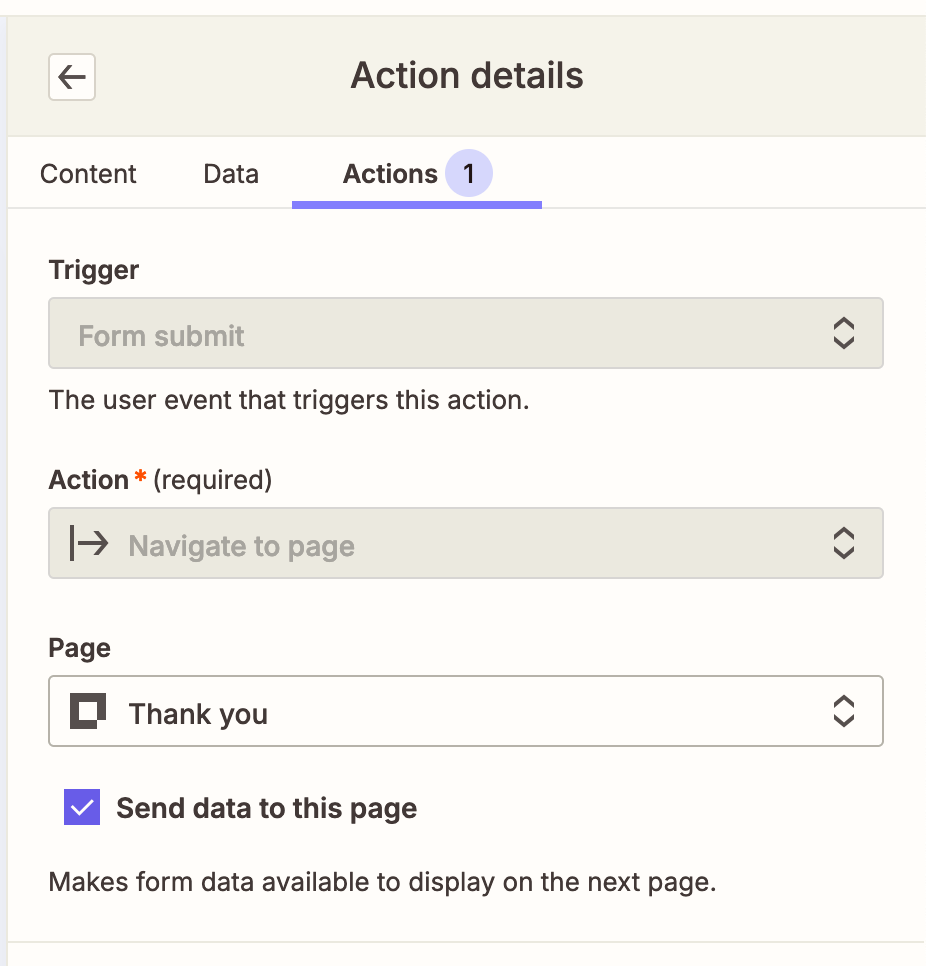
When you configure an Action for an Interface Form, there is the ability to “Send data to a page”, which uses query string parameters, that can then be used by the Interface page components.


Troy Tessalone
Zapier Orchestrator & Solution Partner
Forum|alt.badge.img+14
  • Zapier Orchestrator & Solution Partner
  • September 16, 2024

@flip2000 

What about if you want a different field, for example a calculated or AI field based on the information that was submitted?

I’d love to give an instant answer, and am surprised that this doesn’t seem possible. The information is in the database, we just need to pull it…

If you are trying to show info from a submitted Interface Form in another Interface Page component, then that is possible using the query string parameters method outlined above.


If you are trying to do calculations and/or lookups on other data sets to then display in the Interface Page component, then that may not be doable.

  • One is a front end process (redirecting the user).
  • One is a back end process (automations).

When a form is submitted the user can be redirected to an Interface Page.

Behind the scenes a Zap would need to run to take the Interface Form and do additional steps for the calculation or data lookups.

So there is a disconnect with the user being redirected to an Interface Page, but the Zap has not started/finished processing.


Troy Tessalone
Zapier Orchestrator & Solution Partner
Forum|alt.badge.img+14
  • Zapier Orchestrator & Solution Partner
  • September 16, 2024

@flip2000 

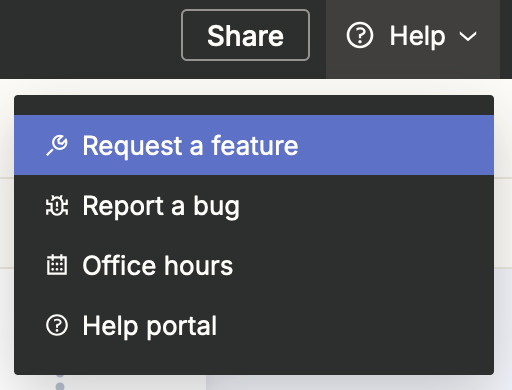
In the Zapier Interfaces, check the Help menu for options to explore for possible guidance and clarification about the feasibility of what you are trying to configure.


JammerS
Forum|alt.badge.img+6
  • Zapier Staff
  • September 17, 2024

Hi @flip2000,
 
We just wanted to see how everything is going with your Zap. Did Troy's recommendation get the job done? Feel free to reach out if you need further assistance with your Zap. We're glad to address any concerns and assist you.
 
We're looking forward to your response.