Question

Insert rows in Google Sheet giving 'without headers error'

  • October 6, 2021
  • 5 replies
  • 137 views

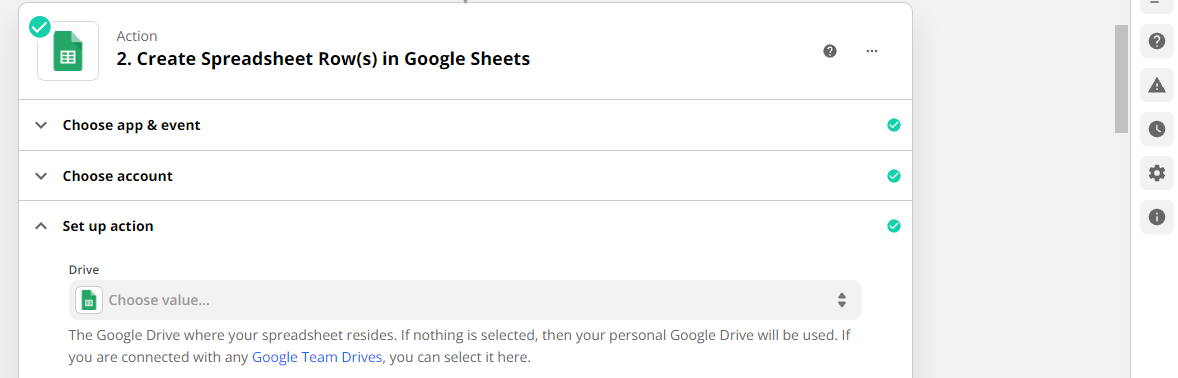
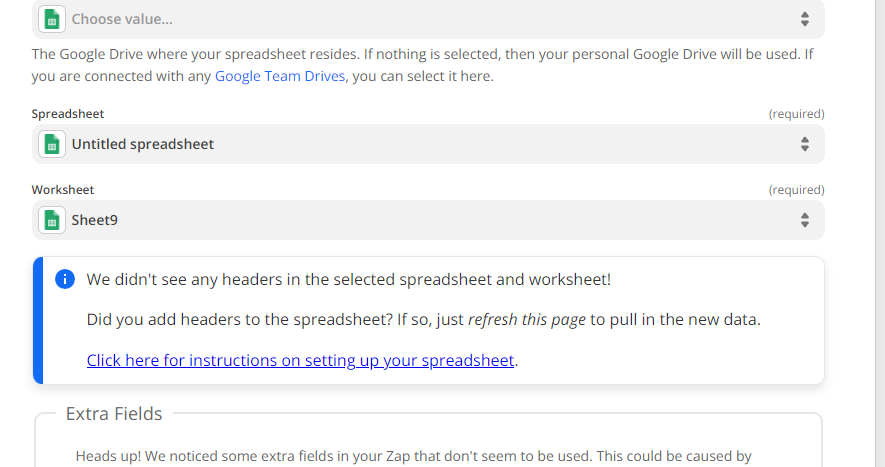
I need to create dynamic columns and rows in google sheet but its giving ‘Without headers error’.

Is there any way to make it dynamic using zapier?

This post has been closed for comments. Please create a new post if you need help or have a question about this topic.

5 replies

jayeshkumarbhatia
Forum|alt.badge.img+7

Hey, You can request for new actions on Zapier by raising a request here


Troy Tessalone
Zapier Orchestrator & Solution Partner
Forum|alt.badge.img+14
  • Zapier Orchestrator & Solution Partner
  • October 6, 2021

Hi @VarinderKumar 

Make sure to review the available help articles related to using GSheets in Zaps: https://zapier.com/apps/google-sheets/help


Perhaps post screenshots with how your Zap steps are configured along with the returned error.


  • Author
  • Beginner
  • October 7, 2021

Hi @VarinderKumar 

Make sure to review the available help articles related to using GSheets in Zaps: https://zapier.com/apps/google-sheets/help


Perhaps post screenshots with how your Zap steps are configured along with the returned error.

@Troy Tessalone Please check if you can give any idea. Actually I need to send multiple rows. but few columns need to be generated at run time. 
​​​As per now we need to have existing columns which we can map with request variables and data will inserted under those predefined columns. is there any way we can insert data under dynamically created columns. 
Thanks


  • Author
  • Beginner
  • October 11, 2021

Hey, You can request for new actions on Zapier by raising a request here

Is there any way we can send data to google sheet where sheet dont have headers?

I want to send headers in part of my request.


Troy Tessalone
Zapier Orchestrator & Solution Partner
Forum|alt.badge.img+14
  • Zapier Orchestrator & Solution Partner
  • October 11, 2021

@VarinderKumar 

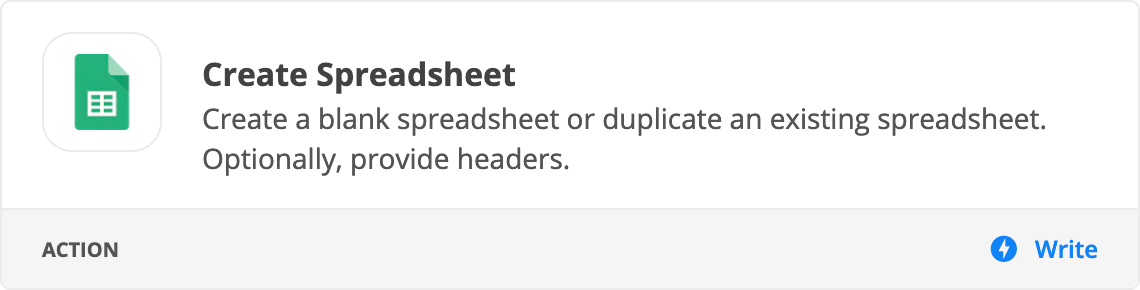
Try using this option which allows you to specify headers.