Best answer

Import from CSV, export spreadsheet, email as attachment

  • December 10, 2021
  • 2 replies
  • 306 views

I want to import data from a CSV and:

  1. Create a spreadsheet with data imported from the CSV
  2. Attach the spreadsheet to an email
  3. Email the attachment to a distribution email address

I have the utilities step set up to import from the CSV file but I’m not sure what triggers to set up next. Help?

Best answer by Troy Tessalone

Hi @MMAR 

Can you please post screenshots with how your Zap steps are configured?

Why do you need to create a spreadsheet VS simply attaching the CSV file to the email?


Check these help articles:

CSV; https://zapier.com/help/create/format/import-csv-files-into-zaps

Files: https://zapier.com/help/create/basics/send-files-in-zaps

This post has been closed for comments. Please create a new post if you need help or have a question about this topic.

2 replies

Troy Tessalone
Zapier Orchestrator & Solution Partner
Forum|alt.badge.img+14
  • Zapier Orchestrator & Solution Partner
  • Answer
  • December 10, 2021

Hi @MMAR 

Can you please post screenshots with how your Zap steps are configured?

Why do you need to create a spreadsheet VS simply attaching the CSV file to the email?


Check these help articles:

CSV; https://zapier.com/help/create/format/import-csv-files-into-zaps

Files: https://zapier.com/help/create/basics/send-files-in-zaps


  • Author
  • New
  • December 10, 2021

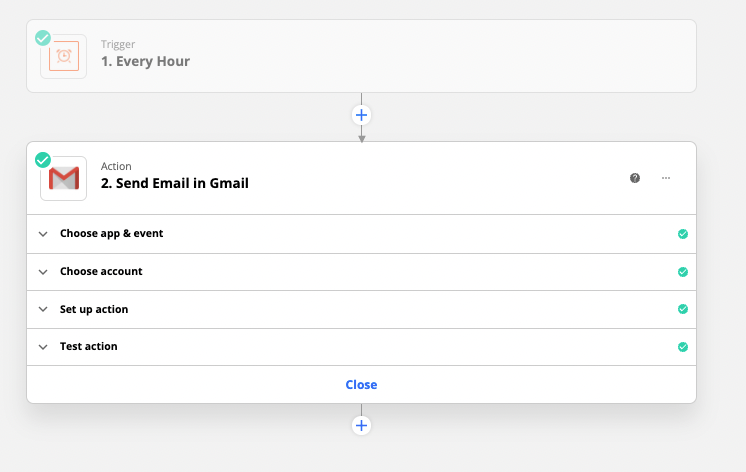
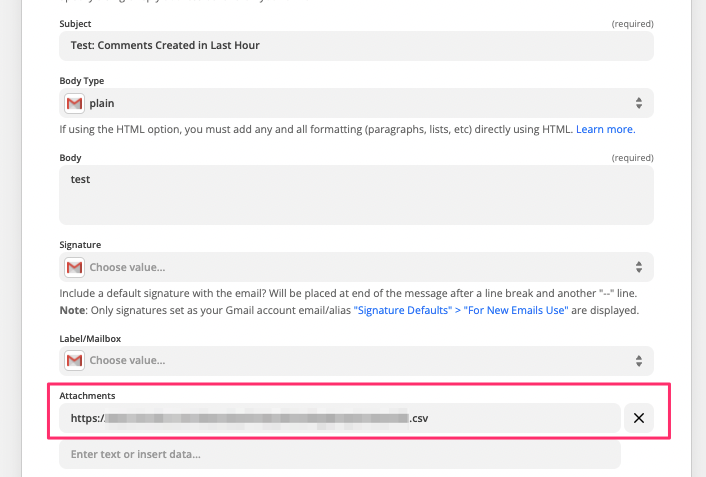
Hi @Troy Tessalone , I was definitely overcomplicating things :face_palm_tone1: . I was able to just create a send email step with the CSV url in the Attachments. Thanks!