Hi there,
I would like to re-post the top 3 emoji’d slack messages once a week.
Is there a way to query a digest so it only releases it if the it’s one of the top most reacted posts for that week?
Best,
Tarun

Hi there,
I would like to re-post the top 3 emoji’d slack messages once a week.
Is there a way to query a digest so it only releases it if the it’s one of the top most reacted posts for that week?
Best,
Tarun
Best answer by nicksimard
Hi
I think you could use a Zap to trigger on slack reactions, then the Storage app to increment the value by 1 each time for that message ID, then adding to Google Sheets. Then use this technique to only show the top 3 results in a worksheet.
Since you have to search for something in order to find rows, you could use any keyword you want, like this (I used top3):
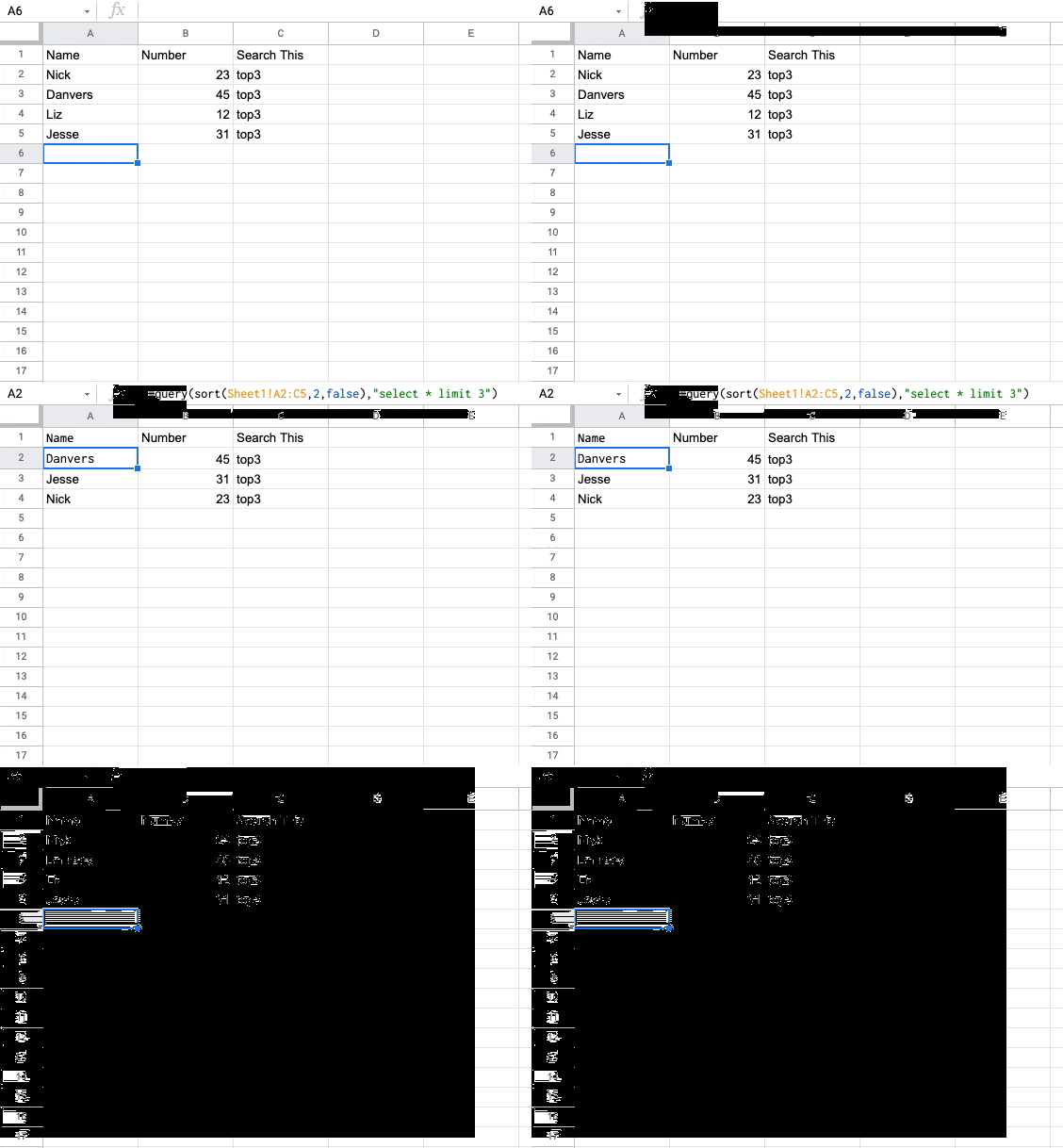
Hope that helps point you in the right direction!

Build and deploy automations from AI tools you already use. With Agentic Management, if anything breaks, the agent diagnoses the issue and proposes a fix.

Join us September 23rd, 2026 for a free, one-day virtual event with 30+ sessions on AI automation. Get live build-alongs, playbooks, and strategies to lead AI transformation at your organization.
No account yet? Create an account
Enter your E-mail address. We'll send you an e-mail with instructions to reset your password.








